StacksAI · Claude 3.5
Game information
AI generation prompt
Core Game Loop and Mechanics
Moment-to-Moment Gameplay: The player is presented with a hexagonal grid board and a hand tray containing 3 stacks of colored tiles. Each turn, the player:
- Selects one of the 3 incoming stacks from the hand tray
- Places it onto an empty cell on the hex grid
- Watches as matching adjacent tiles automatically cascade and merge
- Sees stacks of 10 same-colored tiles burst and award points
- Repeats until all 3 tray stacks are placed
- Receives 3 new stacks and continues
Progression System:
- Each level has a score target displayed as a progress bar
- Reaching the target advances to the next level, clears the board, and increases difficulty
- Every 5 levels, a new color is introduced (starting with 2 colors, up to 6)
- Stack complexity increases: early levels have 1-2 tile stacks, later levels have 3-4 mixed-color stacks
Win/Lose Conditions:
- Progress: Reach the score target to advance levels indefinitely
- Game Over: When the tray has stacks to place but no empty cells remain on the board
Engagement Drivers:
- Strategic placement creates satisfying chain reactions
- Visual feedback with smooth animations, particle bursts, and combo labels
- Progressive difficulty keeps gameplay fresh
- One undo allows thoughtful experimentation without punishment
- Relaxing pace with no time pressure
Starting Scope
First Implementation (Minimum Viable Product):
- 19-cell hex grid in flat-top axial layout with 3D hexagonal prism cells
- 3-slot hand tray at bottom showing incoming stacks
- 5 colors: red, blue, yellow, green, purple (orange added at level 6)
- Core placement mechanic: select tray stack → click empty cell → place
- Neighbor matching logic: check all 6 hex neighbors, merge matching top tiles
- Cascade system: repeat matching until no more matches exist
- Stack clearing: burst animation when stack reaches 10 same-colored tiles
- Level progression: score target, progress bar, level counter
- Basic UI: top bar with level/score/progress, bottom tray, undo button
- Smooth tile sliding animations (200ms ease-out)
- Simple burst animation (scale-up pop)
- Desktop click controls
- Mobile touch drag controls
- Game over screen when no empty cells remain
Future Enhancements (Post-MVP):
- More elaborate particle effects for bursts
- Sound effects and background music
- Power-ups or special tiles
- Daily challenges or puzzle mode
- Leaderboards or score tracking
- Tutorial overlay for first-time players
- Additional visual polish (shadows, lighting effects)
Game Perspective
3D Isometric/Top-Down View:
- Camera positioned at a slight isometric angle looking down at the hex grid
- Grid is centered on screen with enough space for the hand tray below
- 3D rendering allows for stacked tiles to be clearly visible with depth
- Fixed camera position (no rotation or zoom needed for MVP)
Game World and Level Design
Visual Layout:
- Background: Dark navy (#1a1a2e) to make colorful tiles pop
- Hex Grid: 19 cells arranged in a hexagonal pattern (3 rings around center)
- Center cell + 6 neighbors (ring 1) + 12 outer cells (ring 2)
- Each cell is a 3D hexagonal prism "paver" with slight inset
- Empty cells are visible but dimmed (dark gray with subtle outline)
- Hand Tray: 3 stack slots positioned below the grid
- Each slot shows a vertical stack of 1-4 colored tile discs
- Slots are evenly spaced with clear separation
- Top UI Bar: Level number (left), score (center), progress bar (right)
Hex Grid Specifications:
- Flat-top orientation (pointy sides)
- Axial coordinate system for neighbor calculations
- Cell spacing allows clear visibility of individual stacks
- Cells are 3D hexagonal prisms with subtle depth
Stack Rendering:
- Each stack is an ordered array of colored tiles
- Tiles render as flat 3D hexagonal discs stacked vertically
- Slight gap between tiles for visual clarity
- Stack height grows upward from the cell base
Color Palette:
- Red: #FF4757 (vibrant red)
- Blue: #5352ED (bright blue)
- Yellow: #FFC312 (golden yellow)
- Green: #2ED573 (fresh green)
- Purple: #A55EEA (rich purple)
- Orange: #FF6348 (warm orange, unlocked at level 6)
Level Progression:
- Levels 1-5: 2 colors (red, blue), 1-2 tile stacks, target: 100/150/200/250/300
- Levels 6-10: 3 colors (add yellow), 1-3 tile stacks, target: 350/400/450/500/550
- Levels 11-15: 4 colors (add green), 2-3 tile stacks, target: 600/700/800/900/1000
- Levels 16-20: 5 colors (add purple), 2-4 tile stacks, target: 1100/1200/1300/1400/1500
- Levels 21+: 6 colors (add orange), 3-4 tile stacks, target increases by 100 each level
Scoring System:
- Each tile cleared: 10 points
- Combo multiplier: +5 points per additional stack cleared in same cascade
- Display "+X combo" label when multiple stacks clear
Edit Mode Design
Editable Properties:
- Color Palette: Users can customize the 6 tile colors (hex color pickers)
- Grid Size: Adjust number of hex rings (2-4 rings = 7, 19, or 37 cells)
- Stack Clear Threshold: Change from 10 tiles to 8-12 tiles
- Starting Colors: Choose how many colors to start with (2-4)
- Level Targets: Adjust score targets for each level
- Animation Speed: Slider for tile slide duration (100-500ms)
Constraints:
- Colors must have sufficient contrast with background
- Grid size limited to 2-4 rings to maintain playability
- Stack clear threshold: 6-15 tiles (too low = too easy, too high = impossible)
- Starting colors: 2-4 (need at least 2 for gameplay, max 4 to avoid overwhelming)
- Level targets must be achievable (minimum 50 points)
Control Design
Desktop Controls:
- Mouse Click: Click a tray stack to select it (highlights with glow)
- Mouse Click: Click an empty board cell to place the selected stack
- Undo Button: Click to revert the last placement (one undo max)
- Deselect: Click the selected tray stack again to deselect
Mobile Controls:
- Touch Tap: Tap a tray stack to select it (highlights with glow)
- Touch Tap: Tap an empty board cell to place the selected stack
- Touch Drag: Drag from a tray stack directly onto a board cell to place it
- Undo Button: Tap to revert the last placement (one undo max)
- Deselect: Tap the selected tray stack again to deselect
Input Handling:
- Use raycasting to detect clicks/touches on 3D hex cells and tray stacks
- Prevent placement on occupied cells (show subtle shake animation)
- Clear selection after successful placement
- Disable input during animations to prevent rapid clicking
- Show visual feedback for valid/invalid placement targets
Control Flow:
- Player selects a tray stack (visual highlight appears)
- Player clicks/taps an empty cell or drags to it
- Stack animates from tray to cell
- Matching cascade animations play
- Any burst animations play
- Score updates with bounce effect
- If tray is empty, refill with 3 new stacks
- If no empty cells and tray has stacks, show Game Over
Art Style and Visual Theme
Overall Style:
- Clean 3D Minimalism: Smooth geometric shapes with solid colors
- Mood: Relaxing, satisfying, meditative
- Aesthetic: Modern puzzle game with emphasis on clarity and readability
Visual Elements:
- Hex Cells: 3D hexagonal prisms with subtle beveled edges, matte finish
- Tiles: Flat 3D hexagonal discs with solid colors, slight glossy sheen
- Background: Dark navy gradient (#1a1a2e to slightly lighter at top)
- UI Elements: Clean white text with subtle shadows for readability
- Animations: Smooth, ease-out curves for natural motion
Rendering Approach:
- Use Three.js for all 3D rendering (hex cells, tile stacks)
- CSS for UI overlays (top bar, buttons, game over screen)
- Canvas/WebGL for particle effects in burst animations
Lighting:
- Soft ambient light to illuminate all tiles evenly
- Subtle directional light from top-right for depth perception
- No harsh shadows to maintain relaxing aesthetic
Typography:
- Font: Nunito (Google Fonts) - friendly, rounded sans-serif
- Sizes: Level/Score (24px), Progress bar label (16px), Combo label (20px bold)
- Colors: White (#FFFFFF) with subtle text shadow for contrast
Asset Needs:
- No complex image assets needed - all visuals rendered with Three.js geometry
- Hex cells: CylinderGeometry with 6 segments
- Tiles: CylinderGeometry with 6 segments, very short height
- Colors defined in code as hex values
Related games
Control the stone frog to shoot colored spheres, matching 3 or more of the same color on a winding path to prevent them from reaching the solar black hole. Features 20 levels, endless mode, power-ups, combos, and daily check-ins.
Fly your starship and shoot down waves of invading alien space bees descending from the top. Dodge enemy fire and diving attacks. Features stage & endless modes, boss fights, shields, spread shots, achievements, and retro synth sound effects.

Classic vertical flight shooter: Pilot your fighter plane to dodge bullet hell, shoot down enemy squadrons and giant Bosses, and collect power-ups to upgrade weapons.
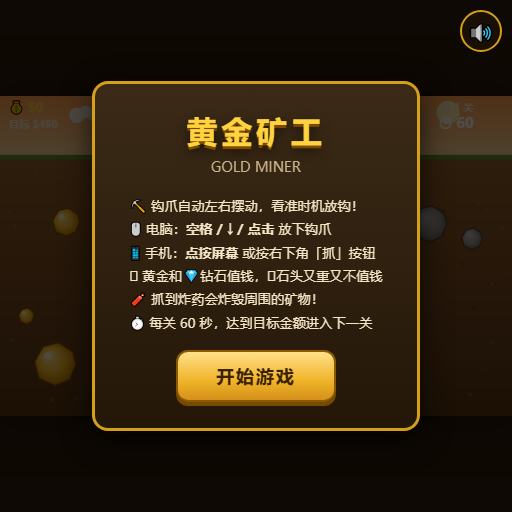
Aim and drop your claw to pull up gold nuggets, diamonds, and mysterious items. Reach target scores within the time limit.

Classic multiplayer snake arena: Eat glowing dots to grow longer, trap opponents with your body, and become the longest snake on the map.

Compete against 4 AI snakes in a battle for survival: consume food to grow, cut off opponents to defeat them, and climb the leaderboard.