Fruit Slice SymphonyAI · Claude 3.5
Game information
AI generation prompt
Core Game Loop and Mechanics
Fruit Slice Symphony is a relaxing ASMR experience where players slice falling fruits to create satisfying sounds and visual effects. The game focuses on the sensory pleasure of slicing rather than high-pressure gameplay.
Moment-to-Moment Gameplay
- Fruits slowly fall from the top of the screen in a gentle, predictable pattern
- Players swipe across fruits to slice them, creating satisfying visual and audio feedback
- Each fruit type produces unique slicing sounds and particle effects
- Successfully sliced fruits contribute to a score multiplier
- Missing fruits (letting them fall off screen) is okay - no penalties, just missed satisfaction
- The game continues indefinitely, creating a meditative flow state
What Makes It Compelling
- Sensory Satisfaction: Rich ASMR audio with juicy slicing sounds, squishes, and splats
- Visual Polish: Smooth particle effects, juice splashes, and satisfying slice animations
- Relaxation Focus: No time pressure, no failure states - pure zen gameplay
- Variety: Different fruits with unique sounds and visual effects keep it interesting
- Progression: Score multiplier builds as you maintain a slicing rhythm
Win/Lose Conditions
- No Lose State: This is a relaxation game - players can't fail
- Score Tracking: Points accumulate based on fruits sliced and combo multipliers
- Session-Based: Players can play as long as they want and try to beat their high score
Starting Scope
The first iteration will include:
Must Have (V1):
- 4-5 different fruit types (watermelon, orange, strawberry, apple, kiwi)
- Simple falling mechanic with gentle, predictable spawning
- Swipe-to-slice interaction with visual slice line
- Satisfying particle effects for each fruit (juice splashes, pulp)
- Unique slicing sound for each fruit type
- Ambient background music (soft, meditative)
- Score display and combo multiplier system
- High score tracking (using window.gameConfig)
- Clean, minimalist UI
Future Iterations:
- More fruit varieties with exotic sounds
- Special "golden fruits" that create extra satisfying effects
- Customizable backgrounds and themes
- Different slicing tools (knife styles) with unique sounds
- Slow-motion effect on perfect slices
- Fruit arrangement patterns that create visual harmony
Game Perspective
Fixed-screen with vertical scrolling: Fruits fall from top to bottom in the 720×1280 viewport. The camera is static, showing the full play area. This perspective works perfectly for the mobile-first touch interaction model.
Game World and Level Design
Visual Layout
- Top Third (0-427px): Fruit spawn zone - fruits appear here and begin falling
- Middle Third (427-853px): Primary interaction zone - optimal slicing area
- Bottom Third (853-1280px): Last chance zone - fruits exit here if not sliced
Environment
- Clean, minimalist background with a subtle gradient (light cream to soft peach)
- Gentle ambient particles (floating sparkles or light motes) for atmosphere
- Subtle vignette effect around edges to focus attention on center
- Score and combo multiplier displayed in top corners (non-intrusive)
Fruit Behavior
- Fruits spawn at random X positions in the top zone
- Fall at a consistent, gentle speed (taking ~4-5 seconds to traverse screen)
- Slight rotation as they fall for visual interest
- Spawn rate: 1 fruit every 1.5-2 seconds (relaxed pace)
- No collision between fruits - they can overlap slightly
Single Level Design
Since this is a meditative endless game, there's one continuous level that gradually introduces variety:
- 0-30 seconds: Only 2 fruit types spawn (watermelon, strawberry)
- 30-60 seconds: All 5 fruit types can spawn
- 60+ seconds: Continues with all fruits, maintaining the relaxing pace
Edit Mode Design
Players can customize their relaxation experience:
Editable Properties
Fruit Settings:
fruitTypes: Array of enabled fruits (toggle each fruit on/off)- Each fruit entry:
{name: "watermelon", enabled: true} - Constraint: At least 1 fruit must be enabled
- Each fruit entry:
Gameplay Settings:
fallSpeed: How fast fruits fall (0.5 - 2.0, default: 1.0)- Lower = more relaxing, higher = more challenging
spawnRate: Time between fruit spawns (1.0 - 3.0 seconds, default: 1.8)- Higher = more sparse, lower = more frequent
particleIntensity: Amount of particle effects (0.5 - 2.0, default: 1.0)- Affects juice splash density
Audio Settings:
musicVolume: Background music volume (0.0 - 1.0, default: 0.6)sfxVolume: Slicing sound effects volume (0.0 - 1.0, default: 0.8)
Visual Settings:
backgroundColor: Hex color for background gradient start (default: "#FFF8F0")backgroundColorEnd: Hex color for background gradient end (default: "#FFE8D6")
Edit Mode UI
- Simple panel that slides in from the right side
- Organized into collapsible sections (Fruits, Gameplay, Audio, Visual)
- Toggle switches for fruit types with small preview icons
- Sliders for numeric values with live preview
- Color pickers for background colors
- "Reset to Default" button for each section
Control Design
Mobile (Primary)
Swipe to Slice:
- Touch and drag across the screen to create a slice line
- The slice line appears as a glowing trail following the finger
- Any fruit intersecting the slice line when touch is released gets sliced
- Multi-touch supported - can slice multiple fruits with different fingers simultaneously
- Slice line fades quickly after release (0.3 seconds)
Tap Alternative:
- Quick tap on a fruit also slices it (for accessibility)
- Less satisfying than swiping, but functional
Desktop (Secondary)
Mouse Slice:
- Click and drag to create slice line (same as mobile swipe)
- Release mouse button to execute slice
- Mouse trail shows the slice path
Keyboard (Optional):
- Space bar: Pause/Resume
- R: Restart (clear score, reset game)
- M: Mute/Unmute audio
Input Handling Details
- Track all active touches by ID to support multi-touch slicing
- Slice line should be smooth (use interpolation between touch points)
- Minimum swipe distance: 50px (prevents accidental taps from creating slice lines)
- Maximum slice line length: 800px (prevents screen-spanning slices)
- Clear all input states on window blur
Art Style and Visual Theme
Overall Style
Soft, Modern Minimalism with Playful Realism
- Clean, uncluttered aesthetic that promotes relaxation
- Fruits rendered in a semi-realistic style with soft shading and highlights
- Smooth gradients and gentle colors throughout
- No harsh lines or aggressive visual elements
Color Palette
- Background: Warm neutrals (cream, soft peach, light beige)
- Fruits: Vibrant but not oversaturated - natural fruit colors with slight enhancement
- UI Elements: Subtle grays and whites with soft shadows
- Particles: Translucent, matching fruit colors with slight glow
Visual Elements
Fruits:
- Size: 120-180px diameter (varies by fruit type)
- Rendered with soft drop shadows
- Slight specular highlights for juiciness
- Gentle rotation animation as they fall
Slice Effects:
- Slice line: Glowing white trail with soft blur (8px width)
- Fruit halves: Split along slice line, tumble away with physics
- Juice particles: 20-40 small droplets per slice, matching fruit color
- Pulp chunks: 5-10 larger pieces with slight transparency
- All particles fade out over 1-2 seconds
UI:
- Score: Large, clean sans-serif font in top-left (white with subtle shadow)
- Combo multiplier: Animated scale effect when it increases, top-right
- High score: Smaller text below current score
- All text has soft glow for readability against any background
Asset Rendering Strategy
- Generated Assets: All fruit images (need detailed, appealing fruit visuals)
- Code Rendering:
- Slice lines (Canvas drawing)
- Particle effects (Canvas circles with gradients)
- UI elements (HTML/CSS)
- Background gradients (CSS)
Consistency Notes
- All fruits should share the same artistic style and lighting direction
- Viewing angle: Slight 3/4 view (not perfectly top-down or side-view)
- Lighting: Soft, diffused light from top-left
- All fruits should appear fresh, ripe, and appetizing
Audio Design
Sound Categories
Slicing Sounds (SFX):
- Each fruit has a unique slicing sound
- Watermelon: Deep, juicy "thunk" with wet squish
- Orange: Crisp citrus burst with slight spray sound
- Strawberry: Soft, delicate slice with light squish
- Apple: Clean, crisp crunch
- Kiwi: Soft slice with subtle fuzzy texture sound
- All sounds should be satisfying and ASMR-quality
Background Music:
- Soft, ambient instrumental track
- No harsh beats or sudden changes
- Gentle melody that loops seamlessly
- Promotes relaxation and flow state
- Duration: 2-3 minutes before loop
UI Sounds (Future):
- Gentle chime for combo milestones
- Soft whoosh for menu transitions
Audio Implementation
- All sounds should be high-quality (no compression artifacts)
- Slicing sounds should layer well (multiple fruits sliced simultaneously)
- Background music at lower volume to not overpower SFX
- Smooth fade in/out for music loop
- Respect user volume settings from edit mode
Related games
Control the stone frog to shoot colored spheres, matching 3 or more of the same color on a winding path to prevent them from reaching the solar black hole. Features 20 levels, endless mode, power-ups, combos, and daily check-ins.
Fly your starship and shoot down waves of invading alien space bees descending from the top. Dodge enemy fire and diving attacks. Features stage & endless modes, boss fights, shields, spread shots, achievements, and retro synth sound effects.

Classic vertical flight shooter: Pilot your fighter plane to dodge bullet hell, shoot down enemy squadrons and giant Bosses, and collect power-ups to upgrade weapons.
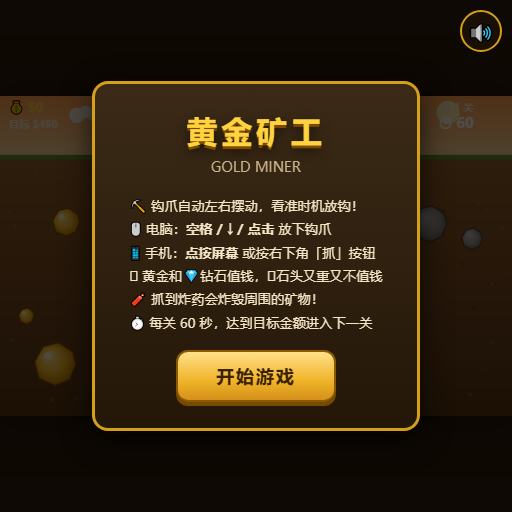
Aim and drop your claw to pull up gold nuggets, diamonds, and mysterious items. Reach target scores within the time limit.

Classic multiplayer snake arena: Eat glowing dots to grow longer, trap opponents with your body, and become the longest snake on the map.

Compete against 4 AI snakes in a battle for survival: consume food to grow, cut off opponents to defeat them, and climb the leaderboard.