Left Right RunAI · Claude 3.5
Game information
AI generation prompt
Core Game Loop and Mechanics
Left Foot and Right Foot is a rhythm-based racing game where players must master the alternating tap pattern to propel their character forward in a 100-meter sprint competition.
Moment-to-Moment Gameplay
- Players tap the left half of the screen to step with the left foot, right half for the right foot
- Alternating correctly generates forward momentum and speed
- Tapping the same foot twice in a row causes a stumble, significantly slowing the character
- The character's running animation and speed directly reflect the player's tapping rhythm
- Players race against 7 AI opponents across 8 lanes on an athletics track
- The track is viewed from an isometric angle (bottom-right to top-left), showing all lanes simultaneously
Progression System
Players advance through 8 competitive tiers:
- Community
- Elementary School
- Middle School
- University
- State
- National
- Olympic
- Planet
Win/Lose Conditions
- Victory: Finish in the top 3 positions to unlock the next tier
- Defeat: Finish 4th or lower, must retry the current tier
- The game records completion time for each race
- After crossing the finish line, results are displayed showing:
- Final positions of all 8 runners
- Player's completion time
- Podium ceremony (top 3 on podium, others below)
Engagement & Replayability
- Skill mastery: Learning the optimal tapping rhythm for maximum speed
- Competition: Beating personal best times
- Progression: Unlocking higher tiers with increasingly challenging AI
- Risk/reward: Tapping faster increases speed but risks mistakes
- Visual feedback: Satisfying animations for good rhythm vs. stumbling
Starting Scope
For the initial implementation, we'll focus on creating a polished, playable core experience:
Phase 1 (Initial Creation):
- Implement the two-button tap control system with alternating foot mechanics
- Create the 100-meter race with 8 lanes and isometric track view
- Build the player character with distinct visual design
- Implement 7 AI opponents with basic racing behavior
- Create the first 3 tiers: Community, Elementary School, and Middle School
- Design the results screen with podium ceremony (victory and defeat states)
- Add basic running animations and stumble effects
- Implement time tracking and position tracking
- Create a simple tier selection/progression UI
Future Enhancements (Post-Launch):
- Add remaining 5 tiers (University through Planet) with progressively harder AI
- Implement more sophisticated AI behaviors (different running styles, occasional mistakes)
- Add particle effects for speed bursts and stumbles
- Create crowd animations and cheering sounds
- Add personal best time tracking across all tiers
- Implement replay system to watch races
- Add character customization options
- Create tutorial/practice mode
Game Perspective
Isometric View - The game uses an isometric perspective showing the athletics track from bottom-right to top-left. This allows players to see all 8 lanes simultaneously while maintaining a clear view of their character's position relative to opponents. The camera is fixed, showing the entire 100-meter track with the finish line at the top-left and starting line at the bottom-right.
Game World and Level Design
Track Layout
- 8 parallel lanes running from bottom-right (start) to top-left (finish)
- Each lane is clearly marked with white boundary lines
- Lane numbers (1-8) are visible at the starting line
- The player is randomly assigned to one of the 8 lanes at race start
- Track surface has a distinctive red/orange athletic track texture
- Starting blocks are visible at the beginning of each lane
- Finish line is clearly marked with a white line and "FINISH" text
Visual Scale
- The entire 100-meter track fits within the game viewport
- Characters are sized appropriately to be clearly visible but allow full track view
- The isometric angle is approximately 30 degrees to balance visibility and depth
Race Environment
- Simple stadium environment visible in the background
- Minimal distractions to keep focus on the race
- Clear visual indicators for distance markers (25m, 50m, 75m)
Results Area
- After crossing the finish line, the view transitions to a podium scene
- Victory State: Three-tiered podium (gold, silver, bronze) with top 3 finishers
- Defeat State: Podium with AI winners, player character visible below looking disappointed
Edit Mode Design
Edit mode allows players to customize their racing experience and practice different scenarios.
Editable Properties
Race Configuration:
startingTier: Which tier to begin at (Community through Planet)playerLane: Which lane the player starts in (1-8, or "random")raceDistance: Distance in meters (default 100, range 50-200)
Difficulty Settings:
aiDifficulty: Overall AI speed multiplier (0.7-1.3, default varies by tier)stumblePenalty: How much speed is lost on wrong foot tap (0.3-0.8, default 0.5)perfectRhythmBonus: Speed boost for maintaining good rhythm (1.0-1.3, default 1.1)
Visual Customization:
trackColor: Color of the athletics track (red, blue, green, purple)playerCharacterColor: Primary color of player's outfitshowDistanceMarkers: Toggle distance markers on/off
Practice Mode:
practiceMode: Boolean to enable practice without tier progressionghostRunner: Show a ghost of your previous best runaiCount: Number of AI opponents (0-7)
Constraints
raceDistancemust be between 50-200 metersaiDifficultycapped to prevent impossible racesstumblePenaltymust be at least 0.3 to maintain challenge- Tier progression only works when
practiceModeis false
Control Design
Left Foot and Right Foot uses a simple two-button control scheme optimized for mobile touch while fully supporting desktop input.
Mobile Controls (Primary)
- Left Half of Screen: Tap anywhere on the left half to step with left foot
- Right Half of Screen: Tap anywhere on the right half to step with right foot
- The screen is divided vertically down the middle
- Visual feedback shows which side was tapped (brief highlight/pulse)
- Touch areas are large and forgiving for rapid tapping
Desktop Controls
- A Key or Left Arrow: Step with left foot
- D Key or Right Arrow: Step with right foot
- Space Bar: Can be used for either foot (alternates automatically)
- Mouse Click: Left half of screen = left foot, right half = right foot
Control Mechanics
- Each tap registers immediately with no delay
- Tapping the correct alternating foot propels the character forward
- Tapping the same foot twice causes a stumble animation and speed loss
- The game tracks the last foot used to determine if the next tap is correct
- Visual indicators show which foot should be tapped next (subtle glow or highlight)
- Haptic feedback on mobile for each successful step (if available)
Input Validation
- Prevent accidental double-taps within 50ms window
- Clear all input states when race ends
- Disable input during countdown and after finish line
UI Controls
- Restart Button: Available after race completion
- Next Tier Button: Appears when player qualifies for next tier
- Tier Selection: Touch/click to select unlocked tiers from menu
Art Style and Visual Theme
Left Foot and Right Foot uses a vibrant, cartoon-style aesthetic with bold colors and clear silhouettes, optimized for quick visual recognition during fast-paced gameplay.
Overall Style
- Cartoon/Stylized 2D: Clean, bold outlines with flat or slightly gradient-shaded colors
- High Contrast: Bright, saturated colors that pop against the track
- Expressive Characters: Exaggerated proportions and animations for personality
- Isometric Consistency: All assets designed for the same isometric viewing angle
Color Palette
- Track: Classic athletic track red/orange with white lane markings
- Player Character: Distinctive bright color (default: electric blue with yellow accents) that stands out from AI runners
- AI Characters: Varied colors (red, green, purple, orange, pink, teal, yellow) to distinguish each runner
- Background: Muted greens and grays for stadium/environment to not distract from action
- UI: Clean white and light blue with bold text
Character Design
Player Character:
- Slightly larger or more detailed than AI to ensure visibility
- Unique outfit design (distinctive jersey number or pattern)
- Expressive face visible even at small scale
- Clear left/right foot distinction in running animation
AI Characters:
- Simpler designs than player for visual hierarchy
- Each has unique color scheme
- Similar body proportions for fair visual representation
- Generic but appealing designs
Asset Sizes & Scale
- Characters: Approximately 80-120 pixels tall when viewed on track
- Track Width: Each lane approximately 60-80 pixels wide
- Podium Scene: Characters at 150-200 pixels tall for detail
- All assets designed at 2x resolution for crisp display
Visual Elements Requiring Generated Assets
- Player character (running pose, stumble pose, victory pose, defeat pose)
- 7 AI character variations (running poses)
- Podium structure (3-tiered)
- Track texture/pattern
- Starting blocks
- Finish line banner
- Background stadium elements
Visual Elements Using Code/CSS
- Lane dividing lines (simple white lines)
- Distance markers (text overlays)
- Screen division indicator (subtle vertical line)
- UI buttons and menus
- Timer display
- Position indicators
Animation Considerations
- Running cycle: 4-6 frames showing clear left/right foot alternation
- Stumble: 2-3 frames showing loss of balance
- Victory: 2-3 frames of celebration
- Defeat: 2-3 frames of disappointment
Related games
Control the stone frog to shoot colored spheres, matching 3 or more of the same color on a winding path to prevent them from reaching the solar black hole. Features 20 levels, endless mode, power-ups, combos, and daily check-ins.
Fly your starship and shoot down waves of invading alien space bees descending from the top. Dodge enemy fire and diving attacks. Features stage & endless modes, boss fights, shields, spread shots, achievements, and retro synth sound effects.
Classic vertical flight shooter: Pilot your fighter plane to dodge bullet hell, shoot down enemy squadrons and giant Bosses, and collect power-ups to upgrade weapons.
Aim and drop your claw to pull up gold nuggets, diamonds, and mysterious items. Reach target scores within the time limit.
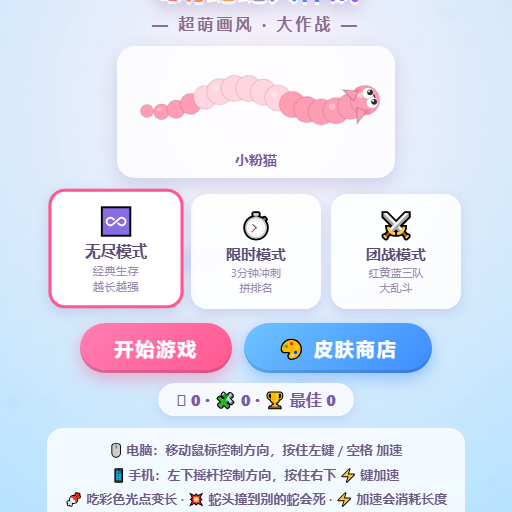
Classic multiplayer snake arena: Eat glowing dots to grow longer, trap opponents with your body, and become the longest snake on the map.

Compete against 4 AI snakes in a battle for survival: consume food to grow, cut off opponents to defeat them, and climb the leaderboard.