Dig To FillAI · Claude 3.5
Game information
AI generation prompt
Core Game Loop and Mechanics
Dig & Fill: Water Truck Puzzle is a hyper-casual physics puzzle game where players use a single finger to carve tunnels through deformable sand, creating pathways for realistic liquid to flow from a reservoir at the top of the screen into a tanker truck at the bottom.
Moment-to-Moment Gameplay
- Level Start: Player sees a vertical puzzle board with a water reservoir at the top, diggable sand in the middle (with embedded stars and obstacles), and an empty tanker truck at the bottom
- Digging Phase: Player drags their finger across the sand to carve smooth tunnels, creating pathways for water to flow
- Water Release: Water automatically flows from the reservoir following realistic physics—gravity, pooling, splitting, merging
- Collection: Water flows through carved tunnels, collecting any stars in its path, creating satisfying particle effects
- Filling: Water reaches the truck tank at the bottom and begins filling it, with a visual fill meter showing progress
- Completion: Once the truck reaches the required fill percentage, the level completes with celebration effects
What Makes It Compelling
- Instant Gratification: Every swipe immediately carves sand with satisfying particle effects
- Physics Satisfaction: Watching realistic water flow through your custom-carved tunnels is deeply rewarding
- Strategic Depth: Players must plan tunnel routes to collect all stars while ensuring enough water reaches the truck
- Visual Polish: Every action triggers juicy effects—sparkles, splashes, glows, and celebrations
- Progressive Challenge: Levels introduce new mechanics gradually (obstacles, multiple water sources, moving elements)
Win Condition
- Fill the truck tank to the required percentage (typically 80-100%)
- Star rating based on: stars collected (0-3) and water efficiency
Lose Condition
- Water is lost (flows off-screen or into dead-end pockets)
- Insufficient water reaches the truck to meet the minimum fill requirement
- Player can instantly retry with a quick restart button
Starting Scope
The first implementation should focus on creating a maximally polished core experience with these elements:
Must-Have for First Version
Core Digging Mechanic
- Smooth, responsive finger-drag sand removal
- Real-time tunnel carving with curved paths
- Sand particle effects when digging
- Satisfying audio feedback
Realistic Water Physics
- Gravity-based flow simulation
- Water pooling and flowing through tunnels
- Smooth liquid rendering with glossy appearance
- Splash effects when water hits surfaces
Truck System
- Animated tanker truck at bottom of screen
- Visual fill meter showing liquid level inside tank
- Celebration animation when level completes (horn, lights, confetti)
Star Collection
- 3 collectible stars per level
- Glowing golden appearance with particle aura
- Sparkle effect and sound when collected by water
- Star count displayed in victory screen
First 5 Levels (Tutorial Progression)
- Level 1: Simple straight vertical path, 3 aligned stars, teaches basic digging
- Level 2: Curved path required, 3 stars along curve, one simple obstacle
- Level 3: Two possible routes (one correct, one leads to dead end)
- Level 4: Water must split to collect side-route stars then merge
- Level 5: Narrow tunnel challenge requiring precision
UI Elements
- Level number display at top center
- Menu button (top left) with settings overlay
- Restart button (quick access)
- Victory screen with star rating and next level button
- Failure screen with retry button
Juice & Polish
- Smooth 60 FPS performance
- Particle effects for digging, water splashes, star collection
- Celebration confetti on level complete
- High-quality sound effects for all interactions
- Smooth transitions between states
Save for Later Iterations
- Levels 6-15 (more complex mechanics)
- Moving obstacles and rotating blockers
- Multiple truck tanks
- Hint system
- Skip level functionality
- Coin economy
- Advanced obstacles (breakable blocks, portals, pumps)
- Level editor/custom levels
Game Perspective
Fixed Top-Down with Slight Angle
The game uses a fixed-screen top-down perspective with a subtle 3D angle to provide depth and volume to all elements:
- Camera Position: Slightly elevated and angled downward (approximately 15-20 degrees from vertical)
- View: Entire puzzle board visible at all times—no scrolling or camera movement
- Depth Cues: Soft shadows, lighting, and rounded edges create 3D appearance despite 2D gameplay
- Orientation: Portrait mode (720×1280) with vertical puzzle layout
- Static Camera: No camera shake except during special celebration moments
This perspective allows players to:
- See the entire puzzle at a glance
- Plan their digging strategy
- Watch water flow from top to bottom
- Easily reach all areas with their finger
Game World and Level Design
Puzzle Board Structure
Each level consists of a vertical puzzle board (approximately 600×1000 pixels of playable area) with distinct zones:
Top Zone (Water Reservoir)
- Height: ~150 pixels from top
- Contents: Pool of bright blue water with glossy surface
- Behavior: Water is held by a barrier until player digs a path below it
- Visual: Soft rippling animation, reflective highlights
Middle Zone (Sand & Puzzle Area)
- Height: ~700 pixels (main gameplay area)
- Contents: Soft yellow sand that can be dug, embedded stars, obstacles
- Sand Properties:
- Diggable with finger drag
- Smooth deformation creating curved tunnels
- Fine grain texture
- Particle effects when removed
- Embedded Elements:
- 3 golden stars with glowing particle auras
- Obstacles (solid blocks, barriers, moving elements in later levels)
- Multiple water pockets (in advanced levels)
Bottom Zone (Truck Area)
- Height: ~150 pixels from bottom
- Contents: Cartoon tanker truck with visible fill tank
- Truck Details:
- Red cab with animated wheels
- Large transparent/translucent tank showing water level
- Fill meter display
- Celebration animations when filled
Border Walls
- Appearance: Bright blue solid walls framing the puzzle
- Function: Contain water and define playable boundaries
- Style: Smooth, rounded edges with soft shadows
Level 1 Design (Tutorial)
Objective: Teach basic digging mechanic
Layout:
[Top: Water Reservoir - 100 units of water]
         |
    [Sand Area]
         |
      [Star 1] ← 200px from top
         |
    [Sand Area]
         |
      [Star 2] ← 400px from top
         |
    [Sand Area]
         |
      [Star 3] ← 600px from top
         |
    [Sand Area]
         |
[Bottom: Empty Truck Tank - needs 80 units]
Solution: Player digs a simple vertical or slightly curved path from reservoir to truck, collecting all three stars along the way.
Success Criteria:
- Minimum 80% fill (80 units reach truck)
- 3 stars = Perfect rating
- 2 stars = Good rating
- 1 star = Pass rating
Level 2 Design
Objective: Introduce curved digging and simple obstacles
Layout:
[Top: Water Reservoir]
         |
    [Sand Area]
    /
[Solid Block Obstacle] ← Forces player to dig around
    \
    [Sand Area]
         |
      [Star 1]
         |
    [Sand Area]
      [Star 2]
         |
    [Sand Area]
      [Star 3]
         |
[Bottom: Truck]
Challenge: Player must dig a curved S-shaped path around the obstacle to collect stars and reach the truck.
Level 3 Design
Objective: Introduce decision-making (correct vs incorrect path)
Layout:
[Top: Water Reservoir]
         |
    [Sand Area]
         |
    [Fork Point]
    /         \
[Dead End]   [Correct Path]
  [Star 1]      [Star 2]
                [Star 3]
                   |
              [Truck]
Challenge: Left path has one star but leads to a dead end. Right path has two stars and leads to truck. Player must choose wisely or dig both paths and manage water flow.
Level 4 Design
Objective: Water splitting and merging
Layout:
[Top: Water Reservoir]
         |
    [Sand Area]
         |
    [Split Point]
    /         \
[Star 1]    [Star 2]
    \         /
    [Merge Point]
         |
      [Star 3]
         |
      [Truck]
Challenge: Player must dig two separate paths that split, collect side stars, then merge back together to collect the final star and fill the truck.
Level 5 Design
Objective: Precision digging (narrow tunnels)
Layout:
[Top: Water Reservoir]
         |
    [Sand Area]
         |
[Narrow Gap Between Obstacles]
      [Star 1]
         |
[Another Narrow Gap]
      [Star 2]
         |
[Final Narrow Gap]
      [Star 3]
         |
      [Truck]
Challenge: Player must dig precise narrow tunnels between solid obstacles without losing water to the sides.
General Level Design Principles
- Visibility: All critical elements (stars, obstacles, truck) visible at level start
- Clarity: Clear visual distinction between diggable sand and solid obstacles
- Progressive Difficulty: Each level introduces one new concept
- Fair Challenge: Always solvable with logical thinking
- Replayability: Multiple solution paths possible in most levels
- Star Placement: Stars positioned to encourage optimal path planning
Edit Mode Design
Edit mode allows players to customize level layouts and experiment with puzzle designs. For the first version, keep edit mode simple and focused on core customization.
What Players Can Edit
Level Layout
- Sand Placement: Add or remove sand blocks in a grid-based system
- Obstacle Placement: Position solid blocks that water cannot pass through
- Star Placement: Position the 3 collectible stars anywhere in the sand area
- Water Amount: Adjust the initial water volume in the reservoir (50-200 units)
Truck Settings
- Fill Requirement: Set the percentage needed to complete the level (50-100%)
- Truck Position: Adjust horizontal position of truck at bottom (left, center, right)
Visual Customization
- Sand Color: Choose from preset color palette (yellow, orange, brown, pink, purple)
- Water Color: Choose from preset color palette (blue, cyan, green, purple, pink)
- Background Color: Choose from preset gradient options
Edit Mode Interface
Top Bar:
- "Edit Mode" label
- Save button (saves to gameConfig)
- Play Test button (switches to play mode with current edits)
- Reset button (reverts to original level)
Side Panel (slides in from left):
- Brush Tool: Paint sand blocks
- Eraser Tool: Remove sand blocks
- Obstacle Tool: Place solid blocks
- Star Tool: Place stars (max 3)
- Settings Tab: Adjust water amount, fill requirement, colors
Bottom Bar:
- Grid toggle (show/hide grid overlay)
- Undo/Redo buttons
Edit Mode Controls
Desktop:
- Click and drag to paint/erase
- Click to place obstacles/stars
- Right-click to remove placed elements
- Mouse wheel to zoom (optional)
Mobile:
- Tap and drag to paint/erase
- Tap to place obstacles/stars
- Long-press to remove placed elements
- Two-finger pinch to zoom (optional)
Constraints
To prevent broken levels:
- Minimum Sand: At least 30% of middle zone must be sand (prevents unsolvable levels)
- Star Limit: Exactly 3 stars must be placed
- Water Path: System validates that a path exists from reservoir to truck (warning if no path detected)
- Water Amount: Must be sufficient to meet fill requirement (warning if impossible)
Data Storage
All edit mode changes are saved to window.gameConfig as:
{
  "customLevels": [
    {
      "id": "level_1_custom",
      "sandGrid": [[1,1,0,1], [1,0,1,1], ...], // 2D array
      "obstacles": [{x: 200, y: 300}, ...],
      "stars": [{x: 150, y: 250}, {x: 350, y: 450}, {x: 250, y: 650}],
      "waterAmount": 100,
      "fillRequirement": 80,
      "sandColor": "#FFD966",
      "waterColor": "#4A90E2",
      "backgroundColor": "gradient1"
    }
  ]
}
Future Edit Mode Features (Not in First Version)
- Custom obstacle types (moving, rotating, breakable)
- Multiple water reservoirs
- Level sharing (export/import level codes)
- Community level browser
Control Design
The game uses single-finger touch controls optimized for mobile-first gameplay, with full desktop mouse support.
Mobile Controls (Primary)
Digging Mechanic
- Touch and Drag: Player touches the sand area and drags their finger to carve tunnels
- Touch down on sand → begin digging
- Drag finger → continuous tunnel carving follows finger path
- Lift finger → stop digging
- Digging Area: Only the middle sand zone is diggable (not water reservoir, not truck area)
- Tunnel Width: Fixed width (~40 pixels) for consistent gameplay
- Continuous Carving: Smooth interpolation between touch points for fluid tunnel creation
- No Accidental Inputs: UI buttons have touch priority (prevent digging when touching buttons)
UI Interactions
- Tap: All buttons respond to single tap
- Menu button (top left)
- Restart button
- Next level button
- Settings options
- No Multi-Touch: Game only tracks single touch for digging (ignore additional touches)
Desktop Controls (Secondary)
Digging Mechanic
- Click and Drag: Player clicks on sand and drags mouse to carve tunnels
- Mouse down on sand → begin digging
- Drag mouse → continuous tunnel carving follows cursor
- Mouse up → stop digging
- Cursor Feedback: Cursor changes to a digging icon (shovel or crosshair) when over sand
UI Interactions
- Click: All buttons respond to mouse click
- Hover: Buttons show hover state for visual feedback
Control Implementation Details
Touch/Mouse Tracking
// Simplified control logic
let isDigging = false;
let lastDigPosition = null;

// Touch Start / Mouse Down
function onDigStart(x, y) {
  if (isInSandArea(x, y) && !isOverUI(x, y)) {
    isDigging = true;
    lastDigPosition = {x, y};
    digAtPosition(x, y);
  }
}

// Touch Move / Mouse Move
function onDigMove(x, y) {
  if (isDigging && isInSandArea(x, y)) {
    // Interpolate between last position and current for smooth tunnels
    interpolateAndDig(lastDigPosition, {x, y});
    lastDigPosition = {x, y};
  }
}

// Touch End / Mouse Up
function onDigEnd() {
  isDigging = false;
  lastDigPosition = null;
}
Preventing Accidental Inputs
- UI Layer Priority: Check if touch/click is over UI elements first
- Sand Area Bounds: Only register digging within defined sand zone
- Button Safe Zones: Expand button hit areas to prevent mis-taps
Input Smoothing
- Interpolation: Fill gaps between touch/mouse positions for smooth tunnels
- Minimum Distance: Only dig if finger/mouse moved at least 5 pixels (prevents accidental dots)
Control Feedback
Visual Feedback
- Digging Cursor: Show shovel/crosshair icon when over diggable sand
- Sand Particles: Immediate particle effects at dig location
- Tunnel Preview: Subtle highlight showing where tunnel will be carved (optional)
Audio Feedback
- Digging Sound: Continuous soft scratching sound while digging
- Sand Crunch: Particle debris sounds
- UI Clicks: Satisfying click sounds for all buttons
Haptic Feedback (Mobile)
- Dig Start: Light haptic pulse when starting to dig
- Star Collection: Medium haptic pulse when water collects a star
- Level Complete: Strong haptic pulse on victory
Accessibility Considerations
- Large Touch Targets: All UI buttons minimum 96×96 pixels
- Clear Visual States: Obvious hover/active states for all interactive elements
- No Timing Requirements: Player can dig at their own pace
- Undo Option: Restart button always available for mistakes
Win/Lose Conditions
Win Condition
The player wins a level when the truck tank reaches the required fill percentage.
Win Requirements
- Primary Goal: Truck tank filled to minimum threshold (typically 80-100% depending on level)
- Water Delivery: Sufficient water must flow from reservoir into truck tank
- Time Limit: None—player can take as long as needed to plan and dig
Star Rating System
The player receives a star rating based on performance:
3 Stars (Perfect):
- Truck filled to 100%
- All 3 stars collected
- Minimal water waste
2 Stars (Great):
- Truck filled to 100%
- 2 stars collected
- OR: Truck filled to 100%, all stars collected, but some water wasted
1 Star (Pass):
- Truck filled to minimum requirement (80%)
- 1+ stars collected
- OR: Truck filled to 100% but no stars collected
0 Stars (Fail):
- Truck not filled to minimum requirement
Win Sequence
- Truck Reaches Fill Threshold: Fill meter hits required percentage
- Celebration Trigger: 0.5 second delay, then:
- Truck horn sound effect plays
- Truck headlights flash
- Confetti explosion from truck
- Truck bounces slightly
- Victory Screen Appears: Smooth slide-up animation showing:
- Large "PERFECT!" text (or "GREAT!" / "GOOD!" based on stars)
- Star rating display (animated stars appearing one by one)
- Level number
- Coins earned (if implemented)
- Two buttons: "Replay" and "Next Level"
- Background Celebration: Continuous confetti particles falling
- Victory Music: Short upbeat jingle (3-5 seconds)
Lose Condition
The player loses a level when insufficient water reaches the truck to meet the minimum fill requirement.
Lose Scenarios
Water Lost Off-Screen:
- Player digs tunnels that lead water outside the playable area
- Water flows off the sides or bottom without reaching truck
Water Trapped in Dead Ends:
- Player creates pockets where water pools but cannot reach truck
- Too much water stuck in isolated areas
Insufficient Water Volume:
- Player's tunnel design causes water to spread too thin
- Not enough water makes it to the truck to reach minimum fill
Lose Detection
The game monitors water flow and determines failure when:
- All water has stopped moving (settled in pools or reached truck)
- Truck fill percentage is below minimum requirement
- No more water remains in the reservoir
Lose Sequence
- Failure Detection: Game waits 2 seconds after water stops moving
- Failure Confirmation: Check if truck fill < minimum requirement
- Failure Screen Appears: Smooth fade-in showing:
- "Not Enough Water!" text
- Current fill percentage vs. required percentage
- Encouraging message: "Try Again!" or "Think Different!"
- Two buttons: "Retry" (large, primary) and "Menu" (smaller, secondary)
- No Harsh Punishment: No lives system, no waiting—instant retry available
- Soft Failure Sound: Gentle "aww" sound, not harsh or punishing
No Failure States
The following are NOT failure conditions:
- Missing Stars: Player can complete level without collecting any stars (just lower rating)
- Slow Completion: No time limit—player can take as long as needed
- Inefficient Path: Any path that delivers enough water is valid
Retry Mechanics
Quick Restart
- Restart Button: Always visible in top-left corner during gameplay
- Instant Reset: Tap restart to immediately reset level to starting state
- No Confirmation: Direct restart for fast iteration (no "Are you sure?" popup)
Post-Failure Retry
- Large Retry Button: Primary action on failure screen
- Preserves Progress: Level unlocks and star ratings from previous attempts are saved
- Fast Loading: Instant level reload, no loading screens
Progression
Level Unlocking
- Linear Progression: Levels unlock sequentially
- No Star Requirements: Completing a level (even with 0 stars) unlocks the next level
- Replay Anytime: Player can replay any completed level to improve star rating
Completion Tracking
Saved to window.gameConfig:
{
  "levelProgress": {
    "level_1": { "completed": true, "stars": 3, "bestFill": 100 },
    "level_2": { "completed": true, "stars": 2, "bestFill": 95 },
    "level_3": { "completed": false, "stars": 0, "bestFill": 0 }
  }
}
Art Style and Visual Theme
The game features an ultra-polished 3D hyper-casual art style inspired by top-tier mobile puzzle games, with bright vibrant colors, smooth rounded edges, and premium visual quality.
Overall Aesthetic
- Style: Cartoon-realistic 3D with soft lighting and depth
- Mood: Cheerful, satisfying, premium
- Color Palette: Bright, vibrant, high-contrast colors
- Lighting: Soft ambient lighting with subtle highlights and shadows
- Edges: All objects have smooth, rounded edges (no sharp corners)
- Depth: Every element has volume and 3D appearance (nothing flat)
Color Palette
Primary Colors
- Sand: Soft yellow (#FFD966) with fine grain texture
- Water: Bright glossy blue (#4A90E2) with cyan highlights (#7EC8E3)
- Truck Cab: Bold red (#E74C3C)
- Truck Tank: Transparent/translucent with blue tint when filled
- Stars: Golden yellow (#FFD700) with warm glow
Background Colors
- Puzzle Border: Bright blue (#3498DB) walls
- Background Gradient: Soft pastel gradient (pink #FFB6C1 to purple #DDA0DD to blue #87CEEB)
- UI Background: Semi-transparent dark overlay (#000000 at 60% opacity) for menus
Accent Colors
- Success Green: #2ECC71 (for checkmarks, positive feedback)
- Warning Orange: #F39C12 (for hints, caution)
- Confetti: Multi-colored (red, yellow, blue, green, pink, purple)
Visual Elements
Sand
- Appearance: Soft yellow with subtle grain texture
- Shading: Gentle gradient from light yellow at top to slightly darker at bottom
- Edges: Smooth, rounded edges where sand meets air or obstacles
- Deformation: Real-time carving creates smooth curved tunnels
- Particles: Small sand particles (3-5 pixels) fly out when digging
- Color: Slightly darker yellow (#F4C542)
- Behavior: Arc outward, fade out, fall with gravity
Water
- Appearance: Bright glossy blue with reflective surface
- Highlights: Cyan/white highlights on top surface (#FFFFFF at 40% opacity)
- Shading: Darker blue at bottom, lighter at top (gradient)
- Surface: Smooth, slightly rippling animation when pooled
- Flow: Smooth particle-based or mesh-based rendering
- Splashes: White/cyan splash particles when water hits surfaces
- Small droplets arc outward
- Fade out quickly (0.3-0.5 seconds)
Truck
- Cab:
- Bold red (#E74C3C) with slight gradient (lighter on top)
- Rounded edges, cartoon style
- Two circular headlights (yellow #FFD700)
- Small windows (dark blue tint #2C3E50)
- Tank:
- Large cylindrical shape
- Transparent/translucent material (glass-like)
- Blue tint when filled with water
- Visible liquid level inside
- Reflective highlights on surface
- Wheels:
- Black tires (#2C3E50)
- Gray rims (#95A5A6)
- Subtle rotation animation when truck celebrates
- Size: Approximately 200 pixels wide × 120 pixels tall
Stars
- Shape: Classic 5-pointed star
- Color: Golden yellow (#FFD700) with warm glow
- Glow Effect: Soft radial gradient halo (yellow to transparent)
- Particle Aura: Small golden sparkle particles orbiting star
- 5-8 particles per star
- Slow circular motion
- Twinkle effect (fade in/out)
- Size: Approximately 60 pixels diameter
- Collection Effect:
- Star scales up 1.5x
- Bright flash of light
- Explosion of golden sparkle particles
- Star disappears
Obstacles (Solid Blocks)
- Appearance: Smooth rounded rectangles
- Color: Soft purple/lavender (#B19CD9)
- Shading: Gradient from light purple at top to darker at bottom
- Edges: Rounded corners (border-radius: 12px equivalent)
- Shadow: Soft drop shadow beneath block
- Size: Variable (typically 80×80 to 200×200 pixels)
UI Elements
Buttons:
- Shape: Rounded rectangles (pill-shaped for text buttons, circular for icon buttons)
- Colors:
- Primary (Next, Play): Bright green (#2ECC71)
- Secondary (Retry, Menu): Blue (#3498DB)
- Danger (Close): Red (#E74C3C)
- States:
- Normal: Solid color with subtle gradient
- Hover: Slightly lighter, scale up 1.05x
- Active: Slightly darker, scale down 0.95x
- Text: White (#FFFFFF), bold, large font
- Shadow: Soft drop shadow for depth
Text:
- Font: Bold, rounded sans-serif (similar to "Fredoka One" or "Baloo")
- Level Number: Large white text with dark outline
- Victory Text: Extra large, bold, with subtle animation (scale pulse)
- UI Labels: Medium size, clear and readable
Icons:
- Style: Simple, rounded, cartoon-style
- Menu Icon: Three horizontal lines (hamburger)
- Restart Icon: Circular arrow
- Settings Icon: Gear
- Sound Icon: Speaker with waves
- Colors: White with subtle shadow for visibility
Animation Principles
All animations follow these principles for maximum satisfaction:
- Smooth Easing: Use ease-in-out curves (no linear animations)
- Anticipation: Elements wind up slightly before main action
- Follow-Through: Elements overshoot slightly then settle
- Squash & Stretch: Objects deform slightly during fast movement
- Secondary Motion: Particles and effects trail behind main actions
Particle Effects
Digging Particles
- Trigger: Whenever sand is removed
- Appearance: Small yellow sand grains (3-5 pixels)
- Behavior:
- Spawn at dig location
- Arc outward in random directions
- Affected by gravity
- Fade out over 0.5 seconds
- Quantity: 5-10 particles per dig action
Water Splash Particles
- Trigger: When water hits a surface or changes direction sharply
- Appearance: Small cyan/white droplets (4-6 pixels)
- Behavior:
- Spawn at impact point
- Arc outward and upward
- Affected by gravity
- Fade out over 0.3 seconds
- Quantity: 3-8 particles per splash
Star Collection Particles
- Trigger: When water touches a star
- Appearance: Golden sparkles (6-10 pixels, star-shaped)
- Behavior:
- Explode outward from star center
- Rapid outward motion then slow down
- Rotate while moving
- Fade out over 0.8 seconds
- Quantity: 15-25 particles per star
Confetti Particles (Victory)
- Trigger: Level complete
- Appearance: Multi-colored rectangles (8-12 pixels)
- Colors: Red, yellow, blue, green, pink, purple (random)
- Behavior:
- Spawn from truck location
- Shoot upward then fall with gravity
- Rotate while falling
- Gentle side-to-side drift
- Fade out after 3-4 seconds
- Quantity: 50-100 particles
Asset Generation vs. Code Rendering
Generate as Image Assets
- Truck: Complete truck with cab, tank, wheels (multiple states: empty, filling, celebrating)
- Stars: Golden star with glow effect
- UI Icons: Menu, restart, settings, sound icons
- Background Elements: Decorative elements if needed
Render with Code (CSS/Canvas)
- Sand: Rendered as colored rectangles/pixels with procedural texture
- Water: Particle system or mesh-based fluid simulation
- Obstacles: Simple rounded rectangles with CSS/Canvas
- Particles: All particle effects (sand, splash, sparkle, confetti)
- UI Buttons: CSS-styled rounded rectangles with text
- Fill Meter: Animated progress bar with CSS
Consistency Requirements
- Viewing Angle: All assets should match the slight top-down angle (15-20 degrees)
- Lighting Direction: Consistent light source from top-left
- Shadow Direction: Shadows cast toward bottom-right
- Art Style: All generated assets must match the cartoon-realistic 3D style
- Color Harmony: All colors should work together in the established palette
Related games
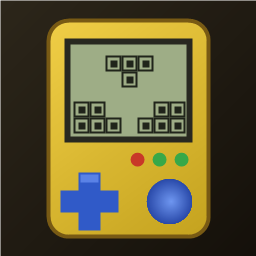
1:1 replica of the 90s handheld brick game: yellow shell, retro LCD screen, layout buttons, 10x20 grid, 7 classic tetrominoes. Includes combo scores, 20-level speed curve, auto-save/resume, leaderboard, multiple unlockable skins, and 4 retro 8-bit background music tracks.
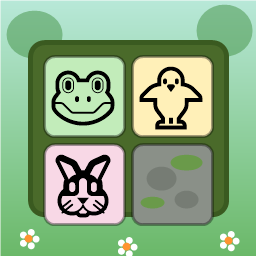
Swap adjacent animal tiles (🐸🐥🐵🐘🐰🦊) on a 9x9 forest board to match 3 or more. Clear moss obstacles, use shuffle/move boosters, complete targets within step limits, and survive endless progression.

Dig through dirt and guide water to the target, featuring 50 physics puzzle levels of increasing difficulty.
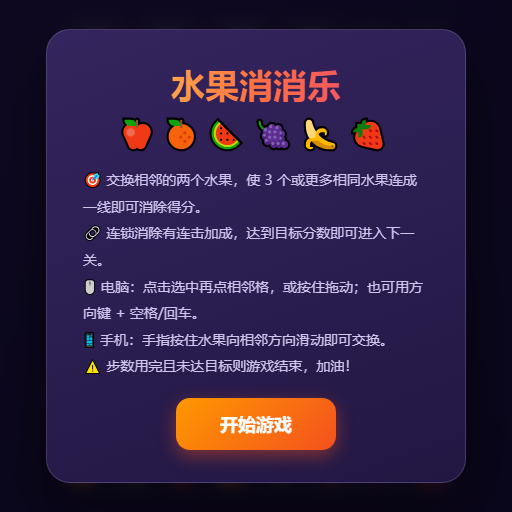
Swap adjacent fruits to match 3 or more, trigger chain reactions and special items, and achieve level goals within steps or time limits.
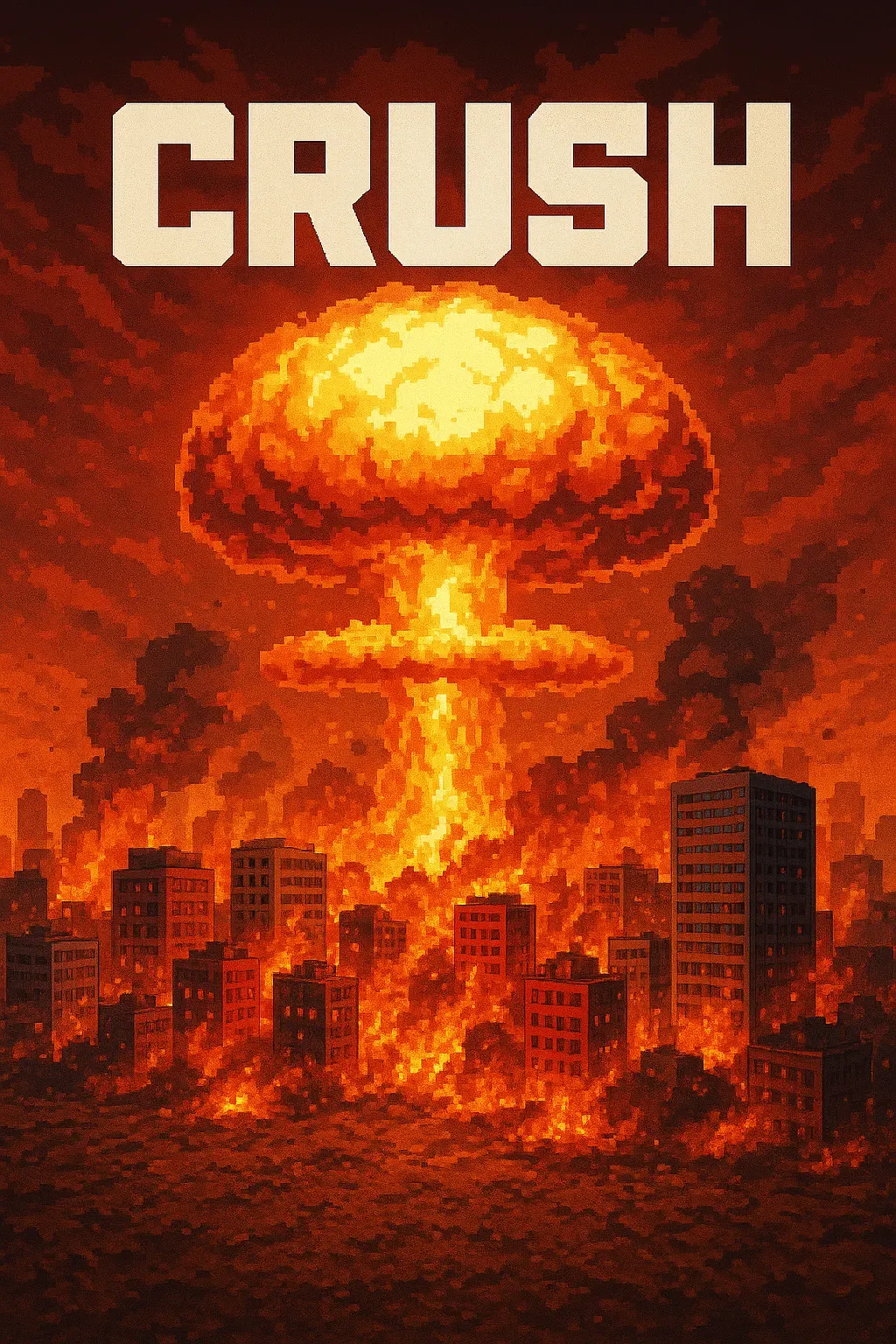
"Crush" is a sandbox game where players control a camera over a vast asphalt plane. The game focuses on exploration and interaction with the environment through dynamic camera movements. • Explore a 1000x1000 pixelated asphalt ground plane with intuitive drag, scroll, and multi-touch camera controls. • Dynamic key lighting casts realistic shadows, enhancing the visual experience of the blocky, Minecraft-style world.
Place blocks on the grid to clear rows and columns. Chain combos for higher scores in this relaxing puzzle game!