Emoji HuntAI · Claude 3.5
Game information
AI generation prompt
Core Game Loop and Mechanics
Moment-to-Moment Gameplay:
- Player sees a grid of letters (8x8 for mobile optimization) with emoji clues displayed above
- Player identifies what word each emoji represents
- Player searches the grid for that word
- Player taps/clicks the first letter and drags to the last letter to highlight the word
- When a valid word is found, it highlights in a distinct color and the corresponding emoji gets a checkmark
- Player continues until all words are found
- Victory screen shows completion time and offers to play again with a new puzzle
Progression & Engagement:
- Each puzzle contains 5-6 words to find (balanced for mobile play sessions)
- Words can be placed horizontally, vertically, or diagonally (in both forward and backward directions)
- Difficulty increases subtly through word length and placement complexity
- Immediate visual feedback when words are found creates satisfying moments
- Timer adds optional challenge for players who want to beat their best time
Win/Lose Conditions:
- Win: Find all hidden words in the puzzle
- No lose condition - players can take as long as they need
- Optional: Personal best times for replay motivation
What Makes It Compelling:
- The emoji-to-word translation adds a fun puzzle layer beyond standard word search
- Quick play sessions (2-3 minutes per puzzle) perfect for mobile
- Satisfying tactile feedback from dragging to highlight words
- Visual polish with smooth animations and celebratory effects
- Immediate "new puzzle" option encourages replay
Starting Scope
First Iteration Must Include:
- Single 8x8 letter grid with 5 words hidden
- 5 distinct, unambiguous emoji clues displayed at the top
- Touch drag interaction to select words (horizontal, vertical, diagonal in both directions)
- Visual feedback: highlighted selection path, confirmed words stay highlighted in green
- Checkmark appears on emoji when its word is found
- Victory screen with "Play Again" button that generates a new puzzle
- Simple, clean UI optimized for portrait mobile
- Smooth animations for word discovery
Leave for Future Iterations:
- Multiple difficulty levels (grid size, word count)
- Themed word packs (food, animals, sports, etc.)
- Daily challenges
- Leaderboards or time tracking
- Hint system
- Sound effects and music
- More complex emoji combinations
Game Perspective
fixed-screen - The entire word search grid and emoji clues fit on one screen with no scrolling needed. The 8x8 grid is sized to be clearly readable on mobile while leaving room for the emoji clue bar at the top and a small UI area at the bottom.
Game World and Level Design
Layout Structure:
- Top Section (200px): Emoji clue bar showing 5 emojis in a horizontal row, each in a rounded container. When a word is found, a green checkmark overlays that emoji.
- Middle Section (800px): The 8x8 letter grid, centered and taking up most of the screen. Each cell is a square with a letter, sized for easy touch targeting (80x80px minimum).
- Bottom Section (280px): UI area with a "New Puzzle" button and optional timer display.
Grid Design:
- 8x8 grid of uppercase letters
- Letters are randomly generated to fill spaces not occupied by hidden words
- 5 words hidden in the grid (lengths between 4-7 letters for good balance)
- Words placed in 8 possible directions: horizontal (left-to-right, right-to-left), vertical (top-to-bottom, bottom-to-top), diagonal (4 directions)
- Words never overlap to avoid confusion
- Grid uses a clean, readable sans-serif font
Word Selection:
- Words are common, concrete nouns that can be clearly represented by a single emoji
- Examples: PIZZA 🍕, ROCKET 🚀, TREE 🌲, BOOK 📚, STAR ⭐
- Avoid words that could be confused (no RED and BLUE, no CAR and BUS)
- Word list is curated to ensure each emoji is distinctive and unambiguous
Puzzle Generation:
- Each new puzzle randomly selects 5 words from the curated word list
- Words are placed in random positions and directions
- Remaining cells filled with random letters (weighted toward common letters)
- System ensures all words are findable and don't create accidental words
Edit Mode Design
Editable Properties:
Word List (Array of word-emoji pairs)
- Users can add/remove/modify word entries
- Each entry has: word (string), emoji (string)
- Constraints:
- Words must be 3-10 letters, letters only
- Each word must have exactly one emoji
- Minimum 3 words, maximum 10 words per puzzle
Grid Size (Number)
- Adjustable from 6x6 to 12x12
- Default: 8x8
- Constraint: Must accommodate the longest word in the word list
Words Per Puzzle (Number)
- How many words appear in each generated puzzle
- Range: 3-8 words
- Default: 5
- Constraint: Cannot exceed total words in word list
Theme Colors (Color pickers)
- Grid background color
- Letter color
- Selection highlight color
- Found word highlight color
- Emoji container background color
Show Timer (Boolean toggle)
- Whether to display elapsed time
- Default: true
Edit Mode Interface:
- Clean form layout with labeled sections
- Word list editor with add/remove buttons for entries
- Color pickers for theme customization
- Number inputs with +/- buttons for grid size and word count
- Toggle switch for timer display
- "Apply Changes" button to regenerate puzzle with new settings
- "Reset to Defaults" button
Constraints to Prevent Breaking:
- Grid size must be large enough to fit all words
- Word list must contain at least the number of words per puzzle
- All words must be valid (letters only, reasonable length)
- Each word must have an associated emoji
- Colors must have sufficient contrast for readability
Control Design
This is a casual puzzle game with a fixed-screen perspective, so controls should be minimal and intuitive.
Mobile (Touch):
- Tap and Drag: Tap on the first letter of a word, drag across the letters in sequence, release on the last letter
- Visual feedback: Show a highlight path following the finger as it drags
- Snap to grid cells for precise selection
- Only allow straight lines (horizontal, vertical, or diagonal at 45° angles)
- Tap "New Puzzle" button: Generate a new puzzle
Desktop (Mouse + Keyboard):
- Click and Drag: Click on the first letter, drag to the last letter, release
- Same visual feedback as touch
- Snap to grid cells
- Only allow straight lines in 8 directions
- Click "New Puzzle" button: Generate a new puzzle
- Optional keyboard shortcut: Press 'N' for new puzzle
Input Handling:
- Track touch/mouse position to determine which grid cell is being hovered/touched
- Calculate direction of drag (one of 8 directions) based on start and current cell
- Highlight cells along the valid path in that direction
- On release, check if the selected cells spell a word from the word list
- If valid: lock in the highlight with green color, add checkmark to emoji
- If invalid: fade out the highlight with a subtle shake animation
Simplicity:
- Single primary interaction: drag to select
- No complex multi-touch gestures needed
- No simultaneous actions required
- Clear visual feedback for all interactions
Art Style and Visual Theme
Overall Style:
- Clean, modern, minimalist design with a playful touch
- Bright, friendly color palette that's easy on the eyes
- Smooth, rounded corners throughout the UI
- Emphasis on clarity and readability
Color Palette:
- Background: Soft gradient (light blue to white, or cream to light yellow)
- Grid cells: White with subtle shadow/border
- Letters: Dark gray or navy blue for high contrast
- Selection highlight: Bright yellow or orange with transparency
- Found word highlight: Vibrant green with slight transparency
- Emoji containers: Light pastel colors (pink, blue, purple) that rotate per emoji
- UI buttons: Rounded with gradient fills, matching the theme
Typography:
- Grid letters: Bold, sans-serif font (like Poppins or Nunito), large and clear
- UI text: Same font family, medium weight
- Emoji: Native system emoji, large size (48px+)
Visual Elements:
- Grid: Clean white cells with subtle borders, slight shadow for depth
- Emoji Bar: Horizontal row of rounded rectangles, each containing one emoji, with soft shadows
- Selection Path: Animated highlight that follows the drag, with a subtle glow effect
- Found Words: Locked-in green highlight with a satisfying "pop" animation
- Checkmarks: Animated green checkmark that appears over emoji when word is found
- Victory Screen: Confetti animation or sparkle effects, large "You Win!" text
Asset vs Code Rendering:
Code Rendering (CSS/Canvas):
- Grid layout and cells
- Letter rendering
- Highlight effects and animations
- UI buttons and containers
- Checkmarks and basic shapes
Generated Assets:
- Background texture/pattern (optional, for visual interest)
- Confetti/celebration particles for victory screen
- Button icons (refresh icon for "New Puzzle")
Consistency:
- All UI elements use the same rounded corner radius (12-16px)
- Consistent spacing and padding throughout
- Smooth transitions and animations (200-300ms duration)
- Emoji are the only "realistic" elements - everything else is flat/minimalist
Related games
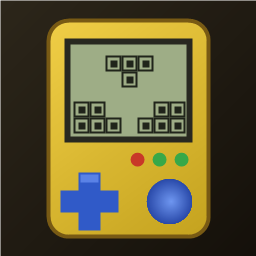
1:1 replica of the 90s handheld brick game: yellow shell, retro LCD screen, layout buttons, 10x20 grid, 7 classic tetrominoes. Includes combo scores, 20-level speed curve, auto-save/resume, leaderboard, multiple unlockable skins, and 4 retro 8-bit background music tracks.
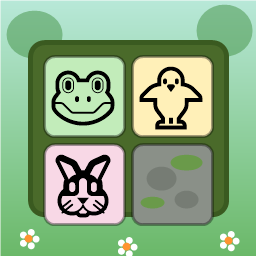
Swap adjacent animal tiles (🐸🐥🐵🐘🐰🦊) on a 9x9 forest board to match 3 or more. Clear moss obstacles, use shuffle/move boosters, complete targets within step limits, and survive endless progression.
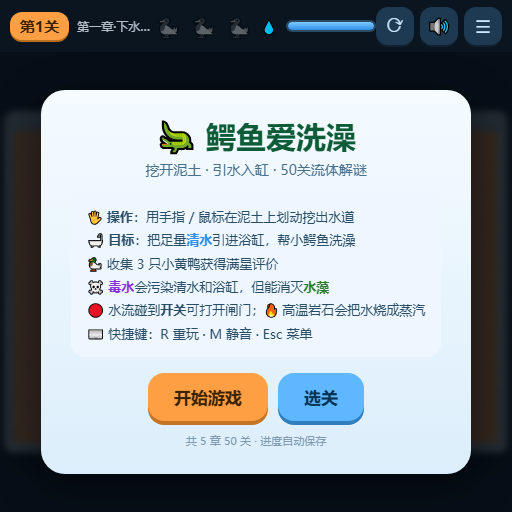
Dig through dirt and guide water to the target, featuring 50 physics puzzle levels of increasing difficulty.
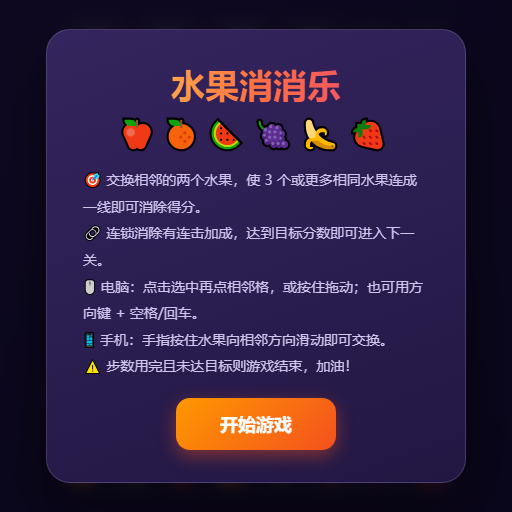
Swap adjacent fruits to match 3 or more, trigger chain reactions and special items, and achieve level goals within steps or time limits.
"Crush" is a sandbox game where players control a camera over a vast asphalt plane. The game focuses on exploration and interaction with the environment through dynamic camera movements. • Explore a 1000x1000 pixelated asphalt ground plane with intuitive drag, scroll, and multi-touch camera controls. • Dynamic key lighting casts realistic shadows, enhancing the visual experience of the blocky, Minecraft-style world.
Place blocks on the grid to clear rows and columns. Chain combos for higher scores in this relaxing puzzle game!