Pixel Bazooka BlastAI · Claude 3.5
Game information
AI generation prompt
Core Game Loop and Mechanics
Moment-to-Moment Gameplay: The player controls a pixel character armed with a bazooka, positioned on the left side of the screen. Each level presents a destructible environment with enemies positioned behind cover, in windows, or on platforms. The player aims their bazooka using touch/mouse controls and fires missiles that create explosive impacts.
Core Mechanics:
- Aiming & Firing: Player aims the bazooka by dragging/moving mouse to adjust angle and power, then releases to fire. A trajectory line shows the predicted path.
- Destructible Terrain: Walls, platforms, and structures can be destroyed by explosions, creating new paths and exposing enemies.
- Enemy Armor System: Some enemies wear armor suits that absorb the first hit, showing visible damage. A second hit shatters the armor into pieces that fall away, leaving the enemy vulnerable.
- Ragdoll Physics: Unarmored enemies hit by explosions fly backward with realistic ragdoll physics and die on impact.
- Explosive Barrels: TNT barrels (red, highly explosive) and regular barrels (brown, smaller explosion) are scattered throughout levels, creating chain reaction opportunities.
- Enemy AI: Enemies peek out from cover at intervals to fire slingshots, bows, or guns at the player. Their shots have intentional inaccuracy but pose a real threat. Enemies always have a small window or opening to fire from.
Progression:
- Clear all enemies in a level to advance
- Each level introduces new layouts, more enemies, and more complex destructible structures
- Player has limited health (3-5 hits) shown as hearts
- Unlimited ammo but reload time between shots creates pacing
Win/Lose Conditions:
- Win: Eliminate all enemies in the level
- Lose: Player health reaches zero from enemy fire
- Restart: Players can retry levels immediately
Engagement Drivers:
- Satisfying explosion effects with screen shake and particle systems
- Strategic destruction of terrain to reach enemies
- Chain reactions from barrel explosions
- Ragdoll physics creating unpredictable and humorous enemy deaths
- Precision aiming challenges
- Risk/reward of exposing yourself to enemy fire while aiming
Starting Scope
First Implementation (Minimal Viable Game):
- Single level with 3-5 enemies
- Basic destructible terrain (simple rectangular blocks and platforms)
- 2-3 TNT barrels and 2-3 regular barrels
- Player character with bazooka on left side
- 2 enemy types: unarmored (dies in one hit with ragdoll) and armored (requires two hits)
- Simple enemy AI that peeks and fires at intervals
- Basic trajectory line for aiming
- Explosion effects with particles and screen shake
- Health system (3 hearts for player)
- Win/lose screens with restart option
Future Iterations:
- Multiple levels (5-10) with increasing difficulty
- More enemy types (different weapons, faster firing rates)
- More complex destructible structures (multi-layered walls, bridges)
- Power-ups (explosive rounds, rapid fire, shield)
- Level editor in Edit Mode
- Score system and star ratings
- Additional environmental hazards
Game Perspective
Side-scrolling / Fixed-screen hybrid: The game uses a 2D side view with the camera showing the entire level at once (no scrolling). The player is positioned on the left side of the screen, and enemies/structures are arranged across the level to the right. This perspective is ideal for:
- Clear trajectory visualization for projectile aiming
- Showcasing destructible terrain and ragdoll physics
- Allowing players to see all threats and plan their shots
- Creating a classic artillery game feel similar to Worms
Game World and Level Design
Level 1 (Starting Implementation):
- Layout: Simple fortress-style structure on the right side with platforms at different heights
- Player Position: Left side of screen, ground level, with small protective barrier
- Enemy Positions:
- 1 unarmored enemy in a window on ground level (center-right)
- 1 armored enemy on a middle platform behind partial cover
- 1 unarmored enemy in a high window (top-right)
- 2 armored enemies on ground level behind destructible walls
- Destructible Elements:
- Rectangular wall blocks (various sizes) that crumble when hit
- 2-3 wooden platforms that can be destroyed
- Ground terrain that can be cratered by explosions
- Barrels:
- 2 TNT barrels (red) placed near enemy positions for chain reactions
- 3 regular barrels (brown) scattered throughout
- Background: Simple pixel sky with clouds, ground texture
- Dimensions: Designed to fit within 720x1280 viewport with player on left 1/4 of screen
Level Structure Principles (for future levels):
- Enemies always have small windows, gaps, or openings to fire through
- Multiple paths to victory through different destruction strategies
- Strategic barrel placement for chain reactions
- Increasing complexity: more enemies, tighter spaces, better-protected positions
- Environmental variety: castles, bunkers, towers, bridges
Edit Mode Design
Editable Properties (Start Simple):
- Player Settings:
- Starting health (1-10 hearts)
- Bazooka power multiplier (0.5x - 2x)
- Reload time (0.5s - 3s)
- Enemy Settings:
- Number of enemies (1-10)
- Armor enabled/disabled per enemy
- Enemy weapon type (slingshot/bow/gun)
- Enemy firing rate (slow/medium/fast)
- Enemy accuracy (0-100%)
- Level Settings:
- Number of TNT barrels (0-10)
- Number of regular barrels (0-10)
- Explosion power multiplier (0.5x - 2x)
- Gravity strength (affects ragdolls and projectiles)
Future Edit Mode Features:
- Drag-and-drop level editor for placing enemies, barrels, and structures
- Custom destructible terrain drawing
- Enemy position and behavior customization
- Multiple level creation and management
Control Design
Mobile (Touch) Controls:
- Aiming: Touch and drag anywhere on screen to aim bazooka
- Dragging adjusts both angle and power
- Visual trajectory line shows predicted path
- Longer drag = more power
- Firing: Release touch to fire missile
- UI Buttons: Small restart button in top-left corner
Desktop (Keyboard/Mouse) Controls:
- Aiming: Move mouse to aim bazooka
- Mouse position relative to player determines angle
- Distance from player determines power
- Visual trajectory line shows predicted path
- Firing: Click to fire missile
- Alternative: Arrow keys to adjust angle, Space to fire (optional secondary control scheme)
- UI: Restart button clickable in top-left corner
Control Feedback:
- Trajectory line updates in real-time
- Power indicator (visual bar or line thickness)
- Crosshair at predicted impact point
- Bazooka visually rotates to match aim angle
Physics and Destruction System
Projectile Physics:
- Missiles follow realistic ballistic trajectory with gravity
- Explosion radius affects nearby objects and enemies
- Blast force applies to ragdolls and destructible objects
Destructible Terrain:
- Terrain blocks have health points
- Explosions within radius damage blocks
- Blocks crumble into small particles when destroyed
- Craters form in ground terrain
Ragdoll System:
- Enemies become ragdolls when killed (unarmored) or when armor breaks
- Ragdolls affected by explosion force and gravity
- Simple multi-segment body (head, torso, limbs) with joint constraints
- Ragdolls interact with remaining terrain
Armor System:
- Armored enemies have visible armor suit (different color/style)
- First hit cracks armor (visual damage)
- Second hit shatters armor into 4-6 pieces that fall
- Armor pieces are physics objects that fall and disappear
Barrel Explosions:
- TNT barrels: Large explosion radius, high damage, red color
- Regular barrels: Medium explosion radius, moderate damage, brown color
- Chain reactions when explosions overlap
Visual Effects and Polish
Explosion Effects:
- Bright flash at impact point
- Expanding circular shockwave
- Particle burst (debris, smoke, fire)
- Screen shake proportional to explosion size
- Sound effect with bass for impact
Feedback Systems:
- Hit markers when enemies are struck
- Armor crack visual when armor is damaged
- Satisfying "crunch" sound for armor breaking
- Blood particle spray (stylized, pixel art) when unarmored enemies are hit
- Dust clouds when terrain is destroyed
UI Elements:
- Health hearts in top-left corner
- Ammo/reload indicator (circular timer around crosshair)
- Enemy counter showing remaining enemies
- Victory/defeat screens with level stats
Art Style and Visual Theme
Overall Style: Retro pixel art with modern effects and polish. The aesthetic should feel like a classic 16-bit game with contemporary particle effects and smooth animations.
Color Palette:
- Bright, saturated colors for readability
- Player character: Blue/cyan tones
- Enemies: Red/orange tones for clear identification
- Armored enemies: Gray/silver metallic look
- TNT barrels: Bright red with "TNT" label
- Regular barrels: Brown wood texture
- Terrain: Gray stone blocks, brown dirt/ground
- Sky: Light blue gradient with white clouds
Visual Scale:
- Player character: ~60-80 pixels tall
- Enemies: Similar size to player
- Barrels: ~40-50 pixels tall
- Terrain blocks: 40x40 to 80x80 pixel chunks
- Explosions: 100-200 pixel radius depending on type
Consistency:
- All characters and objects use same pixel density (no mixing high-res and low-res)
- Consistent lighting angle (top-left light source)
- Black outlines on all sprites for clarity
- Side-view perspective for all elements
Animation Style:
- Simple frame-based animations (2-4 frames for idle, shooting)
- Smooth rotation for bazooka aiming
- Particle-based effects for explosions and destruction
- Ragdoll physics for death animations (no sprite animation needed)
Related games
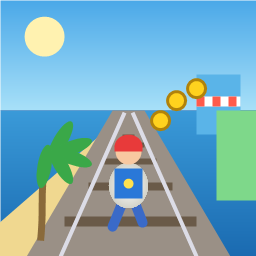
Control a kid in a red baseball cap running endlessly on three seaside railway tracks: switch lanes, jump, and slide to avoid oncoming trains, low-clearance bars, and moving blockades. Features cartoon retro 3D visuals, double scores for perfect runs, daily rewards, achievements, and local high score tracking.
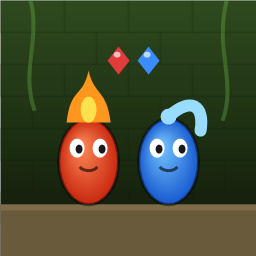
Control Fireboy and Watergirl to cooperate: collect matching gems, trigger buttons, pull levers, push boxes, and ride lifts. 30 handmade puzzle levels across 5 chapters, plus random endless mode. Supports local co-op and dual virtual joysticks.
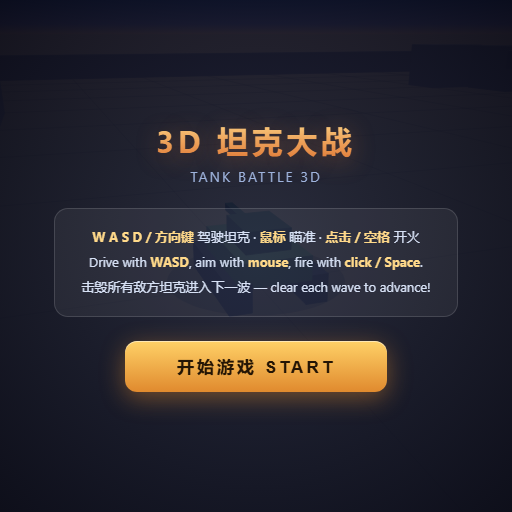
Pilot your combat tank in a 3D battleground: maneuver to dodge artillery fire, aim and destroy enemy tanks in wave-based assault missions.
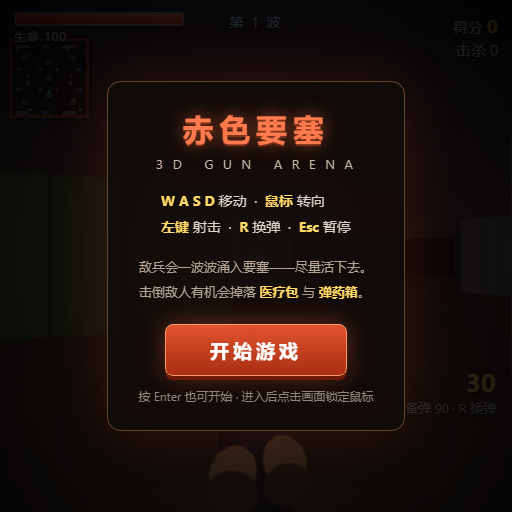
First-person 3D shooter: Navigate through enemy strongholds, shoot hostile units, and clear stages while holding your ground.

Top-down survival shooter: Navigate through endless waves of monsters, select new skills and weapon upgrades upon leveling up, and survive as long as possible.

Miniature MOBA battle: Control your hero, push minion waves, release skills, defeat enemy units/towers, and destroy the enemy base.