Pixel HavocAI · Claude 3.5
Game information
AI generation prompt
Core Game Loop and Mechanics
Pixel Havoc is a fast-paced 2D action platformer where players control a commando fighting through procedurally generated levels filled with enemies, destructible terrain, and explosive action.
Moment-to-Moment Gameplay
- Players run, jump, and shoot through side-scrolling levels
- Enemies spawn and attack from various positions
- Players use their primary weapon (automatic fire) and a powerful special ability (limited uses)
- Destructible terrain creates dynamic pathways and strategic opportunities
- Collect power-ups and special ability charges from defeated enemies
- Reach the extraction flag to trigger helicopter pickup and level completion
Progression and Engagement
- Each level is procedurally generated with increasing difficulty
- Players earn points for kills, destruction, and level completion
- Unlock new characters with different weapons and special abilities
- Levels become progressively longer and more challenging
- Score tracking encourages replayability and competition
Win/Lose Conditions
- Win: Reach the extraction flag and board the helicopter
- Lose: Player health reaches zero (respawn at level start with score penalty)
- Ultimate Goal: Survive as many levels as possible, maximizing score
What Makes It Compelling
- Explosive, satisfying combat with screen-shake and particle effects
- Procedural generation ensures every playthrough feels fresh
- Special abilities provide "power fantasy" moments
- Destructible terrain creates emergent gameplay opportunities
- Simple controls make it accessible while skill-based gameplay provides depth
Starting Scope
The first iteration will focus on delivering a polished, playable core experience:
Implement First:
- Single playable character with basic weapon (assault rifle)
- One special ability (airstrike - calls down explosive missiles)
- Procedural level generation with platforms, destructible blocks, and enemies
- Two enemy types: ground soldiers and turrets
- Basic physics: running, jumping, shooting, gravity
- Health system with visual feedback
- Extraction sequence (flag → helicopter pickup)
- Score tracking and display
- Touch controls (mobile) and keyboard/mouse (desktop)
- Particle effects for explosions and impacts
- Screen shake for impactful moments
Save for Later Iterations:
- Multiple playable characters with unique abilities
- More enemy varieties (flying enemies, heavy units, bosses)
- Power-ups and collectibles
- More special ability types
- Environmental hazards (spikes, lava, moving platforms)
- Character unlock progression system
- Leaderboards and achievements
Game Perspective
Side-scrolling perspective with the camera following the player horizontally. The viewport shows approximately 720px width of the level at a time, with smooth camera tracking as the player moves right toward the extraction point.
Game World and Level Design
Level Structure
Each level is procedurally generated with the following characteristics:
Layout:
- Levels are 3000-5000px wide (varies by difficulty)
- Height is fixed at 1280px (full viewport height)
- Player starts on the left side
- Extraction flag appears on the right side
- Terrain consists of destructible blocks and indestructible platforms
Procedural Generation Algorithm:
- Create ground layer (bottom 200px)
- Generate 5-8 platform clusters at varying heights (200-800px from bottom)
- Place destructible blocks randomly between platforms (30-40% coverage)
- Spawn 8-15 enemies across the level (more on higher levels)
- Place extraction flag at the far right
- Ensure there's always a viable path from start to finish
Terrain Types:
- Indestructible Platforms: Gray pixel blocks that form the main structure
- Destructible Blocks: Brown pixel blocks that can be destroyed by weapons/explosions
- Ground: Solid bottom layer (indestructible)
Enemy Placement:
- Ground soldiers patrol platforms
- Turrets are mounted on platforms and destructible blocks
- Enemies become more numerous and aggressive with each level
- Minimum spacing between enemies to avoid overwhelming clusters
Visual Progression:
- Background color shifts slightly each level (blue → purple → red gradient over 10 levels)
- Particle effects and destruction increase visual intensity
Edit Mode Design
Edit mode allows players to customize their gameplay experience:
Editable Properties:
- Player Health: Starting health (50-200, default 100)
- Special Ability Charges: Starting charges (1-5, default 3)
- Enemy Density: Multiplier for enemy spawns (0.5x-2x, default 1x)
- Destructible Block Density: Percentage of blocks that are destructible (10-60%, default 40%)
- Level Length: Multiplier for level width (0.5x-2x, default 1x)
- Gravity Strength: Affects jump height and fall speed (0.5x-1.5x, default 1x)
Constraints:
- All values have reasonable min/max ranges to prevent broken gameplay
- Changes apply to new levels (current level must be restarted)
- Default values provide balanced, tested experience
Control Design
Desktop Controls:
- A/D or Arrow Keys: Move left/right
- W/Space or Up Arrow: Jump
- Mouse: Aim weapon (cursor position)
- Left Mouse Button: Shoot (hold for automatic fire)
- E or Right Mouse Button: Use special ability
- Pointer Lock: Enabled during gameplay for precise aiming
Mobile Controls:
- Left Virtual Joystick: Movement (appears where left side of screen is touched)
- Horizontal axis: move left/right
- Vertical axis: jump when pushed up past threshold
- Right Side Touch: Aim and shoot
- Touch position determines aim direction from player
- Automatically fires while touching
- Special Ability Button: Large button in bottom-right corner (96x96px minimum)
- Joystick Specifications:
- Max radius: 80px
- Dead zone: 15px
- Base repositions if finger exceeds max radius
- Analog output (-1 to +1)
Input Handling:
- Clear all inputs on window blur
- Prevent default browser behavior for game keys
- Track touch IDs to prevent interference between joystick and shoot touches
- Release pointer lock when showing menus/game over screens
Art Style and Visual Theme
Overall Style: Retro pixel art with modern effects and polish
Visual Characteristics:
- Pixel Art: All sprites use crisp, low-resolution pixel art (16x16 to 32x32 base sizes)
- Color Palette: Military-inspired with pops of color for explosions and effects
- Characters: Olive green, tan, black
- Enemies: Red, gray, black
- Environment: Gray platforms, brown destructible blocks, blue sky
- Effects: Bright orange/yellow explosions, red blood particles
- Animation: Simple 2-frame walk cycles for characters
- Effects: Particle systems for explosions, bullet impacts, and destruction
- Scale: Player character is 32x32px, enemies 24-32px, blocks 32x32px
Mood: High-energy, explosive action with a nostalgic arcade feel
Rendering Approach:
- Generated Assets: Character sprites, enemy sprites, helicopter
- Code Rendering: Terrain blocks (simple colored rectangles), UI elements, particle effects
- Canvas: All game rendering uses HTML5 Canvas for performance
Related games
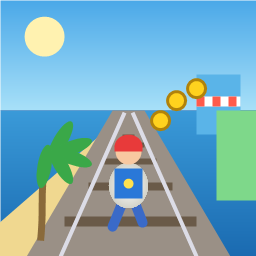
Control a kid in a red baseball cap running endlessly on three seaside railway tracks: switch lanes, jump, and slide to avoid oncoming trains, low-clearance bars, and moving blockades. Features cartoon retro 3D visuals, double scores for perfect runs, daily rewards, achievements, and local high score tracking.
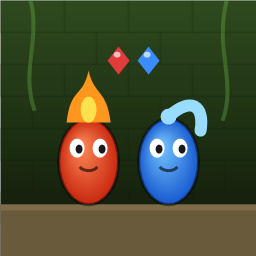
Control Fireboy and Watergirl to cooperate: collect matching gems, trigger buttons, pull levers, push boxes, and ride lifts. 30 handmade puzzle levels across 5 chapters, plus random endless mode. Supports local co-op and dual virtual joysticks.
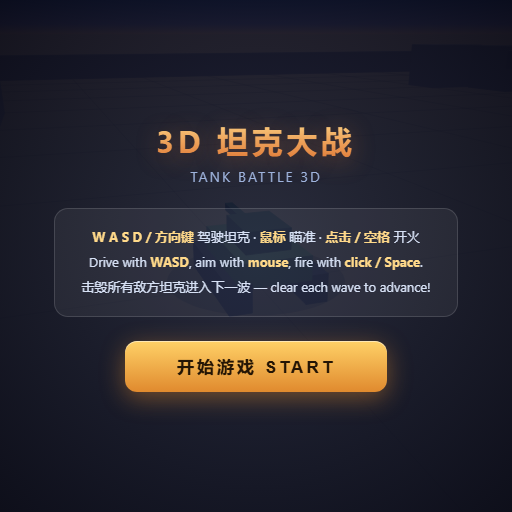
Pilot your combat tank in a 3D battleground: maneuver to dodge artillery fire, aim and destroy enemy tanks in wave-based assault missions.
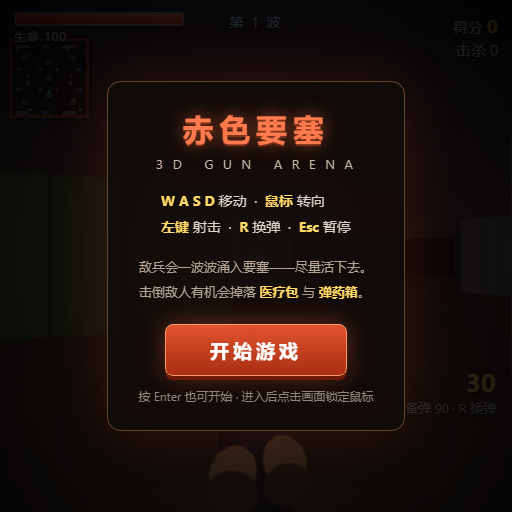
First-person 3D shooter: Navigate through enemy strongholds, shoot hostile units, and clear stages while holding your ground.

Top-down survival shooter: Navigate through endless waves of monsters, select new skills and weapon upgrades upon leveling up, and survive as long as possible.

Miniature MOBA battle: Control your hero, push minion waves, release skills, defeat enemy units/towers, and destroy the enemy base.