Shark RushAI · Claude 3.5
Game information
AI generation prompt
Core Game Loop and Mechanics
Sharkzilla Rampage is a 3D action game where players control a giant shark that grows progressively larger by consuming objects in a coastal city environment.
Moment-to-Moment Gameplay
- Player navigates a massive shark through shallow coastal waters surrounding a city
- Shark can breach onto land temporarily to reach buildings and vehicles
- Consuming objects increases the shark's size and score
- Larger size unlocks ability to consume bigger objects
- Physics-based destruction creates satisfying chaos as buildings crumble
- Time pressure keeps gameplay intense - players must keep eating to maintain momentum
Progression System
- Size Tiers: Shark grows through distinct size stages (Small → Medium → Large → Mega → Colossal)
- Consumable Hierarchy:
- Tier 1: Fish, swimmers, small boats
- Tier 2: Cars, lamp posts, small structures
- Tier 3: Buses, food stalls, medium buildings
- Tier 4: Large buildings, cranes, bridges
- Tier 5: Skyscrapers, entire city blocks
- Score Multiplier: Consecutive eating without pause increases score multiplier
- Growth Meter: Visual feedback showing progress to next size tier
Win/Lose Conditions
- Win: Reach "Colossal" size tier and consume the final landmark (city hall or tallest skyscraper)
- Lose: Hunger meter depletes completely (shark must keep eating to survive)
- Time Challenge: Optional mode with countdown timer for speedrun attempts
Engagement Drivers
- Satisfying destruction physics and visual feedback
- Power fantasy of growing from threatening to unstoppable
- Strategic choices about what to eat for optimal growth
- Exploration of the city environment to find high-value targets
- Replayability through different paths and strategies
Starting Scope
The first iteration will focus on delivering a polished, playable core experience:
Must Have (First Iteration)
- Single coastal city map with water and land areas
- Functional shark movement (swimming and land breaching)
- 3 size tiers (Small → Medium → Large) with clear visual growth
- 3 tiers of consumable objects (fish/swimmers, vehicles, small buildings)
- Basic hunger/growth meter system
- Simple score tracking
- Win condition: Reach Large size and consume city hall
- Lose condition: Hunger depletes
- Touch controls (mobile) and keyboard/mouse (desktop)
- Low-poly 3D art style with water effects
- Sound effects for eating, splashing, destruction
- Background music track
Future Iterations
- Additional size tiers (Mega, Colossal)
- More complex city layout with multiple districts
- Special abilities (tail whip, mega bite, tsunami wave)
- Military response (helicopters, boats that fight back)
- Weather effects and day/night cycle
- Multiple city environments
- Leaderboard and challenge modes
- More sophisticated destruction physics
- Particle effects for water splashes and debris
Game Perspective
3D Third-Person - The camera follows behind and slightly above the shark, providing a clear view of the environment and the shark's massive scale. The camera dynamically adjusts height and distance as the shark grows larger.
Camera Behavior
- Follows shark smoothly with slight lag for cinematic feel
- Automatically adjusts distance based on shark size
- Tilts down when shark breaches onto land
- Can be rotated with right joystick (mobile) or mouse (desktop)
- Collision detection prevents camera clipping through buildings
Game World and Level Design
Environment Layout
The game takes place in Coral Bay City, a modern coastal metropolis built along a curved harbor.
Map Structure (approximately 2000x2000 game units):
- Deep Water Zone (30% of map): Open ocean on the outer edges, safe zone for regrouping
- Shallow Harbor (40% of map): Main gameplay area with docks, boats, swimmers
- Coastal Streets (20% of map): Beachfront roads with vehicles and small structures
- City Center (10% of map): Dense urban area with tall buildings (requires larger size to access)
Key Landmarks
- Starting Area: Open ocean with schools of fish
- Tourist Beach: Swimmers, beach umbrellas, food stalls
- Marina District: Yachts, sailboats, docks
- Boardwalk: Restaurants, shops, lamp posts
- Coastal Highway: Cars, buses, traffic
- Downtown: Office buildings, apartments
- City Hall (Win Objective): Large government building at city center
Consumable Objects (First Iteration)
Tier 1 - Small Shark (Starting Size)
- Fish schools (5-10 points each)
- Swimmers (20 points)
- Beach balls and floaties (5 points)
- Small boats/kayaks (30 points)
Tier 2 - Medium Shark
- All Tier 1 objects
- Cars (50 points)
- Lamp posts (40 points)
- Food stalls (60 points)
- Sailboats (70 points)
Tier 3 - Large Shark
- All previous tiers
- Buses (100 points)
- Small buildings (150 points)
- Docks (120 points)
- City Hall (500 points - WIN)
Environmental Hazards (Future)
- Shallow areas that slow the shark
- Rocky outcrops that damage if hit at speed
- Military response vehicles (future iteration)
Edit Mode Design
Players can customize their rampage experience through the following editable properties:
Shark Properties
- Starting Size: Adjust initial shark size (affects difficulty)
- Growth Rate: How quickly the shark grows per consumed object
- Hunger Drain Rate: How fast the hunger meter depletes
- Movement Speed: Base swimming and land movement speed
- Breach Power: How far onto land the shark can go
Environment Properties
- Object Density: Number of consumable objects in each tier
- City Layout: Toggle different districts on/off
- Water Level: Adjust how much of the city is accessible
- Time Limit: Enable/disable and set countdown timer
Visual Properties
- Shark Skin: Choose from preset color schemes (Great White, Tiger, Hammerhead-inspired)
- Water Color: Adjust ocean color (tropical blue, murky green, deep ocean)
- Time of Day: Sunset, midday, night
Constraints
- Starting size: 0.5x to 2x normal (prevents breaking progression)
- Growth rate: 0.5x to 3x (keeps game balanced)
- Hunger drain: 0.3x to 2x (ensures challenge remains)
- Object density: 0.5x to 2x (prevents empty or overcrowded maps)
Control Design
Genre: 3D Action/Destruction
Camera: Third-person following
Mobile Controls (Touch)
Left Joystick (bottom-left, appears on touch):
- Move shark forward/backward/strafe
- Analog input for speed control
- Dead zone: 15% of radius
- Max radius: 80px
- Base repositions if finger exceeds max radius
Right Joystick (bottom-right, appears on touch):
- Rotate camera around shark
- Horizontal: camera orbit left/right
- Vertical: camera pitch up/down (limited range)
- Same joystick specs as left
Bite Button (bottom-right, above right joystick):
- Large circular button (120x120px)
- Tap to bite/consume nearby objects
- Visual feedback on press
Breach Button (bottom-left, above left joystick):
- Medium circular button (100x100px)
- Tap to launch shark onto land (when in shallow water)
- Cooldown indicator shows when available
Desktop Controls (Keyboard + Mouse)
Movement (WASD or Arrow Keys):
- W/↑: Move forward
- S/↓: Move backward
- A/←: Strafe left
- D/→: Strafe right
- Shift: Sprint (faster movement)
Camera (Mouse with Pointer Lock):
- Mouse movement: Rotate camera around shark
- Horizontal: orbit left/right
- Vertical: pitch up/down (clamped to prevent disorientation)
- Pointer lock engages on first click in game area
- Released when ESC pressed or menu opened
Actions:
- Left Mouse Button: Bite/consume
- Space Bar: Breach onto land
- ESC: Pause menu (releases pointer lock)
Input Handling Details
Touch Management:
- Track touch IDs separately for each joystick
- Ignore touches that start on UI elements
- First touch in left half = movement joystick
- First touch in right half = camera joystick
- Additional touches = button presses
Keyboard State:
- Maintain key state object (keydown/keyup)
- Convert keycodes to lowercase before storing
- Clear all input states on window blur
- Prevent default for all used keys (WASD, arrows, space)
Mouse Look:
- Request pointer lock on game canvas click
- Apply mouse delta to camera rotation
- Sensitivity: 0.002 radians per pixel
- Clamp vertical rotation: -45° to +45°
- Smooth camera movement with lerp (0.1 factor)
Breach Mechanic:
- Only available when in shallow water (depth < shark height)
- Cooldown: 3 seconds
- Visual indicator shows when ready
- Launches shark forward onto land with physics impulse
- Gravity pulls shark back to water after 2-3 seconds
Art Style and Visual Theme
Overall Aesthetic
Low-Poly Realism - A unique blend of simplified geometry with realistic textures and lighting. Think modern mobile games like "Monument Valley" meets "Jaws" - clean geometric shapes that still convey weight, danger, and scale.
Visual Style Guidelines
- Polygon Count: 500-2000 triangles per major object
- Texturing: Flat colors with subtle gradients, no complex UV mapping
- Lighting: Dynamic directional sunlight with soft shadows
- Color Palette:
- Ocean: Deep blues (#1a5490) to turquoise shallows (#4fb3d4)
- City: Warm concrete grays (#8c8c8c), white buildings (#e8e8e8)
- Accents: Bright reds, yellows for vehicles and signs
- Shark: Classic great white (dark gray top #4a5568, white belly #f0f0f0)
Asset Rendering Strategy
Code-Rendered Elements (Three.js/WebGL):
- Water surface (animated plane with wave shader)
- Basic building blocks (BoxGeometry with materials)
- Simple geometric shapes (spheres for buoys, cylinders for posts)
- Particle effects (splashes, debris)
- UI elements (meters, buttons, score)
Generated Image Assets:
- Shark model (multiple sizes/poses)
- Detailed vehicles (cars, buses, boats)
- Character models (swimmers)
- Landmark buildings (city hall)
- Texture maps for code-rendered geometry
- Environmental details (beach umbrellas, signs)
Scale and Proportion
- Starting Shark: 8 units long (roughly car-sized)
- Medium Shark: 16 units long (bus-sized)
- Large Shark: 32 units long (building-sized)
- Human: 1.8 units tall
- Car: 4 units long
- Small Building: 15 units tall
- City Hall: 40 units tall
Viewing Angles
All assets should be designed for third-person perspective viewing:
- Shark: Side and top-down views most important
- Buildings: All sides visible, focus on front facades
- Vehicles: Side and top views
- Characters: Full 360° visibility
Mood and Atmosphere
- Daytime setting: Bright, clear weather with strong sunlight
- Cinematic feel: Dramatic camera angles during breaches
- Power fantasy: Shark should feel massive and intimidating
- Playful destruction: Despite the chaos, maintain a fun, arcade-like tone
- Water effects: Splashes, foam, and ripples emphasize movement and impact
Related games
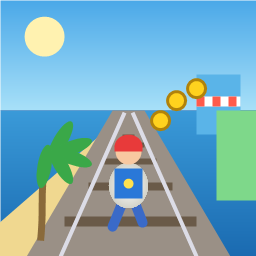
Control a kid in a red baseball cap running endlessly on three seaside railway tracks: switch lanes, jump, and slide to avoid oncoming trains, low-clearance bars, and moving blockades. Features cartoon retro 3D visuals, double scores for perfect runs, daily rewards, achievements, and local high score tracking.
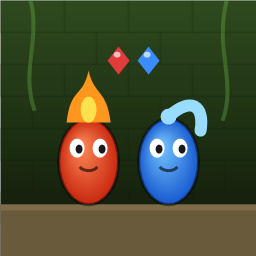
Control Fireboy and Watergirl to cooperate: collect matching gems, trigger buttons, pull levers, push boxes, and ride lifts. 30 handmade puzzle levels across 5 chapters, plus random endless mode. Supports local co-op and dual virtual joysticks.
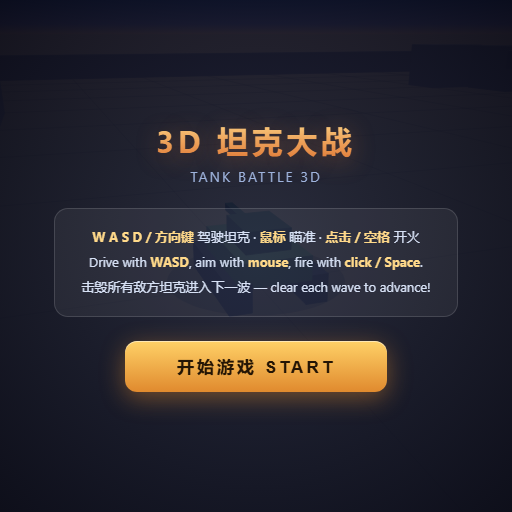
Pilot your combat tank in a 3D battleground: maneuver to dodge artillery fire, aim and destroy enemy tanks in wave-based assault missions.
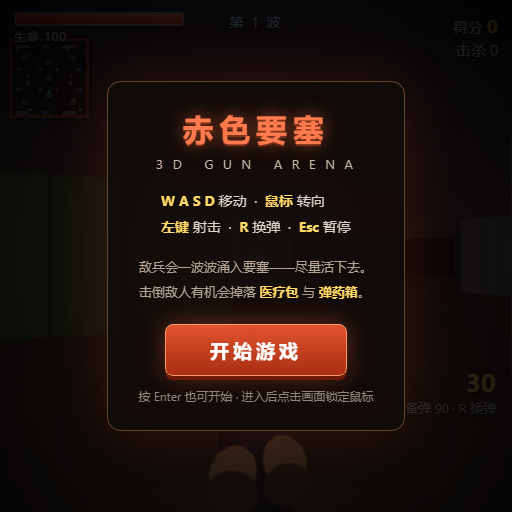
First-person 3D shooter: Navigate through enemy strongholds, shoot hostile units, and clear stages while holding your ground.

Top-down survival shooter: Navigate through endless waves of monsters, select new skills and weapon upgrades upon leveling up, and survive as long as possible.

Miniature MOBA battle: Control your hero, push minion waves, release skills, defeat enemy units/towers, and destroy the enemy base.