Royal ShowdownAI · Claude 3.5
Game information
AI generation prompt
Core Game Loop and Mechanics
Royal Showdown is a classic chess implementation designed for intuitive touch-first interaction. The core gameplay follows traditional chess rules:
Moment-to-Moment Gameplay
- Players alternate turns (White moves first)
- On each turn, a player selects one of their pieces and moves it to a valid square
- Pieces capture opponent pieces by moving to their square
- Special moves include castling, en passant, and pawn promotion
- The game tracks check status and highlights when a king is threatened
Progression and Engagement
- Players must think strategically about piece positioning, threats, and long-term plans
- The tension builds as pieces are captured and the board simplifies
- Each move creates new tactical opportunities and threats
- Players can see captured pieces to track material advantage
Win/Loss Conditions
- Checkmate: A player wins when their opponent's king is in check and has no legal moves to escape
- Stalemate: The game is a draw if a player has no legal moves but is not in check
- Draw by Agreement: Players can offer/accept draws
- Insufficient Material: Automatic draw when checkmate is impossible (e.g., king vs king)
What Makes It Compelling
- Deep strategic gameplay with infinite replayability
- Clear visual feedback for valid moves and threats
- Satisfying piece captures and tactical combinations
- Accessible to beginners while offering depth for experienced players
Starting Scope
The first iteration will implement a complete, fully playable chess game with all standard rules. This is appropriate because:
- Chess rules are well-defined and finite
- The game is turn-based, allowing for careful implementation
- A partial chess implementation would feel incomplete
Must Have (First Iteration):
- Complete 8×8 chess board with proper square coloring
- All six piece types (King, Queen, Rook, Bishop, Knight, Pawn) with correct movement rules
- Turn-based gameplay (White then Black)
- Move validation (only legal moves allowed)
- Check detection and visual indication
- Checkmate and stalemate detection
- Piece capture mechanics
- Castling (kingside and queenside)
- En passant capture
- Pawn promotion (to Queen, Rook, Bishop, or Knight)
- Visual feedback for selected pieces and valid moves
- Captured pieces display
- Game over screen with winner announcement
Future Enhancements (Post-Launch):
- Move history/notation display
- Undo/redo moves
- AI opponent with difficulty levels
- Timer/clock modes (blitz, rapid, classical)
- Piece movement animations
- Sound effects for moves and captures
- Opening book suggestions
- Save/load game state
Game Perspective
Fixed-screen, top-down view
The game uses a single-screen, bird's-eye view of the chess board. The entire 8×8 board is always visible, centered in the viewport. This perspective is ideal for chess because:
- Players need to see the entire board state at all times
- No scrolling or camera movement is needed
- Touch targets (squares) can be optimally sized
- The traditional chess experience is preserved
The board orientation can be fixed (White at bottom) or rotate between turns for a more immersive two-player experience.
Game World and Level Design
Board Layout
- Standard 8×8 chess board (files a-h, ranks 1-8)
- Alternating light and dark squares in classic checkerboard pattern
- Board sized to fit comfortably in the 720×1280 viewport with room for UI
- Recommended board size: 640×640 pixels (80px per square), centered horizontally
- Top margin (~100px) for captured pieces and game status
- Bottom margin (~100px) for turn indicator and action buttons
Visual Hierarchy
┌─────────────────────────┐
│   Captured Pieces (B)   │  ← Top 100px
│   Status: "White's Turn"│
├─────────────────────────┤
│                         │
│                         │
│     8×8 Chess Board     │  ← Center 640×640px
│      (640×640px)        │
│                         │
│                         │
├─────────────────────────┤
│   Captured Pieces (W)   │  ← Bottom 100px
│   [Offer Draw] [Resign] │
└─────────────────────────┘
Board Coordinates
- Files labeled a-h (left to right)
- Ranks labeled 1-8 (bottom to top from White's perspective)
- Coordinates displayed subtly on board edges
Starting Position
Standard chess starting position:
- Rank 1 (White): Rook, Knight, Bishop, Queen, King, Bishop, Knight, Rook
- Rank 2 (White): Eight Pawns
- Rank 7 (Black): Eight Pawns
- Rank 8 (Black): Rook, Knight, Bishop, Queen, King, Bishop, Knight, Rook
Edit Mode Design
Edit mode allows players to customize the visual appearance and some gameplay options while preserving chess rules.
Editable Properties
Visual Customization:
- Board Theme: Choose from preset color schemes
- Classic (beige/brown)
- Modern (white/gray)
- Wood (light wood/dark wood)
- Blue (light blue/navy)
- Green (mint/forest)
- Piece Style: Select piece design aesthetic
- Classic (traditional Staunton-style)
- Modern (minimalist geometric)
- Ornate (detailed decorative)
Gameplay Options:
- Board Orientation:
- Fixed (White always at bottom)
- Rotating (board flips after each turn)
- Move Hints: Toggle showing valid move indicators
- Check Highlight: Toggle highlighting king when in check
- Last Move Highlight: Toggle highlighting the previous move
Audio Options:
- Move Sounds: Toggle piece movement sounds
- Capture Sounds: Toggle piece capture sounds
- Check Alert: Toggle audio alert when king is in check
Constraints
- Chess rules cannot be modified (piece movements, win conditions, etc.)
- Board must remain 8×8
- Starting position must follow standard chess setup
- All special moves (castling, en passant, promotion) remain enabled
Edit Mode UI
- Settings accessible via gear icon in top-right corner
- Modal overlay with organized sections for each category
- Live preview of visual changes
- "Reset to Default" option for each category
Control Design
Chess is a turn-based strategy game with a top-down fixed-screen perspective. Controls must be simple, precise, and work seamlessly on both mobile (touch) and desktop (mouse/keyboard).
Mobile Controls (Touch-First)
Primary Interaction: Tap to Select and Move
- Tap a piece to select it (if it's your turn and your color)
- Selected piece highlights
- Valid destination squares highlight with indicators
- Tap a highlighted square to move the selected piece there
- Piece moves to the square
- If capturing, opponent piece is removed
- Turn switches to opponent
- Tap elsewhere (non-highlighted square or same piece) to deselect
Special Moves:
- Castling: Tap king, then tap the destination square (two squares toward rook)
- Pawn Promotion: After pawn reaches end rank, a modal appears with piece choices (Queen/Rook/Bishop/Knight) - tap to select
- En Passant: Automatically available when valid - tap the diagonal square behind opponent's pawn
Additional Touch Controls:
- Offer Draw: Button in bottom UI area
- Resign: Button in bottom UI area
- Settings: Gear icon in top-right corner
Desktop Controls (Mouse/Keyboard)
Primary Interaction: Click to Select and Move
- Same tap-to-select logic as mobile, but with mouse clicks
- Click a piece → selects it and shows valid moves
- Click a valid square → moves piece there
- Click elsewhere → deselects
Keyboard Shortcuts (Optional Enhancement):
- Arrow Keys: Navigate between squares (highlight current square)
- Enter/Space: Select highlighted square or piece
- Escape: Deselect current piece
- Ctrl+Z: Undo last move (if undo feature is implemented)
Mouse Hover Feedback:
- Hover over your pieces shows subtle highlight
- Hover over valid destination squares shows cursor change (pointer)
- Hover over invalid squares shows no-drop cursor
Input Handling Details
Touch Tracking:
- Track single touch only (chess doesn't need multi-touch)
- Ignore touches on UI elements (buttons, captured pieces display)
- Prevent default to avoid scrolling/zooming during gameplay
Click/Tap Validation:
- Check if clicked square contains a piece of the current player's color
- If selecting a piece, calculate and store valid moves
- If clicking a valid destination, execute the move and update game state
- If clicking invalid location, deselect current piece
Visual Feedback:
- Selected Piece: Border highlight or glow effect
- Valid Moves: Dots or circles on destination squares
- Capture Moves: Different indicator (e.g., ring around opponent piece)
- Check: Red highlight on king square
- Last Move: Subtle highlight on source and destination squares
Preventing Errors:
- Disable all input during pawn promotion modal
- Disable input during game over state
- Prevent selecting opponent's pieces
- Prevent moving when it's not your turn (for future online play)
Control Simplicity
Chess controls are inherently simple:
- One action: Select piece, then select destination
- No simultaneous inputs needed
- Turn-based: No time pressure (unless timer is added later)
- Clear feedback: Always show what's selectable and where pieces can move
This makes the game accessible to players of all ages and skill levels.
Art Style and Visual Theme
Elegant, Timeless Chess Aesthetic
The visual design should evoke the classic beauty of chess while feeling modern and polished. The art style balances tradition with contemporary UI design.
Overall Style
- Clean and Minimalist: Uncluttered interface that focuses attention on the board
- Elegant Typography: Serif font for title, sans-serif for UI elements
- Subtle Shadows and Depth: Pieces have gentle shadows to appear above the board
- Smooth Edges: Rounded corners on UI elements for a modern feel
Color Palette
Default Theme (Classic):
- Light Squares:
#F0D9B5(warm beige) - Dark Squares:
#B58863(rich brown) - White Pieces:
#FFFFFFwith subtle gray shading - Black Pieces:
#2C2C2Cwith black shading - Highlight Color:
#BACA44(soft yellow-green for selected pieces) - Valid Move Indicator:
#646464with 40% opacity - Check Warning:
#E74C3C(red) - Background:
#312E2B(dark warm gray)
Board Design
- Classic checkerboard pattern with alternating light/dark squares
- Subtle border around the entire board (2-3px, darker shade)
- Coordinate labels (a-h, 1-8) in small, elegant font on board edges
- Board appears to float slightly above background with soft shadow
Piece Design
- Style: Traditional Staunton-style chess pieces (the standard tournament style)
- Rendering: Generated as 2D images with clear silhouettes
- Size: Pieces should fit comfortably within squares (approximately 70% of square size)
- Detail Level: Moderate detail - recognizable at a glance but not overly complex
- Viewing Angle: Slight 3/4 view (not pure top-down) to show piece depth
- Consistency: All pieces share the same artistic style, lighting, and level of detail
UI Elements
- Captured Pieces Display: Small piece icons arranged horizontally
- Status Text: Clear, readable font (18-20px) for turn indicator and game state
- Buttons: Rounded rectangles with subtle gradients
- Modal Dialogs: Semi-transparent overlay with centered content box
- Icons: Simple, line-based icons for settings and actions
Visual Feedback
- Selected Piece: Glowing border or subtle highlight
- Valid Moves: Semi-transparent circles on destination squares
- Capture Indicators: Rings or borders around capturable pieces
- Last Move: Faint highlight on both source and destination squares
- Check: Red tint or border on king's square
Asset vs. Code Rendering
Generated Assets:
- All 12 chess pieces (6 types × 2 colors): King, Queen, Rook, Bishop, Knight, Pawn
- Each piece needs both white and black versions
Code Rendering (CSS/Canvas):
- Chess board squares (simple colored rectangles)
- Valid move indicators (circles/dots)
- Highlights and selection effects
- UI buttons and text
- Coordinate labels
This approach keeps the asset count manageable while ensuring the pieces look polished and professional.
Related games
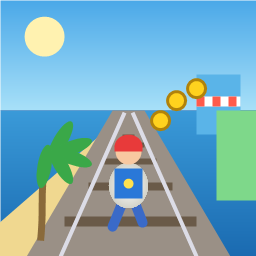
Control a kid in a red baseball cap running endlessly on three seaside railway tracks: switch lanes, jump, and slide to avoid oncoming trains, low-clearance bars, and moving blockades. Features cartoon retro 3D visuals, double scores for perfect runs, daily rewards, achievements, and local high score tracking.
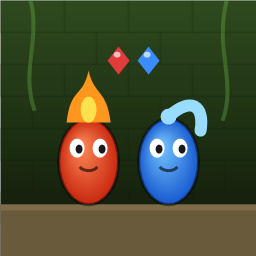
Control Fireboy and Watergirl to cooperate: collect matching gems, trigger buttons, pull levers, push boxes, and ride lifts. 30 handmade puzzle levels across 5 chapters, plus random endless mode. Supports local co-op and dual virtual joysticks.
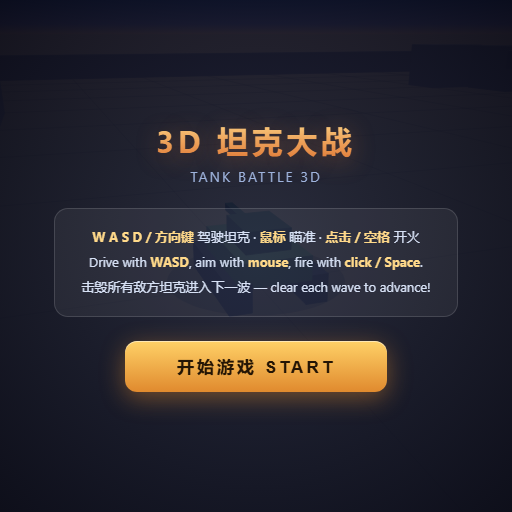
Pilot your combat tank in a 3D battleground: maneuver to dodge artillery fire, aim and destroy enemy tanks in wave-based assault missions.
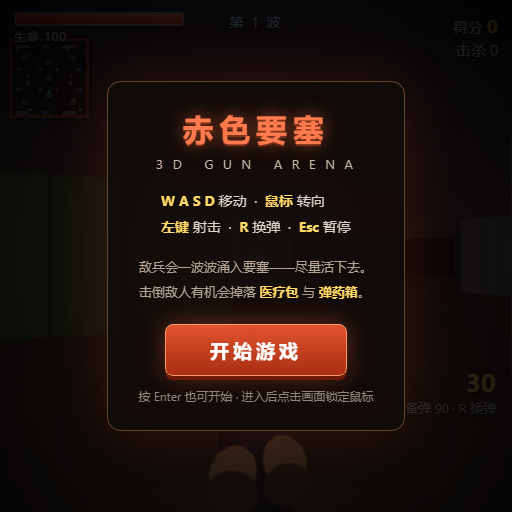
First-person 3D shooter: Navigate through enemy strongholds, shoot hostile units, and clear stages while holding your ground.
Top-down survival shooter: Navigate through endless waves of monsters, select new skills and weapon upgrades upon leveling up, and survive as long as possible.
Miniature MOBA battle: Control your hero, push minion waves, release skills, defeat enemy units/towers, and destroy the enemy base.