Stickman StealAI · Claude 3.5
Game information
AI generation prompt
Core Game Loop and Mechanics
Stickman Steal is a physics-based puzzle game where players help a stickman thief navigate through increasingly challenging scenarios to steal valuable items while avoiding detection by guards.
Moment-to-Moment Gameplay
- Players observe a single-screen level showing the thief, target loot, guards, and interactive objects
- Players tap/click on interactive objects in the environment to trigger actions (pull levers, pop balloons, push objects, etc.)
- Each interaction causes a chain reaction using physics (objects fall, roll, bounce)
- The goal is to create the right sequence of interactions to distract guards and clear a path to the loot
- The thief automatically moves to grab the loot once the path is safe
- Guards have vision cones and patrol patterns - if they spot the thief, the level fails
Progression and Engagement
- 20 levels with increasing complexity
- Early levels teach basic mechanics (1-2 interactive objects)
- Later levels require multi-step solutions and precise timing
- Each level introduces new interactive elements (balloons, boxes, seesaws, dominoes, etc.)
- Star rating system (1-3 stars based on moves used and time taken)
- Unlock levels sequentially - must complete a level to unlock the next
Win/Lose Conditions
Win: Thief successfully reaches and grabs the loot without being spotted Lose: Guard spots the thief (enters vision cone) OR thief gets hit by falling object
What Makes It Compelling
- Satisfying "aha!" moments when discovering the solution
- Humorous animations (thief celebrating, guards confused, slapstick failures)
- Physics-based interactions feel dynamic and unpredictable
- Quick retry - failed attempts restart instantly
- Short levels perfect for mobile play sessions
- Creative problem-solving with multiple possible solutions
Starting Scope
For the initial implementation, we'll create a polished 5-level prototype that demonstrates all core mechanics:
Implement First:
- Core physics engine (gravity, collisions, momentum)
- 5 complete levels (tutorial through intermediate difficulty)
- Essential interactive objects: balloon (floats up), box (pushes/falls), lever (triggers events)
- Guard AI with vision cones and simple patrol
- Thief character with idle, walking, celebrating, and caught animations
- Level complete screen with star rating (based on moves)
- Level select screen showing progress
- Touch/click controls for interacting with objects
- Sound effects for interactions and outcomes
- Background music
Add in Future Iterations:
- Remaining 15 levels (levels 6-20)
- Additional interactive objects (seesaws, dominoes, trampolines, magnets, etc.)
- More complex guard behaviors (multiple guards, faster patrols)
- Hint system
- Time-based challenges
- Edit mode for custom levels
Game Perspective
Fixed-screen perspective with side-view presentation. Each level is a single screen showing the entire puzzle layout - no scrolling required. This allows players to see all elements and plan their solution before acting.
The camera is positioned to show:
- Ground level where the thief and guards stand
- Background elements (buildings, landmarks) for visual context
- Interactive objects positioned throughout the scene
- Clear visual hierarchy (foreground = interactive, background = decorative)
Game World and Level Design
Visual Setting
The game takes place in various urban locations around the world, with each level featuring iconic landmarks and city elements:
- Paris (Eiffel Tower)
- New York (skyscrapers, fire hydrants)
- London (Big Ben, phone booths)
- Tokyo (neon signs, cherry blossoms)
- Each level has a distinct background but maintains consistent ground plane
Level Structure
Each level consists of:
- Ground plane: Flat surface where characters stand (beige/tan sidewalk)
- Background layer: Iconic landmark or building (non-interactive, for atmosphere)
- Interactive objects: Positioned at various heights and locations
- Starting positions: Thief on left side, loot on right side (typically)
- Guards: 1-3 guards with patrol routes or stationary positions
First 5 Levels Design
Level 1 - Tutorial: "Easy Grab"
- Location: Paris street with Eiffel Tower in background
- Thief on far left, briefcase on far right
- One guard in center, facing right (away from thief)
- One balloon tied to ground between guard and loot
- Solution: Pop balloon - it floats up and distracts guard (looks up), thief runs to loot
- Teaches: Basic interaction, guard vision mechanics
Level 2 - "Box Drop"
- Location: Paris street
- Thief on left, briefcase on right
- One guard facing left (toward thief)
- Box on elevated platform above guard
- Lever on left side
- Solution: Pull lever to drop box on guard (knocks him out), thief proceeds
- Teaches: Lever mechanics, using objects as weapons
Level 3 - "Balloon Ride"
- Location: New York street with skyscraper background
- Thief on ground level left, briefcase on elevated platform right
- Guard patrolling ground level
- Balloon on ground near thief, box on platform
- Solution: Pop balloon so it floats up, push box off platform to distract guard below, thief climbs up
- Teaches: Timing, multi-step solutions
Level 4 - "Double Trouble"
- Location: London street with Big Ben
- Thief on left, briefcase on right
- Two guards: one facing right (center), one facing left (near loot)
- Two balloons at different heights, one box
- Solution: Pop lower balloon to distract first guard, push box to roll and hit second guard's feet (he looks down), thief sneaks through
- Teaches: Multiple guards, sequencing
Level 5 - "Chain Reaction"
- Location: Tokyo street with neon signs
- Thief on left, briefcase on elevated right
- Two guards patrolling in opposite directions
- Three boxes stacked, lever, balloon
- Solution: Pull lever to topple box stack (domino effect), boxes roll and distract both guards, pop balloon to create secondary distraction, thief advances
- Teaches: Complex chains, timing precision
Level Progression Philosophy (Levels 6-20)
- Introduce new mechanics every 3-4 levels
- Increase number of guards and interactive objects
- Add environmental hazards (falling objects that can hit thief)
- Create levels requiring precise timing and order of operations
- Final levels (18-20) combine all mechanics for maximum challenge
Edit Mode Design
Edit mode allows players to customize level parameters and create variations without breaking core gameplay.
Editable Properties
Visual Customization:
- Thief appearance: Choose hat style (beret, top hat, baseball cap, beanie, none)
- Thief color: Select primary color for thief's outfit (black, blue, red, green, purple)
- Guard appearance: Choose guard hat style (police cap, security cap, fedora, none)
- Guard color: Select guard uniform color (blue, brown, black, gray)
- Background landmark: Select from available landmarks (Eiffel Tower, Big Ben, Statue of Liberty, Tokyo Tower, etc.)
- Ground color: Choose sidewalk color (beige, gray, brown, red brick)
Gameplay Parameters:
- Guard vision range: Adjust how far guards can see (50-150 pixels)
- Guard patrol speed: Adjust guard movement speed (slow, medium, fast)
- Star thresholds: Adjust number of moves required for 3/2/1 stars
- Physics gravity: Adjust gravity strength (affects falling speed)
Level Content (Simple Adjustments):
- Number of guards: Add/remove guards (1-3 maximum)
- Guard starting positions: Drag guards to new positions
- Guard facing direction: Toggle left/right
- Interactive object positions: Drag objects to new locations
- Loot position: Move briefcase location
Constraints
- Minimum 1 guard, maximum 3 guards per level
- Guards must be placed on ground plane (not floating)
- At least one interactive object must be present
- Loot must be reachable by thief
- Vision range: 50-150 pixels (prevents impossible or trivial levels)
- Patrol speed: 0.5x to 2x normal speed
- Cannot remove core objects (thief, loot, at least 1 interactive object)
Edit Mode Interface
- Edit button in level select screen and pause menu
- Property panel slides in from right side showing all editable options
- Visual feedback: Selected objects highlight, drag handles appear
- Preview mode: Test changes without saving
- Reset button: Restore level to default configuration
- Save button: Commit changes to gameConfig
Control Design
Mobile Controls (Touch)
Primary Interaction: Tap to interact with objects
- Tap any interactive object (balloon, lever, box) to trigger its action
- Visual feedback: Object briefly scales up when tapped
- Tap "Restart" button (top-left) to retry level
- Tap "Menu" button (top-right) to pause
- Tap "Next Level" button on victory screen
No Movement Controls: The thief moves automatically once the path is clear - players only interact with puzzle elements
Desktop Controls (Mouse + Keyboard)
Primary Interaction: Click to interact with objects
- Click any interactive object to trigger its action
- Visual feedback: Object highlights on hover, scales on click
- Press R key to restart level quickly
- Press ESC key to pause/menu
- Click "Next Level" button on victory screen
No Keyboard Movement: Consistent with mobile - thief moves automatically
Interaction Feedback
- Hover state (desktop only): Cursor changes to pointer, object glows slightly
- Tap/Click state: Object scales to 1.1x briefly, plays sound effect
- Disabled state: Objects that have already been used become semi-transparent and non-interactive
- Guard vision cones: Visible as semi-transparent colored overlay showing detection range
UI Controls
- Level Select: Tap/click level cards to start
- Pause Menu: Tap/click buttons for Resume, Restart, Level Select, Edit Mode
- Victory Screen: Shows stars earned, tap/click Next Level or Retry
Art Style and Visual Theme
Overall Art Style
Cartoon stick figure style inspired by the reference images - simple, expressive, and humorous. The art should feel hand-drawn and playful, with clean lines and bold colors.
Key Characteristics:
- Stick figure characters with personality (expressive faces, dynamic poses)
- Simple geometric shapes for objects (circles, rectangles, triangles)
- Flat colors with subtle shading
- Thick black outlines (3-4px) for all objects
- Minimal detail - focus on clarity and readability
- Slightly wobbly/imperfect lines to maintain hand-drawn feel
Color Palette
Characters:
- Thief: Black body with white face, various hat colors (blue beret, black top hat, etc.)
- Guards: Dark blue or brown uniforms, white faces, sunglasses
- Skin tone: Simple white/cream for faces
Environment:
- Ground: Beige/tan sidewalk (#D4B896)
- Sky: Light blue gradient (#87CEEB to #B0E0E6)
- Landmarks: Realistic colors (Eiffel Tower = golden brown, Big Ben = tan/gold)
- Interactive objects: Bright, saturated colors (red balloons, brown boxes, silver levers)
UI:
- Buttons: Warm brown/tan (#8B6F47) with cream text
- Highlights: Bright yellow (#FFD700) for stars and success
- Danger: Red (#DC143C) for guard vision cones and failure states
Asset Sizes and Scale
Character Scale:
- Thief: ~80px tall (stick figure proportions)
- Guards: ~90px tall (slightly larger to feel imposing)
- Head diameter: ~24px for both
Object Scale:
- Balloon: ~40px diameter
- Box: ~50x50px
- Briefcase/Loot: ~45x30px
- Lever: ~60px tall
- Fire hydrant: ~50px tall
Environment Scale:
- Ground plane: Full width (720px), ~200px tall
- Landmarks: Background scale, ~300-400px tall
- Vision cone: 100px radius (default)
Viewing Angle
Side view for all characters and objects - classic 2D platformer perspective. All assets should be drawn from a straight-on side angle for consistency.
Exceptions:
- Balloons: Slight 3/4 view to show roundness
- Briefcase: Slight angle to show depth
- Background landmarks: Can have slight perspective for visual interest
Animation Style
Characters should have simple but expressive animations:
- Thief idle: Slight breathing motion, looking around nervously
- Thief walking: Classic stick figure walk cycle (4 frames)
- Thief celebrating: Jumps with arms up, big smile
- Thief caught: Hands up in surrender, worried expression
- Guard idle: Standing alert, slight head turn
- Guard patrol: Marching walk cycle
- Guard alerted: Exclamation mark appears, turns toward thief
Visual Effects
- Balloon pop: Small burst of confetti-like particles
- Box impact: Small dust cloud on landing
- Star collection: Stars sparkle and scale up
- Vision cone: Pulsing semi-transparent cone (red when thief detected, yellow normally)
- Success: Confetti burst, screen flash
Asset Generation vs Code Rendering
Generate as Image Assets:
- Thief character (multiple poses: idle, walking, celebrating, caught)
- Guard character (multiple poses: idle, patrolling, alerted)
- Briefcase/loot
- Balloon (inflated)
- Box
- Lever (up and down positions)
- Fire hydrant
- Background landmarks (Eiffel Tower, Big Ben, etc.)
- UI elements (buttons, star icons, level cards)
Render with Code (Canvas/CSS):
- Vision cones (semi-transparent triangles)
- Ground plane (solid color rectangle)
- Sky gradient (CSS background)
- Particle effects (confetti, dust)
- UI overlays (pause menu, victory screen backgrounds)
- Star rating display (can use generated star icon)
- Level numbers and text
Related games
Control a kid in a red baseball cap running endlessly on three seaside railway tracks: switch lanes, jump, and slide to avoid oncoming trains, low-clearance bars, and moving blockades. Features cartoon retro 3D visuals, double scores for perfect runs, daily rewards, achievements, and local high score tracking.
Control Fireboy and Watergirl to cooperate: collect matching gems, trigger buttons, pull levers, push boxes, and ride lifts. 30 handmade puzzle levels across 5 chapters, plus random endless mode. Supports local co-op and dual virtual joysticks.
Pilot your combat tank in a 3D battleground: maneuver to dodge artillery fire, aim and destroy enemy tanks in wave-based assault missions.
First-person 3D shooter: Navigate through enemy strongholds, shoot hostile units, and clear stages while holding your ground.
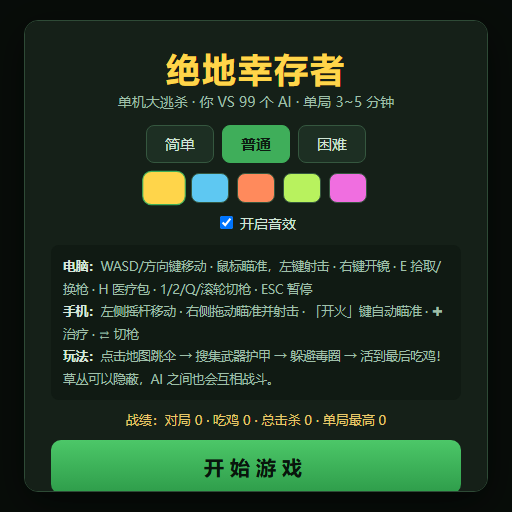
Top-down survival shooter: Navigate through endless waves of monsters, select new skills and weapon upgrades upon leveling up, and survive as long as possible.
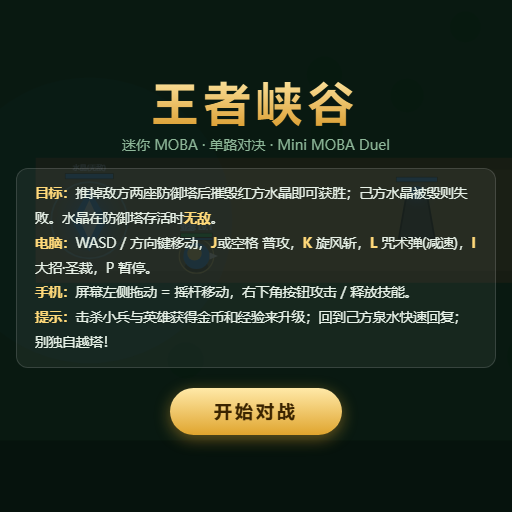
Miniature MOBA battle: Control your hero, push minion waves, release skills, defeat enemy units/towers, and destroy the enemy base.