Blocky Sniper HunterAI · Claude 3.5
Game information
AI generation prompt
Core Game Loop and Mechanics
Blocky Safari Sniper is a first-person sniping game where players hunt Minecraft-style animals across a procedurally generated blocky landscape. The core experience focuses on precision aiming, timing, and target acquisition.
Moment-to-Moment Gameplay
- Player spawns in a blocky biome with animals scattered across the terrain
- Player uses mouse/touch to look around and spot animals in the distance
- Player aims down scope (right-click/tap scope button) for precision view with crosshair
- Player lines up shot and fires (left-click/tap fire button)
- Successful hits award points based on distance and animal rarity
- Animals flee when shots are fired nearby, adding urgency
- Timer counts down - player must tag as many animals as possible before time expires
- Round ends when timer reaches zero
- Score screen shows performance with distance records and accuracy stats
Progression & Engagement
- Score System: Points awarded based on distance (longer shots = more points) and animal type (rare animals = bonus multipliers)
- Combo System: Consecutive hits within short time windows award combo multipliers
- High Score Tracking: Players compete against their personal best
- Animal Behavior: Animals wander naturally but flee when they hear gunshots, creating dynamic hunting scenarios
- Distance Challenge: Animals spawn at varying distances (50-300 blocks away), requiring skill to hit distant targets
Win/Lose Conditions
- Win: Achieve a target score threshold before time expires (e.g., 1000 points in 90 seconds)
- Lose: Timer expires before reaching target score
- Replay Value: Beat personal high scores, improve accuracy percentage, achieve longer distance shots
What Makes It Compelling
- Satisfying sniper mechanics with scope zoom and precision aiming
- Risk/reward of taking difficult long-distance shots vs. easier close targets
- Tension from fleeing animals and ticking timer
- Minecraft aesthetic appeals to familiar audience
- Simple to learn, challenging to master
Starting Scope
For the first iteration, we'll implement a minimal but polished prototype focusing on core sniping mechanics:
Include in First Version:
- Single biome (grassy plains with scattered trees)
- 3-4 animal types (cow, pig, sheep, chicken) with different point values
- Basic sniper rifle with scope zoom
- 90-second timed round
- Score system with distance bonuses
- Simple animal AI (wander + flee from gunshots)
- Scope overlay with crosshair
- Hit feedback (visual + audio confirmation)
- End-of-round score screen
- Blocky/voxel art style consistent with Minecraft aesthetic
Save for Future Iterations:
- Multiple biomes (forest, desert, snow)
- Rare/legendary animals
- Weapon upgrades and customization
- Wind mechanics affecting bullet trajectory
- Persistent progression/unlocks
- Multiple difficulty levels
- Leaderboards
Game Perspective
3D First-Person - This perspective is essential for the sniping experience:
- Player views the world through their character's eyes
- Mouse controls camera rotation (with pointer lock)
- Scope mode provides zoomed view with crosshair overlay
- Immersive hunting experience with depth perception for distance shots
Game World and Level Design
Environment Structure
The game takes place in a procedurally generated blocky terrain inspired by Minecraft's aesthetic:
Terrain Generation:
- Flat grassy plains as the base (y=0)
- Gentle rolling hills using noise generation (height variation: 0-10 blocks)
- Scattered blocky trees (simple trunk + leafy canopy, 5-8 blocks tall)
- Render distance: 400 blocks to allow long-distance sniping
- Skybox: Simple gradient from light blue to white
- Ground texture: Grass block pattern (green top, dirt sides)
Spatial Layout:
- Player spawns at center point (0, 2, 0) - standing on ground
- Animals spawn in a radius of 50-300 blocks from player
- 15-20 animals active at once
- Trees provide visual landmarks and partial cover for animals
- Blocky aesthetic means everything uses cube/rectangular prism shapes
Scale Reference:
- 1 block = 1 meter (Minecraft standard)
- Player height: 1.8 blocks
- Animals: 1-2 blocks tall depending on type
- Trees: 5-8 blocks tall
- Scope can zoom to clearly see animals 200+ blocks away
Visual Atmosphere
- Bright, cheerful daytime lighting
- Clear visibility for long-distance shots
- Blocky shadows from trees and terrain
- Particle effects when bullets hit (small block fragments)
- Animals have simple idle animations (head bob, tail wag)
Edit Mode Design
Edit mode allows players to customize their hunting experience:
Editable Properties
Game Settings:
roundDuration(30-300 seconds, default: 90) - How long each round laststargetScore(500-5000, default: 1000) - Score needed to winanimalCount(5-30, default: 15) - Number of animals spawnedscopeZoom(2-8x, default: 4x) - Scope magnification level
Animal Configuration: Each animal type has editable properties:
spawnWeight(0-100) - Relative spawn probabilitypointValue(10-500) - Base points awarded for taggingmoveSpeed(0.5-3.0) - How fast they wanderfleeSpeed(1.0-5.0) - How fast they run when scaredfleeDistance(20-100 blocks) - How far they hear gunshots
Difficulty Modifiers:
distanceBonus(0-10 points per block, default: 2) - Extra points for distancecomboMultiplier(1.0-3.0x, default: 1.5x) - Bonus for consecutive hitscomboWindow(1-10 seconds, default: 3) - Time window for combo
Constraints
- Minimum 5 animals to ensure gameplay
- Round duration at least 30 seconds for meaningful play
- Scope zoom between 2-8x to maintain challenge
- Animal speeds capped to prevent impossible targets
Control Design
Blocky Safari Sniper uses standard 3D First-Person Shooter controls optimized for sniping gameplay:
Desktop Controls (Keyboard + Mouse)
Mouse:
- Mouse Movement - Look around / Aim camera (with pointer lock active)
- Left Click - Fire rifle
- Right Click - Toggle scope zoom (hold or toggle)
- Mouse Wheel - Adjust scope zoom level (if multiple zoom levels added later)
Keyboard:
- WASD - Move character (forward/left/back/right)
- Arrow Keys - Alternative movement
- Space - Jump (minimal use, mainly for traversing terrain)
- Shift - Hold breath while scoped (steadies aim, reduces sway)
- R - Reload (if ammo system added later)
- Escape - Pause menu / Release pointer lock
Pointer Lock:
- Automatically request pointer lock when game starts
- Release pointer lock when showing pause menu or end screen
- Re-acquire when resuming gameplay
Mobile Controls (Touch)
Touch Zones:
- Right 60% of screen - Look/aim joystick (appears where touched)
- Drag to rotate camera
- Larger movements = faster rotation
- When scoped, sensitivity reduced for precision
- Bottom-left corner - Movement joystick (fixed position)
- 8-directional movement relative to camera facing
- Analog input for variable speed
- Bottom-right buttons - Action buttons (fixed UI)
- Large circular "FIRE" button (96x96px minimum)
- "SCOPE" toggle button above it
Joystick Behavior:
Look Joystick (Right side):
- Base appears where finger touches (avoiding UI areas)
- Max radius: 80px
- Dead zone: 10px
- Dynamic recentering: If finger moves beyond max radius, base position slides to keep knob at max radius under finger
- Outputs analog X/Y values (-1 to +1) for camera rotation
- Sensitivity: ~0.15 radians per second at full deflection (reduced to ~0.05 when scoped)
Movement Joystick (Bottom-left):
- Fixed position: 100px from left, 150px from bottom
- Max radius: 60px
- Dead zone: 8px
- Outputs analog X/Y for movement direction relative to camera
- Movement speed scales with deflection amount
Touch Tracking:
- Track each touch by ID to prevent interference
- First touch in right zone = look control
- First touch in left zone = movement control
- Touches on buttons = actions
- Ignore touches that start on UI elements for joystick purposes
Scope Mode Adjustments:
- When scoped, look sensitivity reduced by 70% for precision aiming
- Fire button pulses/glows to indicate ready to shoot
- Movement disabled or heavily reduced while scoped (player focuses on aiming)
Aiming Mechanics
Normal View:
- Free look with crosshair in center of screen
- No zoom, wide field of view (~75 degrees)
- Faster camera rotation for scanning environment
Scoped View:
- Scope overlay appears (circular frame with crosshair)
- Zoom level: 4x magnification (FOV reduced to ~20 degrees)
- Slower, precise camera movement
- Slight scope sway (breathing effect) - reduced when holding Shift/steady button
- Edges of screen darkened/vignetted to simulate looking through scope
Bullet Mechanics:
- Hitscan (instant) for simplicity in first version
- Raycast from camera center through crosshair
- Hit detection on animal collision boxes
- Visual tracer effect (faint line) shows bullet path briefly
Input State Management
Desktop:
const input = {
  keys: {}, // Track pressed keys (lowercase)
  mouse: { x: 0, y: 0, buttons: {} },
  pointerLocked: false
};

// Prevent default for game keys
document.addEventListener('keydown', (e) => {
  const key = e.key.toLowerCase();
  if (['w','a','s','d',' ','shift'].includes(key)) {
    e.preventDefault();
    input.keys[key] = true;
  }
});

// Clear input on blur
window.addEventListener('blur', () => {
  input.keys = {};
  input.mouse.buttons = {};
});
Mobile:
const touches = {
  look: null, // {id, baseX, baseY, currentX, currentY}
  move: null,
  active: new Map() // Track all active touches by ID
};

// Each joystick enforces max radius with dynamic base repositioning
function updateJoystick(joystick, touchX, touchY) {
  const dx = touchX - joystick.baseX;
  const dy = touchY - joystick.baseY;
  const distance = Math.sqrt(dx*dx + dy*dy);

  if (distance > joystick.maxRadius) {
    // Move base so finger stays at max radius
    const angle = Math.atan2(dy, dx);
    joystick.baseX = touchX - Math.cos(angle) * joystick.maxRadius;
    joystick.baseY = touchY - Math.sin(angle) * joystick.maxRadius;
  }

  // Calculate normalized output
  const clampedDist = Math.min(distance, joystick.maxRadius);
  if (clampedDist < joystick.deadZone) return {x: 0, y: 0};

  const normalized = (clampedDist - joystick.deadZone) / (joystick.maxRadius - joystick.deadZone);
  return {
    x: (dx / distance) * normalized,
    y: (dy / distance) * normalized
  };
}
Accessibility Considerations
- Large touch targets (96x96px minimum) for mobile buttons
- Visual feedback on all button presses
- Option to invert Y-axis for camera (common preference)
- Adjustable sensitivity settings in edit mode
- Clear visual indicators for scope mode, reload state, etc.
Art Style and Visual Theme
Blocky Safari Sniper embraces a voxel/Minecraft-inspired aesthetic with clean, recognizable shapes and a cheerful color palette.
Overall Art Direction
- Style: Voxel/blocky 3D art inspired by Minecraft
- Mood: Bright, cheerful, family-friendly hunting experience
- Color Palette:
- Vibrant greens for grass and foliage
- Earthy browns for dirt and tree trunks
- Bright blue sky
- Colorful animals (pink pigs, white sheep, brown cows, white chickens)
- Consistency: All assets use cubic/rectangular forms with minimal curves
- Viewing Angle: First-person perspective with 3D models
Visual Elements
Terrain & Environment:
- Rendered with code (Three.js or similar)
- Simple block-based geometry
- Grass blocks: green top face, brown/dirt side faces
- Trees: brown cubic trunk + green leafy canopy (made of cubes)
- Flat-shaded or simple texture mapping
Animals:
- Generated as voxel-style 3D models or sprite billboards
- Recognizable Minecraft-style proportions
- Simple animations (idle bob, walk cycle)
- Clear silhouettes for long-distance visibility
- Size: 1-2 blocks tall depending on species
UI Elements:
- Clean, modern interface with blocky aesthetic
- Scope overlay: circular frame with crosshair (generated asset)
- HUD: Score, timer, combo counter in corner
- Buttons: Rounded rectangles with clear icons
- Font: Bold, readable sans-serif (e.g., "Press Start 2P" or similar pixel font)
Effects:
- Muzzle flash: Bright yellow/orange particle burst
- Hit effect: Small colored particles (red for hit, gray for miss)
- Bullet tracer: Faint white line
- Scope sway: Subtle breathing motion
- Animal flee: Dust particles when running
Asset Generation vs. Code Rendering
Generate as Assets:
- Animal models/sprites (cow, pig, sheep, chicken)
- Scope overlay with crosshair
- Tree textures (if using texture mapping)
- Particle textures (muzzle flash, hit effects)
- UI icons (scope icon, fire icon)
- Sound effects and music
Render with Code:
- Terrain geometry (procedurally generated blocks)
- Basic shapes (cubes for blocks, rectangles for UI)
- HUD text and numbers
- Joystick visualizations (circles and knobs)
- Simple geometric effects (tracers, basic particles)
Scale and Proportions
- 1 block = 1 meter (Minecraft standard)
- Player camera height: 1.62 blocks (eye level)
- Animals:
- Cow: 1.4 blocks tall, 1.8 blocks long
- Pig: 0.9 blocks tall, 1.4 blocks long
- Sheep: 1.3 blocks tall, 1.6 blocks long
- Chicken: 0.7 blocks tall, 0.8 blocks long
- Trees: 5-8 blocks tall, 1-2 block trunk width
- Scope zoom: Makes animals clearly visible at 200+ blocks
Technical Considerations
- Use Three.js for 3D rendering
- Simple lighting (ambient + directional sun)
- Fog for distant terrain (starts at 300 blocks)
- LOD not necessary for first version (simple geometry)
- Target 60 FPS on mobile devices
Related games
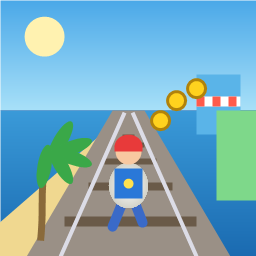
Control a kid in a red baseball cap running endlessly on three seaside railway tracks: switch lanes, jump, and slide to avoid oncoming trains, low-clearance bars, and moving blockades. Features cartoon retro 3D visuals, double scores for perfect runs, daily rewards, achievements, and local high score tracking.
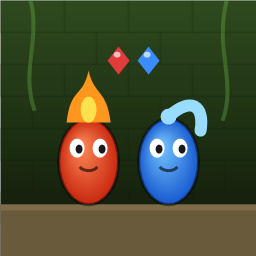
Control Fireboy and Watergirl to cooperate: collect matching gems, trigger buttons, pull levers, push boxes, and ride lifts. 30 handmade puzzle levels across 5 chapters, plus random endless mode. Supports local co-op and dual virtual joysticks.
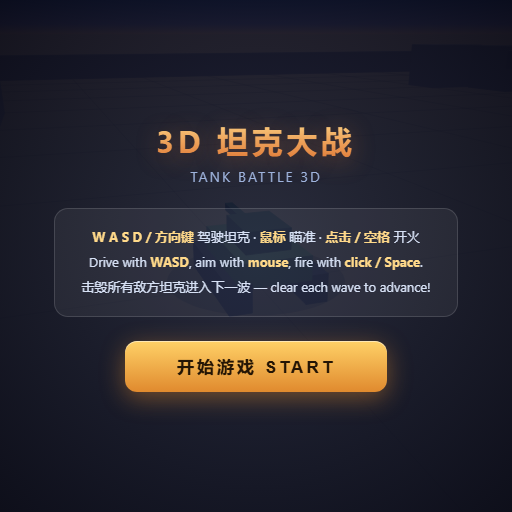
Pilot your combat tank in a 3D battleground: maneuver to dodge artillery fire, aim and destroy enemy tanks in wave-based assault missions.
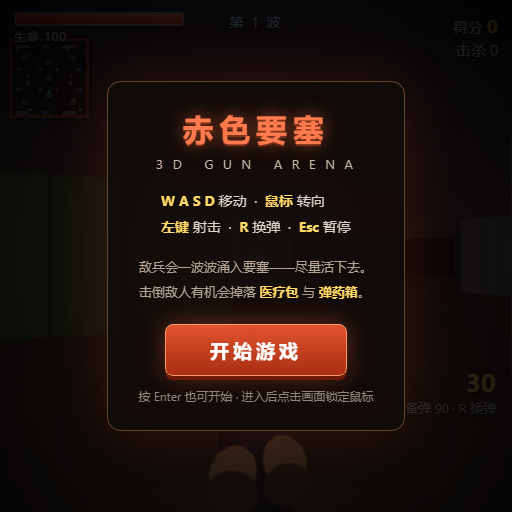
First-person 3D shooter: Navigate through enemy strongholds, shoot hostile units, and clear stages while holding your ground.

Top-down survival shooter: Navigate through endless waves of monsters, select new skills and weapon upgrades upon leveling up, and survive as long as possible.

Miniature MOBA battle: Control your hero, push minion waves, release skills, defeat enemy units/towers, and destroy the enemy base.