Galactic World CupAI · Claude 3.5
Game information
AI generation prompt
Core Game Loop and Mechanics
World Cup 2026 Dash is a fast-paced, arcade-style soccer game where players control a single player character racing down a soccer field in a top-down view, dodging defenders and shooting to score goals.
Moment-to-Moment Gameplay
- Player controls a soccer player dribbling a ball down a vertically-scrolling field
- Defenders move in patterns trying to intercept the player
- Player must dodge defenders while maintaining possession
- Collect power-up icons that appear on the field (speed boost, shield, mega shot)
- Reach the goal area and tap/click to shoot
- Score goals to earn points and progress
Progression & Engagement
- Match Structure: Timed matches (60 seconds initially)
- Scoring System:
- Regular goal: 100 points
- Power-up goal (mega shot): 200 points
- Combo multiplier for consecutive goals without losing possession
- Lives System: Start with 3 lives, lose one when tackled by defender
- High Score Tracking: Beat your personal best
Win/Lose Conditions
- Win: Score as many goals as possible before time runs out
- Lose: Run out of lives before the timer ends
- Continue: After game over, display final score and high score
Replayability Drivers
- High score chasing with visible score display
- Power-up variety creates different gameplay moments
- Increasing difficulty as score increases (defenders move faster, more defenders spawn)
- Quick match length encourages "one more try"
Starting Scope
The first iteration will focus on delivering a polished, playable core experience:
Implement First:
- Single player character with smooth movement controls
- One field/stadium environment with scrolling background
- 2-3 defender types with simple movement patterns (horizontal sweep, zigzag, stationary)
- Basic power-ups: Speed Boost (temporary speed increase), Shield (one-hit protection)
- Goal scoring mechanic with shooting animation
- Lives system (3 lives)
- Timer (60 seconds)
- Score display and high score tracking
- Simple collision detection (player vs defenders, player vs power-ups)
- Game over screen with restart option
- Touch controls (mobile) and keyboard/mouse controls (desktop)
Save for Later Iterations:
- Multiple teams/jerseys to unlock
- Different stadiums with unique visual themes
- Additional power-ups (mega shot, slow-motion, magnet for ball control)
- Tournament mode with bracket progression
- Difficulty levels
- Sound effects and background music
- Particle effects for goals and collisions
- More complex defender AI patterns
- Goalkeeper mechanics at goal line
Game Perspective
Top-down vertical scrolling - The camera looks down at the soccer field from above. The field scrolls vertically upward as the player advances toward the goal. This perspective:
- Provides clear visibility of defenders and power-ups
- Works perfectly for mobile portrait orientation
- Allows intuitive movement controls
- Creates a sense of forward momentum toward the goal
The player character is always positioned in the lower third of the screen, with the field scrolling beneath them as they move forward.
Game World and Level Design
Field Layout
The game takes place on a continuous soccer field that scrolls vertically:
Field Dimensions:
- Visual width: 600px (centered in 720px iframe with margins)
- Field is divided into lanes (3 lanes of 200px each) for defender movement patterns
- Infinite vertical scroll with repeating field texture
Visual Zones:
- Starting Zone (bottom 200px): Safe spawn area, no defenders
- Midfield Zone (middle section): Main gameplay area where defenders patrol
- Goal Zone (top 150px): Scoring area with goal post visual, triggers shooting mechanic
Field Elements:
- Grass texture with field line markings (center circle, penalty box lines)
- Side boundaries marked with white lines
- Goal posts at the top of the screen
- Crowd/stadium visual in background (static, non-scrolling)
Defender Spawn System
Defenders spawn dynamically as the player progresses:
- Spawn off-screen at the top, move downward with field scroll
- Spawn rate increases with score (every 2 seconds initially, faster as score increases)
- Random lane selection for spawn position
- Mix of defender types for variety
Power-Up Placement
Power-ups spawn randomly:
- Appear in any of the 3 lanes
- Spawn every 5-8 seconds
- Float in place relative to field scroll
- Disappear if not collected within 3 seconds of passing player
Edit Mode Design
Edit mode allows players to customize their gameplay experience:
Editable Properties
Player Customization:
playerSpeed: Movement speed (range: 200-400, default: 300)playerColor: Jersey color (color picker, default: #0066FF)playerNumber: Jersey number (range: 1-99, default: 10)
Gameplay Settings:
matchDuration: Match length in seconds (range: 30-120, default: 60)startingLives: Number of lives (range: 1-5, default: 3)defenderSpeed: Base defender speed (range: 100-300, default: 150)powerUpFrequency: How often power-ups spawn (range: 3-10 seconds, default: 5)
Difficulty Modifiers:
difficultyScaling: Whether difficulty increases with score (boolean, default: true)defenderCount: Maximum defenders on screen (range: 2-6, default: 4)
Constraints
- Player speed must be faster than defender speed to ensure playability
- Match duration minimum of 30 seconds to allow meaningful gameplay
- At least 1 life required
- Defender count capped at 6 to prevent screen clutter
Edit Mode UI
In edit mode, display a settings panel with:
- Sliders for numeric values with current value display
- Color picker for player color
- Number input for jersey number
- Toggle switches for boolean options
- "Play" button to test changes
- "Reset to Defaults" button
Control Design
Genre: Top-down arcade action
Control Scheme: Direct movement with tap-to-shoot
Mobile Controls (Touch)
Movement:
- Single virtual joystick appears on left side of screen when touched
- Joystick controls player movement in 8 directions
- Joystick specifications:
- Appears where finger touches (below y=640 to avoid goal area)
- Base position: initial touch point
- Max radius: 60px
- Dead zone: 10px
- Base repositioning: If finger moves beyond max radius, slide the base so finger stays at max radius from base
- Analog output: -1 to +1 for x and y axes
- Visual: Semi-transparent circle (base) with smaller circle (knob)
Shooting:
- When player enters goal zone (top 150px), a "SHOOT" button appears on right side
- Tap button to shoot at goal
- Button size: 120x120px for easy thumb access
Desktop Controls (Keyboard/Mouse)
Movement:
- WASD or Arrow keys for 8-directional movement
- Normalize diagonal movement to prevent faster diagonal speed
- Keys: W/Up (north), S/Down (south), A/Left (west), D/Right (east)
Shooting:
- Space bar to shoot when in goal zone
- Alternatively, click "SHOOT" button that appears on screen
Input Handling
- Prevent default browser behavior for used keys (arrows, space)
- Clear all input states on window blur
- Convert keycodes to lowercase before storing state
- Track touch IDs to prevent interference between joystick and shoot button
- Movement should be smooth and responsive (60 FPS update rate)
Control Feedback
- Joystick visual follows finger position
- Player character rotates to face movement direction
- "SHOOT" button pulses when available
- Disable controls during goal celebration animation (1 second)
Art Style and Visual Theme
Style: Colorful, cartoon arcade aesthetic with a modern, clean look
Visual Direction:
- Bright, saturated colors that pop on mobile screens
- Simple, readable character designs with bold outlines
- Flat design with subtle shadows for depth
- Smooth, rounded shapes for friendly appeal
- High contrast between field, players, and UI elements
Color Palette:
- Field: Vibrant green (#2ECC40) with white line markings
- Player: Customizable jersey (default bright blue #0066FF) with white shorts
- Defenders: Red jerseys (#FF4136) to clearly distinguish from player
- Power-ups: Glowing icons with distinct colors (yellow for speed, blue for shield)
- UI: White text with dark outlines for readability, bright accent colors for buttons
Asset Sizes & Scale:
- Player character: 64x64px (visible and detailed)
- Defender characters: 64x64px (same size as player)
- Soccer ball: 24x24px (attached to player)
- Power-up icons: 48x48px (easy to see and collect)
- Goal posts: 200px wide x 100px tall
- Field width: 600px (fits comfortably in 720px iframe)
Viewing Angle:
- Top-down perspective for all characters and objects
- Slight 3/4 angle for goal posts to show depth
- Flat, orthogonal view for field elements
Visual Consistency:
- All characters use same cartoon style with bold outlines
- Consistent lighting (bright, overhead light)
- Same level of detail across all assets
- Unified color saturation and brightness
Code vs Generated Assets:
- Generated: Player character, defenders, power-up icons, goal posts, stadium background
- Code (CSS/Canvas): Field lines, score display, timer, UI buttons, joystick visuals, particle effects for goals
Related games
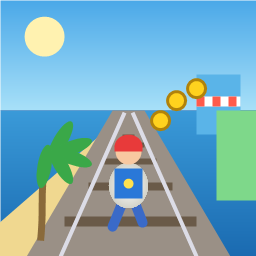
Control a kid in a red baseball cap running endlessly on three seaside railway tracks: switch lanes, jump, and slide to avoid oncoming trains, low-clearance bars, and moving blockades. Features cartoon retro 3D visuals, double scores for perfect runs, daily rewards, achievements, and local high score tracking.
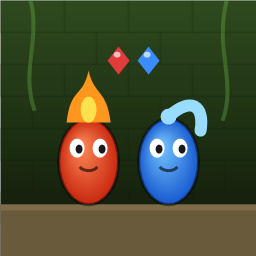
Control Fireboy and Watergirl to cooperate: collect matching gems, trigger buttons, pull levers, push boxes, and ride lifts. 30 handmade puzzle levels across 5 chapters, plus random endless mode. Supports local co-op and dual virtual joysticks.
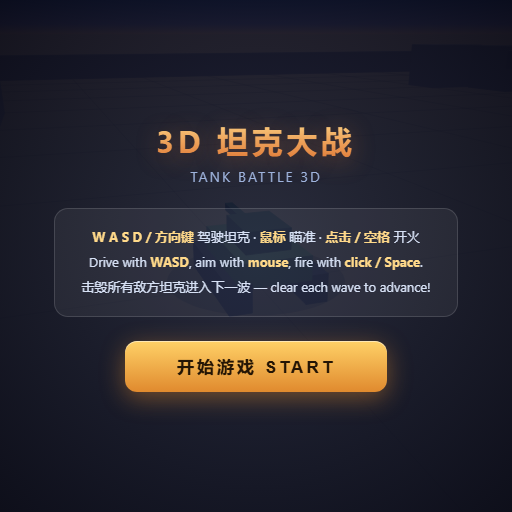
Pilot your combat tank in a 3D battleground: maneuver to dodge artillery fire, aim and destroy enemy tanks in wave-based assault missions.
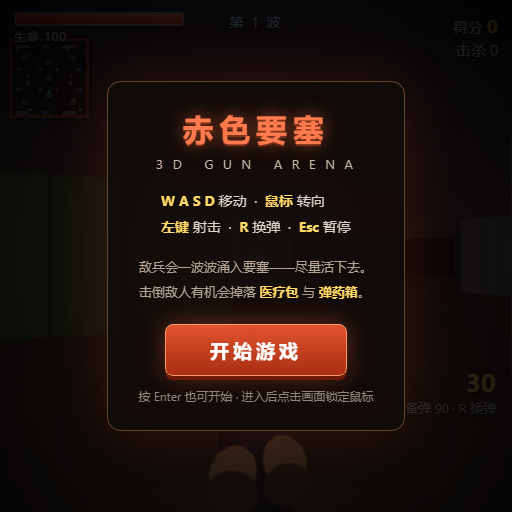
First-person 3D shooter: Navigate through enemy strongholds, shoot hostile units, and clear stages while holding your ground.
Top-down survival shooter: Navigate through endless waves of monsters, select new skills and weapon upgrades upon leveling up, and survive as long as possible.
Miniature MOBA battle: Control your hero, push minion waves, release skills, defeat enemy units/towers, and destroy the enemy base.