Elastic ThiefAI · Claude 3.5
Game information
AI generation prompt
Core Game Loop and Mechanics
Elastic Thief is a physics-based puzzle game where players control a stick-figure thief who must steal valuable items by stretching an elastic arm across the screen.
Moment-to-Moment Gameplay
- Player sees the thief character on one side of the screen and a target with valuable items on the other
- Player drags the thief's hand from its starting position toward the valuable item
- As the hand is dragged, an elastic line (the arm) stretches from the thief's body to the hand position
- The elastic arm curves and bends around obstacles naturally using physics simulation
- Player must navigate around hazards (spikes, lasers, guard zones) that cause instant failure
- When the hand successfully touches the valuable item, the level is complete
Progression and Engagement
- Level Progression: Complete increasingly complex heists with more obstacles and tighter spaces
- Challenge Escalation: Later levels introduce multiple hazards, narrow passages, and require precise arm positioning
- Replayability: Players can retry levels to find optimal paths and faster solutions
- Satisfaction: The elastic physics creates satisfying moments when the arm curves perfectly around obstacles
Win/Lose Conditions
- Win: Hand touches the valuable item (glowing object near the target)
- Lose: Hand touches any hazard (spikes, laser beams, red danger zones, guard detection areas)
- Retry: Instant restart on failure with quick level reset
What Makes It Compelling
- Physics Satisfaction: The elastic arm feels natural and responsive, creating "aha!" moments when finding the right path
- Puzzle Solving: Each level is a spatial puzzle requiring planning and execution
- Risk/Reward: Players must balance speed with caution, stretching the arm as far as needed without hitting hazards
- Visual Clarity: Simple stick-figure style makes obstacles and goals immediately clear
Starting Scope
The first iteration will focus on delivering a polished, playable core experience:
Must Have (First Iteration)
- Core Mechanic: Draggable elastic arm with realistic physics and obstacle collision
- 3 Tutorial Levels: Progressively introduce mechanics (basic stretch, single obstacle, hazard avoidance)
- Stick Figure Art: Simple, clean stick-figure thief, target, and environment
- Basic Obstacles: Walls/barriers that the arm curves around
- Basic Hazards: Spikes and red danger zones that cause failure
- Win/Lose States: Clear feedback when completing or failing a level
- Level Progression: Ability to advance through the 3 levels sequentially
- Touch and Mouse Controls: Drag the hand on both mobile and desktop
Future Iterations (Post-Launch)
- More Levels: Expand to 10-15 levels with increasing complexity
- Additional Hazards: Laser beams, moving guards, timed elements
- Multiple Valuables: Levels requiring collection of multiple items
- Star Rating System: Performance-based scoring (time, path efficiency)
- Sound Effects: Stretch sounds, success/failure audio, ambient music
- Visual Polish: Particle effects, animations for thief and target reactions
Game Perspective
Fixed-Screen - Each level is a single screen puzzle viewed from the side. The thief is positioned on the left side, the target with valuables on the right side, and obstacles/hazards are arranged between them. The camera does not move; all gameplay happens within the visible 720×1280 viewport.
Game World and Level Design
Visual Layout
- Portrait Orientation: Game designed for 720×1280 mobile-first viewport
- Left-to-Right Flow: Thief always on the left (
100px from left edge), target always on the right (620px from left edge) - Vertical Space: Full height utilized for obstacle placement and path variety
- Clean Backgrounds: Simple solid color or subtle gradient to keep focus on gameplay elements
Level Structure (First 3 Levels)
Level 1: "First Heist" (Tutorial - Basic Stretch)
- Layout: Thief on left, target on right, completely clear path between them
- Objective: Simply drag the hand to the valuable item (a glowing diamond near the target)
- Purpose: Teach the basic drag mechanic and elastic arm behavior
- Obstacles: None
- Hazards: None
- Difficulty: Trivial - impossible to fail
Level 2: "The Wall" (Tutorial - Obstacle Navigation)
- Layout: Thief on left, target on right
- Obstacles: Single vertical wall barrier in the center (positioned at x=360, from y=400 to y=800)
- Objective: Drag hand around the wall to reach the valuable
- Purpose: Teach that the arm curves around obstacles
- Hazards: None (can touch wall safely)
- Difficulty: Easy - introduces obstacle interaction
Level 3: "Danger Zone" (Tutorial - Hazard Avoidance)
- Layout: Thief on left, target on right
- Obstacles: Two small wall segments creating a narrow passage
- Top wall: x=300-400, y=300-400
- Bottom wall: x=300-400, y=700-800
- Hazards:
- Spike strip on floor (y=900-950, x=200-500)
- Red danger zone in center passage (x=320-380, y=450-650)
- Objective: Navigate through the narrow passage without touching hazards
- Purpose: Teach hazard avoidance and precision control
- Difficulty: Medium - requires careful positioning
Environmental Elements
Thief Character
- Stick figure positioned on left side
- Body: Simple vertical line with circle head
- Arm: Elastic line that extends from shoulder position to hand
- Hand: Draggable circle at the end of the arm (the player's control point)
Target Character
- Stick figure positioned on right side
- Similar simple design to thief
- Holds or stands near the valuable item
Valuable Items
- Glowing diamond or jewel icon
- Positioned near the target character
- Clear visual indicator (sparkle effect or pulsing glow)
Obstacles (Safe to Touch)
- Solid rectangular barriers (walls)
- Dark gray color (#333333)
- Arm curves around these naturally
Hazards (Cause Failure)
- Spikes: Triangular shapes, red color (#FF0000)
- Danger Zones: Semi-transparent red rectangles (#FF0000 with 50% opacity)
- Any contact with hand = instant failure
Edit Mode Design
Edit mode allows players to customize level layouts and create their own heist challenges.
Editable Properties
Level Configuration
- Thief Position: X and Y coordinates (constrained to left 200px of screen)
- Target Position: X and Y coordinates (constrained to right 200px of screen)
- Valuable Position: X and Y offset relative to target
Obstacles (Walls)
- Add/Remove: Click to place new wall segments or delete existing ones
- Position: Drag to move wall segments
- Size: Resize width and height (minimum 50px, maximum 300px)
- Limit: Maximum 8 wall segments per level
Hazards
- Add/Remove: Click to place spikes or danger zones
- Position: Drag to move hazards
- Size: Resize danger zones (spikes have fixed size)
- Type: Toggle between spike and danger zone
- Limit: Maximum 6 hazards per level
Constraints
- Minimum Path: System validates that a valid path exists from thief to valuable
- No Overlap: Hazards cannot overlap with thief or target starting positions
- Screen Bounds: All elements must stay within the 720×1280 viewport
- Spacing: Minimum 30px gap between thief/target and nearest hazard
Edit Mode UI
- Mode Toggle: Button in top-right to switch between Edit and Play modes
- Tool Palette: Bottom toolbar with options:
- Add Wall
- Add Spike
- Add Danger Zone
- Delete (tap element to remove)
- Property Panel: When element selected, show position and size sliders
- Test Button: Quick switch to Play mode to test the level
Control Design
Elastic Thief uses a simple drag-based control scheme optimized for touch but also supporting mouse input.
Mobile Controls (Primary)
Hand Dragging
- Touch Start: Tap and hold on the thief's hand (circular control point)
- Touch Move: Drag finger to move the hand position
- Elastic arm stretches from thief's shoulder to finger position
- Arm curves around obstacles using physics simulation
- Visual feedback shows arm tension (line thickness or color intensity)
- Touch End: Release finger to retract the arm back to thief
- If hand is touching valuable: Level complete!
- If hand is touching hazard: Level failed!
- Otherwise: Arm snaps back to starting position
Touch Interaction
- Hand has a large touch target (96×96 pixel area) for easy grabbing
- Finger position directly controls hand position (1:1 mapping)
- No virtual joysticks needed - direct manipulation only
Desktop Controls (Secondary)
Mouse Dragging
- Click and Hold: Click on the thief's hand to grab it
- Mouse Move: Drag mouse to move the hand position
- Same elastic arm behavior as touch
- Cursor changes to "grabbing" when holding hand
- Release: Release mouse button to retract arm
- Same win/lose detection as touch
Keyboard (Optional Enhancement)
- R Key: Restart current level
- Escape: Return to level select (future feature)
Control Feedback
Visual Feedback
- Hand Highlight: Hand glows or pulses when ready to grab
- Arm Tension: Line color shifts from green (relaxed) to yellow (stretched) to red (maximum stretch)
- Collision Preview: Arm segments turn red when touching hazards (before release)
- Success Glow: Valuable item glows brighter when hand is near
Haptic Feedback (Mobile)
- Light vibration when hand touches hazard (warning)
- Success vibration pattern when completing level
Control Constraints
- Maximum Stretch: Arm can only stretch to a maximum length (e.g., 800px) before becoming too tense
- Minimum Retraction: Hand cannot be placed closer than 50px to thief's body
- Smooth Physics: Arm uses smooth spring physics for natural movement and curves
Art Style and Visual Theme
Overall Style
Minimalist Stick Figure Aesthetic - Clean, simple, and immediately readable. The game uses a "blueprint heist" visual theme with stick figures planning and executing robberies on a clean, uncluttered canvas.
Color Palette
- Background: Light gray or off-white (#F5F5F5) for clean canvas feel
- Thief: Black stick figure (#000000) with white outline for visibility
- Target: Black stick figure (#000000) similar to thief
- Valuable: Bright gold/yellow (#FFD700) with white sparkle effects
- Obstacles: Dark gray (#333333) solid fills
- Hazards: Bright red (#FF0000) for danger
- Elastic Arm: Dynamic color - green (#00FF00) to yellow (#FFFF00) to red (#FF0000) based on tension
Asset Approach
Code-Rendered Elements (CSS/Canvas)
- Stick figure bodies (simple lines and circles)
- Elastic arm (dynamic line with curve physics)
- Obstacles (rectangular barriers)
- Danger zones (semi-transparent rectangles)
- UI elements (buttons, text)
Generated Assets (Images)
- Thief hand (circular control point with detail)
- Valuable items (diamond, jewel with sparkle)
- Spike hazards (triangular danger elements)
- Background elements (subtle texture or pattern)
- Success/failure overlay graphics
Visual Consistency
- All stick figures use same line weight (4px)
- All interactive elements have subtle drop shadows for depth
- Consistent corner radius (8px) for UI elements
- Smooth animations (0.3s ease-in-out) for all transitions
Scale and Proportions
- Stick figures: ~120px tall
- Hand control point: 40px diameter (96px touch target)
- Obstacles: Variable size (50-300px)
- Spikes: 30px base, 40px height
- Valuable items: 50×50px
Mood and Atmosphere
- Playful: Cartoon-like stick figures with expressive poses
- Clean: Minimal clutter, focus on gameplay elements
- Tense: Red hazards create sense of danger
- Satisfying: Smooth physics and clear visual feedback
Related games
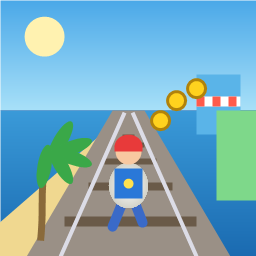
Control a kid in a red baseball cap running endlessly on three seaside railway tracks: switch lanes, jump, and slide to avoid oncoming trains, low-clearance bars, and moving blockades. Features cartoon retro 3D visuals, double scores for perfect runs, daily rewards, achievements, and local high score tracking.
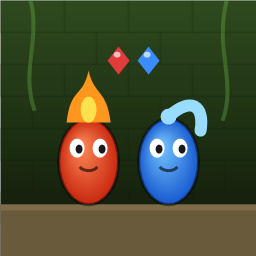
Control Fireboy and Watergirl to cooperate: collect matching gems, trigger buttons, pull levers, push boxes, and ride lifts. 30 handmade puzzle levels across 5 chapters, plus random endless mode. Supports local co-op and dual virtual joysticks.
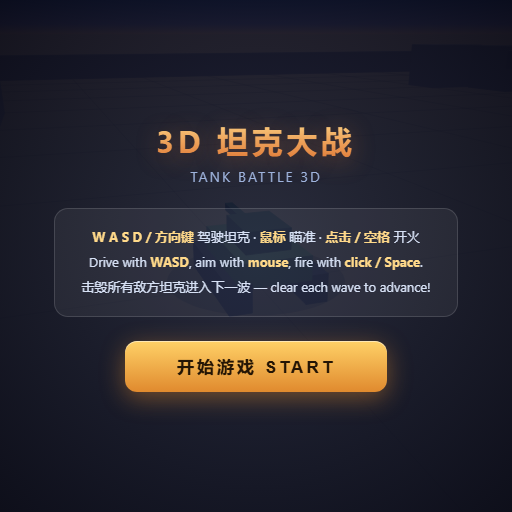
Pilot your combat tank in a 3D battleground: maneuver to dodge artillery fire, aim and destroy enemy tanks in wave-based assault missions.
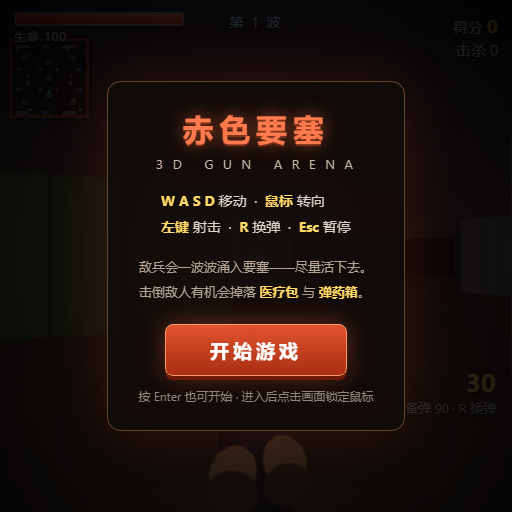
First-person 3D shooter: Navigate through enemy strongholds, shoot hostile units, and clear stages while holding your ground.

Top-down survival shooter: Navigate through endless waves of monsters, select new skills and weapon upgrades upon leveling up, and survive as long as possible.
Miniature MOBA battle: Control your hero, push minion waves, release skills, defeat enemy units/towers, and destroy the enemy base.