FIFA World Cup 2026 - 3DAI · Claude 3.5
Game information
AI generation prompt
Core Game Loop and Mechanics
World Cup Striker 3D is a streamlined 3D soccer game focused on the most exciting moments of football - attacking play and scoring goals. Players control a striker in quick 3-on-3 matches where the objective is to score more goals than the opponent within the time limit.
Moment-to-Moment Gameplay
- Player controls a striker on their team using joystick movement
- Teammates are AI-controlled and make intelligent runs, passes
- Tap shoot button to kick toward goal (power based on distance)
- Tap pass button to pass to nearest teammate
- When opponent has ball, player can tackle/pressure by moving close
- Ball physics feel responsive - passes are crisp, shots have weight
- Camera follows the action from a dynamic third-person perspective behind the attacking team
Progression and Engagement
- Match duration: 90 seconds (fast-paced arcade style)
- Score as many goals as possible before time runs out
- Win condition: Score more goals than opponent when time expires
- Lose condition: Opponent scores more goals than player
- Draw: If tied, game goes to sudden death (next goal wins)
What Makes It Compelling
- Instant Action: Jump straight into gameplay, no complex menus
- Skill-Based: Timing passes, positioning, and shot accuracy matter
- Satisfying Feedback: Goal celebrations, crowd reactions, dynamic camera angles on goals
- Quick Sessions: Perfect for mobile - complete matches in under 2 minutes
- Replayability: Try to beat your high score, improve your skills
Starting Scope
For the first iteration, we'll implement a single match mode that captures the core fun of the game:
Must Have (First Iteration)
- Single 3v3 match (player's team vs AI opponent team)
- One stadium environment with crowd
- Basic player movement and ball control
- Pass and shoot mechanics
- Simple AI for teammates and opponents (follow ball, attempt to intercept, shoot when close to goal)
- Goal detection and scoring system
- 90-second match timer
- Win/lose/draw detection with sudden death
- Goal celebrations and basic UI (score, timer)
- Ball physics (rolling, bouncing, shooting trajectories)
- Sound effects (kick, goal, whistle, crowd)
- Background stadium ambience/music
Future Iterations (Not in First Version)
- Multiple teams with different kits/stats
- Tournament mode with brackets
- Multiple stadiums
- Advanced AI tactics and difficulty levels
- Special moves (curve shots, through balls)
- Replays of goals
- Player customization
- Multiplayer
Game Perspective
3D Third-Person - The camera is positioned behind and above the player's team, angled downward to show the field ahead. The camera dynamically follows the ball and action, smoothly transitioning as play moves up and down the field. When a goal is scored, the camera briefly cuts to a cinematic angle to showcase the celebration.
Game World and Level Design
Stadium Environment
The game takes place in a single, vibrant World Cup stadium:
- Field: Standard soccer pitch with clear markings (center circle, penalty boxes, goal areas)
- Goals: Two goals at opposite ends with nets that react to ball impact
- Crowd: Simplified 3D crowd in the stands (can be low-poly or sprite-based for performance)
- Atmosphere: Stadium lights, flags, banners creating World Cup atmosphere
- Boundaries: Field is bounded - ball bounces off invisible walls at sidelines
Field Layout
- Rectangular field approximately 60 units long × 40 units wide (scaled for 3v3)
- Goals positioned at z = -30 and z = +30
- Center circle at origin (0, 0, 0)
- Penalty boxes extend 10 units from each goal
- Field rendered with grass texture, white line markings
Scale and Positioning
- Players are approximately 2 units tall
- Ball is 0.5 units in diameter
- Camera positioned 8-12 units behind player, 6-8 units above ground
- View distance allows player to see ~30 units ahead
Edit Mode Design
Edit mode allows players to customize their match experience:
Editable Properties
Match Duration (30s / 60s / 90s / 120s)
- Adjusts the time limit for matches
- Default: 90s
Team Colors
- Player Team Primary Color: Hex color picker for jersey
- Player Team Secondary Color: Hex color picker for shorts/trim
- Opponent Team Primary Color: Hex color picker for jersey
- Opponent Team Secondary Color: Hex color picker for shorts/trim
- Default: Player (Blue/White), Opponent (Red/White)
Difficulty (Easy / Medium / Hard)
- Adjusts AI opponent skill (reaction time, accuracy, aggression)
- Default: Medium
Stadium Atmosphere
- Crowd Density (Sparse / Normal / Packed)
- Time of Day (Day / Evening / Night) - affects lighting
- Default: Packed, Evening
Constraints
- Match duration: 30-120 seconds (prevents too short/long matches)
- Colors must have sufficient contrast for visibility
- Difficulty affects AI only, not physics or core mechanics
Control Design
World Cup Striker 3D uses a 3D third-person action control scheme optimized for fast-paced soccer gameplay.
Mobile Controls (Touch)
Left Joystick: Player movement (8-directional analog)
- Appears where left side of screen is touched (avoiding UI)
- Base repositions if finger moves beyond max radius
- Controls player running direction relative to camera view
Right Side Buttons:
- Shoot Button (large, bottom-right): Kick ball toward goal
- Power based on distance from goal
- Auto-aims toward goal center with slight variance for realism
- Pass Button (above shoot button): Pass to nearest teammate
- Automatically targets closest teammate in forward direction
- Shoot Button (large, bottom-right): Kick ball toward goal
Tackle/Pressure: Automatic when player is close to opponent with ball
Desktop Controls (Keyboard + Mouse)
WASD / Arrow Keys: Player movement (8-directional)
- Movement relative to camera direction
Spacebar: Shoot toward goal
- Auto-aims toward goal with mouse influence for slight directional control
E Key: Pass to nearest teammate
Mouse Movement: Subtle influence on shot direction (within reasonable angle)
- Not full mouse-look, just slight aiming adjustment
Tackle/Pressure: Automatic when close to opponent with ball
Control Behavior
- Movement is always relative to camera orientation (forward = toward opponent goal)
- When player's team loses possession, camera smoothly rotates 180° to follow new attack direction
- Shoot button only active when player has ball
- Pass button only active when player has ball and teammate is available
- All inputs cleared on window blur
- No pointer lock needed (not a full FPS-style game)
Simplicity Notes
- Controls are deliberately simple: move, shoot, pass
- No complex dribbling moves or manual tackling in first iteration
- AI handles defensive positioning when player doesn't have ball
- Focus on positioning and timing rather than button combinations
Win/Lose Conditions
Victory Conditions
- Win: Score more goals than opponent when 90-second timer reaches 0:00
- Sudden Death: If tied at 0:00, first team to score wins (golden goal)
Defeat Conditions
- Lose: Opponent scores more goals when timer reaches 0:00
- Sudden Death Loss: Opponent scores first in sudden death period
Match Flow
- Match starts with kickoff at center circle (player's team starts with ball)
- Timer counts down from 90 seconds
- Each goal resets play to center with losing team kicking off
- When timer hits 0:00:
- If player ahead: Victory screen
- If opponent ahead: Defeat screen
- If tied: "SUDDEN DEATH" announcement, continue play until next goal
- After match ends, show final score and "Play Again" button
Additional Game-Specific Elements
Ball Physics
- Ball has realistic physics: gravity, friction, bouncing
- Passes travel in straight lines with slight arc
- Shots have more power and arc based on distance from goal
- Ball slows down naturally on grass (friction)
- Ball bounces off goalposts and crossbar
- Ball stops when entering goal (triggers goal event)
AI Behavior
Teammate AI (2 AI players on player's team):
- Position themselves to receive passes
- Make forward runs when player has ball
- Attempt to intercept opponent passes
- Shoot when close to goal and have clear shot
- Return to defensive positions when opponent has ball
Opponent AI (3 AI players):
- Pursue ball carrier
- Attempt to tackle/intercept
- Pass among themselves to advance
- Shoot when in scoring position
- Difficulty setting affects reaction time and accuracy
Goal Celebrations
- When goal is scored:
- Freeze gameplay for 1 second
- Camera cuts to cinematic angle showing goal
- Scoring player does brief celebration animation (arms raised)
- Crowd cheers (audio spike)
- Score updates on UI
- After 2 seconds, reset to center for kickoff
UI Elements
- Top Center: Score display (Player X - X Opponent)
- Top Right: Timer (countdown from 90s)
- Bottom: Control buttons (mobile) or key hints (desktop)
- Match End Screen: Final score, result (Win/Lose/Draw), "Play Again" button
Audio Design
- SFX: Ball kick, ball bounce, goal scored, whistle (start/end), crowd cheer
- Music: Upbeat stadium ambience loop (crowd murmur, occasional chants)
- Dynamic Audio: Crowd intensity increases when ball near goal
Art Style and Visual Theme
Art Style: Low-poly 3D with vibrant colors - A modern, stylized approach that performs well on mobile while looking polished and energetic.
Visual Direction
- Low-poly aesthetic: Clean geometric shapes, minimal triangles for performance
- Bright, saturated colors: Vivid team jerseys, lush green field, clear blue sky
- Flat shading: No complex lighting, just ambient + directional light for depth
- World Cup atmosphere: Flags, banners, stadium energy
Color Palette
- Field: Rich green (#2D5016) with white line markings
- Sky: Gradient from light blue to deeper blue (evening atmosphere)
- Player Team: Customizable (default: bright blue jerseys, white shorts)
- Opponent Team: Customizable (default: red jerseys, white shorts)
- Ball: Classic black and white soccer ball pattern
- UI: Clean white text with dark outlines for readability
Asset Sizes and Scale
- Players: ~2 units tall, simple humanoid shapes with team colors
- Ball: 0.5 units diameter, recognizable soccer ball texture
- Goals: 8 units wide × 3 units tall, white frame with net
- Field: 60 × 40 units, grass texture with painted lines
- Stadium: Simplified stands surrounding field, low-poly crowd
Rendering Approach
3D Elements (Three.js):
- Players (low-poly humanoid models)
- Ball (sphere with texture)
- Field (plane with grass texture)
- Goals (box frames with net geometry)
- Stadium stands (simplified geometry)
2D UI (HTML/CSS):
- Score display
- Timer
- Control buttons
- Match end screens
Consistent Style Notes
- All 3D models use flat shading for unified look
- Team jerseys use solid colors (no complex patterns in first iteration)
- Viewing angle: Third-person, slightly elevated, following action
- Animation: Simple but smooth (running, kicking, celebrating)
Related games
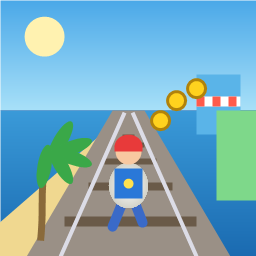
Control a kid in a red baseball cap running endlessly on three seaside railway tracks: switch lanes, jump, and slide to avoid oncoming trains, low-clearance bars, and moving blockades. Features cartoon retro 3D visuals, double scores for perfect runs, daily rewards, achievements, and local high score tracking.
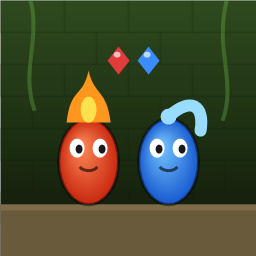
Control Fireboy and Watergirl to cooperate: collect matching gems, trigger buttons, pull levers, push boxes, and ride lifts. 30 handmade puzzle levels across 5 chapters, plus random endless mode. Supports local co-op and dual virtual joysticks.
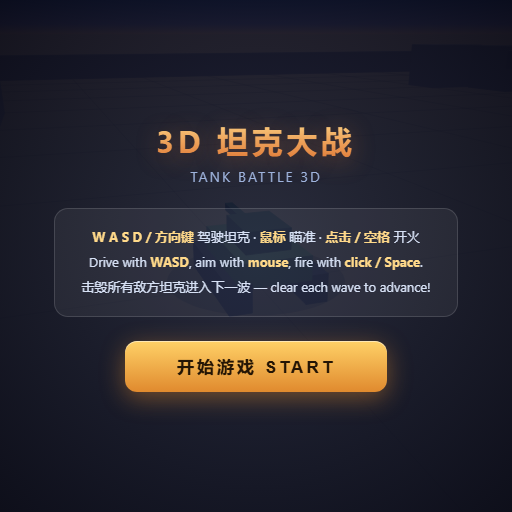
Pilot your combat tank in a 3D battleground: maneuver to dodge artillery fire, aim and destroy enemy tanks in wave-based assault missions.
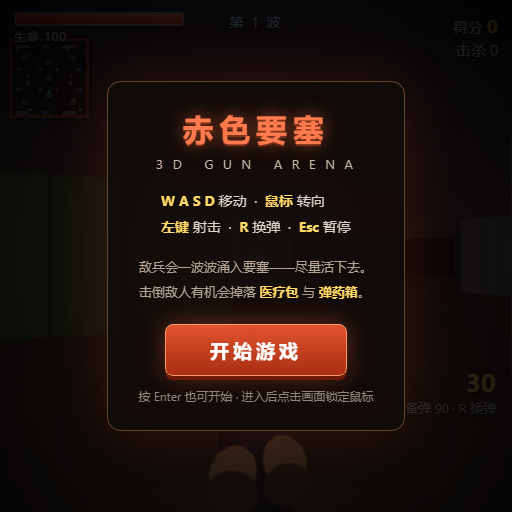
First-person 3D shooter: Navigate through enemy strongholds, shoot hostile units, and clear stages while holding your ground.
Top-down survival shooter: Navigate through endless waves of monsters, select new skills and weapon upgrades upon leveling up, and survive as long as possible.
Miniature MOBA battle: Control your hero, push minion waves, release skills, defeat enemy units/towers, and destroy the enemy base.