Hand of DestructionAI · Claude 3.5
Game information
AI generation prompt
Core Game Loop and Mechanics
Planet Demolish is a pure sandbox experience focused on experimentation and destruction. The player interacts with a detailed planet floating in space, using various weapons to cause realistic damage and observe the resulting physics simulations.
Moment-to-Moment Gameplay:
- Player rotates and zooms the planet to find interesting angles
- Selects weapons from a minimal UI
- Fires weapons at the planet surface or space around it
- Observes realistic damage propagation, heat spread, fragmentation, and debris behavior
- Experiments with different weapon combinations and effects
- Resets the planet when desired to start fresh
What Makes It Compelling:
- Satisfying physics-based destruction with visible internal layers
- Emergent behavior from weapon interactions (chain reactions, orbital mechanics)
- No failure state - pure creative experimentation
- Visual spectacle of planetary-scale destruction
- Discovering interesting effects through experimentation
No Win/Lose Conditions: This is a pure sandbox with no objectives, scores, or progression. The engagement comes from experimentation and the satisfaction of destruction.
Starting Scope
The first iteration should focus on delivering a polished, minimal but complete sandbox experience:
Must Have (First Iteration):
- Single detailed planet with visible layered structure (crust, mantle, core)
- Planet rotation and zoom controls (mouse drag to rotate, scroll to zoom)
- 3-4 core weapons that showcase different destruction types:
- Laser: Precision cutting tool that melts and vaporizes material
- Nuke: Explosive with shockwave and heat spread
- Asteroid: Kinetic impact with crater formation
- Black Hole: Gravity distortion that pulls material inward
- Basic physics simulation:
- Material fragmentation when structural integrity fails
- Debris with orbital motion around planet center
- Heat spread through adjacent materials
- Gravity affecting debris trajectories
- Minimal UI: weapon selector bar at bottom, reset button
- Visual feedback: damage effects, heat glow, particle effects
Future Iterations Can Add:
- Additional weapons (gravity beam, antimatter, solar flare)
- More complex planetary compositions (water, atmosphere, ice caps)
- Enhanced physics (tidal forces, material phase changes)
- Multiple planet types (gas giant, rocky, ice world)
- Debris collision and accumulation
- Time controls (slow motion, pause)
Game Perspective
3D Third-Person Orbital View
The camera orbits around a central planet in 3D space. The player can:
- Rotate the view around the planet by dragging
- Zoom in/out with scroll or pinch gestures
- The planet remains centered while the camera moves around it
- Weapons are fired from the camera's perspective toward the planet
This perspective allows players to appreciate the planet's spherical nature, see internal layers when damaged, and observe debris orbiting in 3D space.
Game World and Level Design
The Planet:
- Spherical planet floating in space (dark starfield background)
- Radius: approximately 200-300 units in game space
- Three visible layers with distinct colors/materials:
- Crust (outer): Rocky, gray-brown, relatively thin (20-30 units thick)
- Mantle (middle): Orange-red, molten appearance, thicker (80-100 units)
- Core (center): Bright yellow-white, glowing, dense (remaining radius)
- Each layer has different properties:
- Structural integrity (how much damage before fragmenting)
- Heat capacity and conductivity
- Density (affects gravity and debris behavior)
Space Environment:
- Infinite dark space with subtle star field
- No boundaries - debris can float indefinitely
- Gravity centered on planet's center of mass
- As planet loses mass, gravity weakens proportionally
Initial State:
- Planet is intact and slowly rotating on its axis
- Camera starts at medium distance showing full planet
- No debris or damage initially
Edit Mode Design
For this sandbox game, Edit Mode allows players to customize the planet's properties and weapon parameters to create different destruction scenarios.
Planet Properties (Editable):
- Planet Size: Radius multiplier (0.5x to 2x) - affects total mass and gravity
- Layer Thickness Ratios: Adjust relative thickness of crust/mantle/core
- Material Strength: How resistant each layer is to damage (0.5x to 2x)
- Rotation Speed: How fast the planet spins (0x to 3x)
- Gravity Strength: Multiplier for gravitational force (0.5x to 2x)
Weapon Properties (Editable):
- Laser:
- Beam width (thin precision to wide cutting beam)
- Heat intensity (how quickly it melts material)
- Continuous fire duration
- Nuke:
- Explosion radius (affects area of effect)
- Shockwave strength (how much material is displaced)
- Heat spread distance
- Asteroid:
- Size (affects impact crater size)
- Velocity (faster = deeper penetration)
- Material density
- Black Hole:
- Event horizon radius
- Gravitational pull strength
- Duration before dissipating
Visual Properties (Editable):
- Layer colors (RGB sliders for crust/mantle/core)
- Background star density
- Debris trail visibility
Constraints:
- All multipliers capped at reasonable ranges to prevent performance issues
- Planet must maintain minimum size to remain visible
- Weapon strengths limited to prevent instant destruction (keep experimentation interesting)
- At least one layer must always be present
UI for Edit Mode:
- Collapsible panel on left side with tabbed sections (Planet, Weapons, Visuals)
- Sliders and color pickers for all properties
- "Reset to Default" button for each section
- Changes apply immediately to allow experimentation
Control Design
Desktop Controls:
- Mouse Drag (Left Button): Rotate camera around planet
- Mouse Scroll: Zoom in/out
- Mouse Click (Left Button): Fire selected weapon at cursor position
- Number Keys (1-4): Quick select weapons
- R Key: Reset planet to initial state
- Spacebar: Hold to pause planet rotation for precise aiming
Mobile Controls:
- Single Finger Drag: Rotate camera around planet
- Pinch Gesture: Zoom in/out
- Tap: Fire selected weapon at tap position
- Weapon Selector: Tap icons in bottom bar to switch weapons
- Reset Button: Tap button in top-right corner
Weapon Firing Mechanics:
- Laser: Click/tap and hold to fire continuous beam from camera toward target point
- Nuke: Click/tap to launch projectile that explodes on impact
- Asteroid: Click/tap to spawn asteroid that travels toward planet
- Black Hole: Click/tap to create black hole at that position in space
Camera Behavior:
- Camera always faces planet center
- Rotation is smooth and follows drag velocity (momentum)
- Zoom is clamped between close-up (see surface detail) and far (see full planet + debris field)
- Camera cannot pass through planet
Input Handling:
- Track mouse/touch position in 3D space using raycasting
- Convert screen coordinates to 3D world position on planet surface or in space
- Prevent default browser behaviors for used inputs
- Clear input state on window blur
Physics Simulation
Material Fragmentation:
- Each layer has structural integrity points
- Damage reduces integrity in affected area
- When integrity reaches zero, material fragments into debris chunks
- Fragment size depends on damage type (explosion = many small pieces, laser = fewer larger pieces)
- Fragments inherit velocity from impact/explosion
Debris Orbital Motion:
- Each debris piece has position, velocity, and mass
- Gravity force calculated based on distance from planet center: F = G * (m1 * m2) / r²
- Debris follows realistic orbital trajectories (elliptical, parabolic, or hyperbolic)
- Debris can collide with planet and cause secondary damage
- Very slow-moving debris may re-accrete to planet surface
Heat Propagation:
- Heat spreads from damage point to adjacent material
- Different layers conduct heat at different rates
- High heat reduces structural integrity over time
- Visual feedback: glowing red/orange areas where hot
- Heat dissipates slowly over time
Gravity Distortion (Black Hole):
- Black hole creates strong localized gravity well
- Pulls nearby material and debris toward center
- Material stretched and compressed as it approaches
- Black hole slowly evaporates (Hawking radiation) over 10-15 seconds
- Affects both planet material and debris
Shockwaves (Nuke):
- Spherical expanding wave from explosion point
- Pushes material outward with decreasing force
- Can trigger chain fragmentation in weakened areas
- Visible as expanding ring effect
Performance Considerations:
- Limit maximum debris pieces (merge or remove distant/slow pieces)
- Use spatial partitioning for collision detection
- Simplify physics for distant debris
- Update physics at fixed timestep (60 FPS target)
Weapon Design Details
Laser:
- Visual: Bright beam from camera to target, with glow and particles
- Damage: Continuous heat application, melts material along beam path
- Effect: Creates deep narrow channels, exposes inner layers
- Duration: Can fire continuously while holding
- Cooldown: 1 second after releasing
Nuke:
- Visual: Projectile trail, bright flash on impact, expanding shockwave sphere
- Damage: Instant high damage in radius, heat spread, shockwave push
- Effect: Large crater, many fragments ejected, heat glow persists
- Cooldown: 3 seconds between launches
Asteroid:
- Visual: Rocky sphere with trail, impact dust cloud
- Damage: Kinetic impact based on velocity and mass
- Effect: Deep crater, ejects material upward, can penetrate multiple layers
- Cooldown: 2 seconds between spawns
Black Hole:
- Visual: Dark sphere with accretion disk, gravitational lensing effect
- Damage: Pulls material inward, compresses and destroys
- Effect: Creates void, debris spirals inward, distorts nearby space
- Duration: 10-15 seconds before evaporating
- Cooldown: 5 seconds after evaporation
Art Style and Visual Theme
Art Style: Realistic Sci-Fi with Stylized Elements
The game should feel scientifically grounded while remaining visually spectacular and readable.
Visual Approach:
- Realistic planetary textures with subtle stylization for clarity
- Physically-based lighting and materials
- Dramatic particle effects for destruction
- Clean, minimal UI that doesn't distract from the spectacle
- High contrast between planet layers for visibility
Color Palette:
- Space Background: Deep black (#000000) with subtle blue tint, white stars
- Crust: Gray-brown rocky texture (#8B7355, #A0826D)
- Mantle: Orange-red molten appearance (#FF6B35, #D94F30)
- Core: Bright yellow-white glow (#FFF4A3, #FFE66D)
- Heat Glow: Red to yellow gradient based on temperature
- Weapon Effects: Bright, saturated colors (laser: cyan, nuke: orange-white, black hole: purple-black)
Technical Rendering:
- Use Three.js for 3D rendering
- Planet rendered as sphere with layered materials
- Damage creates holes revealing inner layers (use shader or dynamic geometry)
- Particle systems for explosions, debris trails, heat effects
- Post-processing for glow effects on hot materials and weapons
Asset Needs:
- Planet surface textures (crust, mantle, core) - can be procedural or generated
- Particle textures for various effects
- UI icons for weapons (simple, clear silhouettes)
- Background starfield (can be procedural)
Consistency:
- All weapon effects use similar particle style
- UI elements use consistent iconography and typography
- Lighting is consistent (single directional light simulating distant sun)
- All debris uses same material system as planet layers
UI Design
Minimal HUD:
Weapon Selector Bar (bottom center):
- 4 weapon icons in horizontal row
- Selected weapon highlighted with border/glow
- Icons are large enough for touch (96x96px minimum)
- Semi-transparent background
- Positioned 80px from bottom edge
Reset Button (top right):
- Circular button with reset icon
- 80x80px touch target
- Positioned 40px from top and right edges
- Confirms before resetting if significant destruction has occurred
Edit Mode Toggle (top left):
- Small button to open/close edit panel
- Only visible in edit mode
No Other UI:
- No health bars, scores, timers, or objectives
- No tutorial text (intuitive interaction)
- No minimap or indicators
- Clean screen focused on the destruction
Visual Feedback:
- Crosshair appears at aim point when weapon is ready
- Weapon cooldown shown as fill animation on weapon icon
- Brief flash/shake on successful hit
Related games
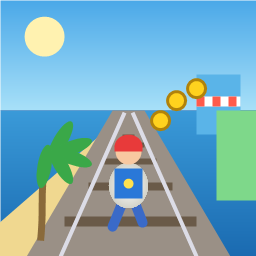
Control a kid in a red baseball cap running endlessly on three seaside railway tracks: switch lanes, jump, and slide to avoid oncoming trains, low-clearance bars, and moving blockades. Features cartoon retro 3D visuals, double scores for perfect runs, daily rewards, achievements, and local high score tracking.
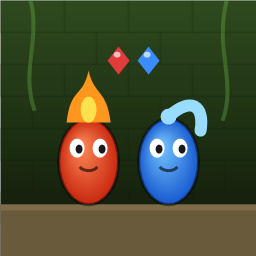
Control Fireboy and Watergirl to cooperate: collect matching gems, trigger buttons, pull levers, push boxes, and ride lifts. 30 handmade puzzle levels across 5 chapters, plus random endless mode. Supports local co-op and dual virtual joysticks.
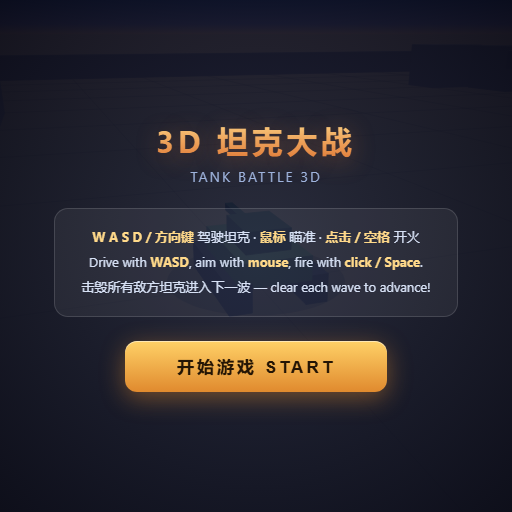
Pilot your combat tank in a 3D battleground: maneuver to dodge artillery fire, aim and destroy enemy tanks in wave-based assault missions.
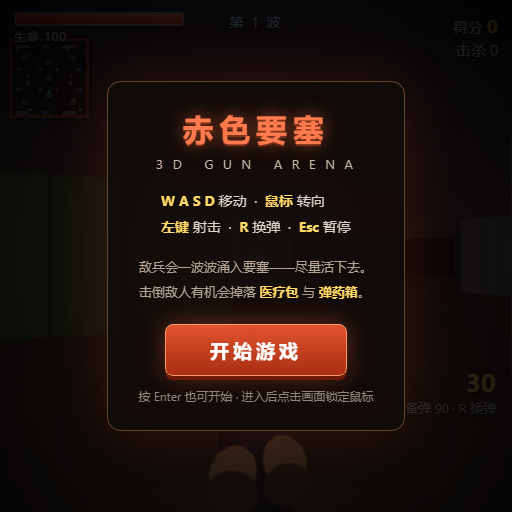
First-person 3D shooter: Navigate through enemy strongholds, shoot hostile units, and clear stages while holding your ground.

Top-down survival shooter: Navigate through endless waves of monsters, select new skills and weapon upgrades upon leveling up, and survive as long as possible.

Miniature MOBA battle: Control your hero, push minion waves, release skills, defeat enemy units/towers, and destroy the enemy base.