Lightsaber Ragdoll RumbleAI · Claude 3.5
Game information
AI generation prompt
Core Game Loop and Mechanics
Moment-to-Moment Gameplay: The player experiences intense, physics-driven lightsaber duels in a low-gravity environment. Each match is a tactical dance where the player drags their stickman's lightsaber around the screen, causing their ragdoll body to follow with realistic physics. The stickman attempts to maintain balance through spring forces while the player maneuvers the lightsaber to strike the enemy.
Combat System:
- Lightsaber Control: Player drags the lightsaber (attached to the stickman's hand) anywhere on screen. The ragdoll body follows with physics-based movement
- Damage System:
- Head hit: 40 damage (critical)
- Torso hit: 20 damage (medium)
- Arms/Legs hit: 10 damage (light)
- Both players start with 100 HP
- Collision Mechanics: When lightsabers collide, sparks fly and both ragdolls receive a deflection force pushing them apart
- Physics: Low gravity (30% of normal) allows for floaty, dramatic movements. Spring forces constantly try to pull the stickman upright
Progression:
- Round-based combat: Best of 3 rounds
- Each round ends when one fighter reaches 0 HP
- Winner is first to win 2 rounds
- Between rounds: 3-second countdown with HP reset
Win/Lose Conditions:
- Win: Defeat the AI opponent in 2 out of 3 rounds
- Lose: AI wins 2 rounds first
- Victory/defeat screen shows final score and offers rematch
Engagement & Replayability:
- Emergent physics create unique moments each match
- AI adapts difficulty based on player performance
- Satisfying impact feedback (sparks, screen shake, sound effects)
- Quick rounds (30-60 seconds each) encourage "one more match"
Starting Scope
First Iteration (Implement Now):
- Single arena (50x50 meter enclosed space with visible boundaries)
- Player ragdoll with lightsaber drag control
- Basic AI opponent with simple behavior (approach, attack, dodge)
- Core damage system (head/torso/limbs with different damage values)
- Lightsaber collision with spark effects and deflection
- HP bars for both fighters
- Round system (best of 3)
- Dynamic camera that zooms to keep both fighters in frame
- Victory/defeat screen with rematch button
- Touch controls for mobile (drag lightsaber)
- Mouse controls for desktop (click and drag lightsaber)
- Basic UI (HP bars, round counter, pause button)
Future Iterations (Add Later):
- Multiple arenas with different aesthetics and sizes
- Power-ups (speed boost, damage multiplier, shield)
- Special moves (dash attack, spin attack)
- Customization (different lightsaber colors, stickman accessories)
- Difficulty levels for AI
- Combo system and score multipliers
- Replay system to watch best moments
- Tournament mode with multiple AI opponents
Game Perspective
Side-scrolling (2D side view) - Classic fighting game perspective where both fighters are viewed from the side. The camera is positioned perpendicular to the action, showing the full height and width of the arena. This perspective is ideal for:
- Clear visibility of limb positions for targeting
- Easy tracking of both fighters simultaneously
- Intuitive depth perception for combat spacing
- Traditional fighting game feel
Game World and Level Design
Arena Structure:
- Dimensions: 50 meters wide × 50 meters tall enclosed space
- Boundaries: Solid walls on all four sides (top, bottom, left, right) that ragdolls bounce off with slight damping
- Visual Style: Futuristic sci-fi arena with:
- Glowing grid floor and ceiling
- Semi-transparent energy barriers as walls
- Subtle particle effects floating in the background
- Dark space backdrop visible through barriers
- Neon accent lighting (cyan and purple tones)
Spatial Layout:
- Players spawn 20 meters apart horizontally, centered vertically
- Plenty of vertical space for low-gravity jumps and aerial combat
- No obstacles or platforms - pure open arena for unobstructed combat
- Arena boundaries are clearly visible with glowing edges
Camera Behavior:
- Dynamic zoom: Camera automatically adjusts to keep both fighters in frame
- Minimum zoom: Shows fighters at comfortable size for detail
- Maximum zoom: Shows entire 50×50 arena when fighters are far apart
- Smooth interpolation between zoom levels (no jarring jumps)
- Camera center point: Midpoint between the two fighters
- Padding: Maintains 10% screen margin around fighters
Environmental Feedback:
- Wall impacts create brief flash effects on barriers
- Floor/ceiling impacts create ripple effects on grid
- Ambient particles react to nearby movement
- Lighting subtly intensifies during lightsaber clashes
Edit Mode Design
Editable Properties:
Player Customization:
playerLightsaberColor: RGB color picker (default: cyan #00FFFF)playerStickmanColor: RGB color picker (default: white #FFFFFF)
Enemy Customization:
enemyLightsaberColor: RGB color picker (default: red #FF0000)enemyStickmanColor: RGB color picker (default: white #FFFFFF)
Gameplay Parameters:
gravityStrength: Slider 0.1-1.0 (default: 0.3, where 1.0 = normal gravity)roundsToWin: Dropdown [1, 2, 3, 5] (default: 2)startingHP: Slider 50-200 (default: 100)aiDifficulty: Dropdown ["Easy", "Medium", "Hard"] (default: "Medium")
Damage Values:
headDamage: Slider 20-60 (default: 40)torsoDamage: Slider 10-40 (default: 20)limbDamage: Slider 5-20 (default: 10)
Physics Tuning:
uprightSpringStrength: Slider 0.5-2.0 (default: 1.0)lightsaberDeflectionForce: Slider 0.5-2.0 (default: 1.0)
Arena Settings:
arenaBackgroundColor: RGB color picker (default: dark purple #1a0033)arenaGridColor: RGB color picker (default: cyan #00FFFF)arenaSize: Slider 30-70 meters (default: 50)
Constraints:
- All damage values must sum to at least 30 to prevent extremely long matches
- Gravity cannot be zero (minimum 0.1) to maintain physics stability
- Arena size minimum of 30m to ensure playable space
- AI difficulty affects reaction time and attack frequency, not damage output
- Color pickers prevent pure black (#000000) for visibility
- Spring strength capped at 2.0 to prevent jittery physics
Edit Mode UI:
- Organized into collapsible sections: "Appearance", "Gameplay", "Physics", "Arena"
- Live preview shows changes in real-time without restarting match
- "Reset to Defaults" button for each section
- "Test Changes" button starts a practice round with current settings
Control Design
Mobile (Touch) - Primary Platform:
Lightsaber Control:
- Touch and drag anywhere on screen to move the player's lightsaber
- The lightsaber follows the touch position directly
- Ragdoll body follows the lightsaber with physics-based movement
- Visual feedback: Thin line from stickman's hand to lightsaber shows connection
- Drag indicator: Subtle glow around finger position
Additional Controls:
- Pause button: Fixed in top-right corner (96×96px minimum)
- No other buttons needed during gameplay (pure drag control)
Touch Handling:
- Track first touch ID for lightsaber control
- Ignore subsequent touches (prevent multi-touch confusion)
- Release touch: Lightsaber maintains last position, gravity takes over
- Touch outside pause button: Immediately moves lightsaber to that position
Desktop (Keyboard/Mouse) - Secondary Platform:
Lightsaber Control:
- Click and hold left mouse button to grab lightsaber
- Drag mouse to move lightsaber position
- Release mouse button: Lightsaber maintains position, gravity takes over
- Cursor changes to "grab" icon when hovering over lightsaber
- Cursor changes to "grabbing" icon when dragging
Additional Controls:
- ESC key: Pause game
- Pause button: Click in top-right corner
Mouse Handling:
- Prevent default drag behavior
- Clear input on window blur
- Show lightsaber position indicator when not dragging
Control Feedback:
- Lightsaber glows brighter when being actively controlled
- Subtle trail effect follows lightsaber movement
- Haptic feedback on mobile for impacts (if supported)
- Screen shake on heavy hits
Control Philosophy:
- Minimal UI during gameplay for immersion
- Direct manipulation feels intuitive and responsive
- Physics-based movement creates skill ceiling (mastering momentum)
- No complex button combinations - pure spatial control
Ragdoll Physics System
Stickman Structure:
- Segments: Head, torso, upper arms (×2), lower arms (×2), upper legs (×2), lower legs (×2)
- Joints: Neck, shoulders (×2), elbows (×2), hips (×2), knees (×2)
- Constraints: Each joint has angle limits to prevent unnatural bending
Physics Properties:
- Mass Distribution: Head (8kg), torso (30kg), upper limbs (3kg each), lower limbs (2kg each)
- Low Gravity: 0.3× normal gravity (2.94 m/s² instead of 9.8 m/s²)
- Upright Spring Forces: Constant torque applied to torso and head to maintain standing position
- Spring strength: Moderate (allows for dramatic falls but recovers)
- Target angle: Vertical (0° rotation)
- Damping: Prevents oscillation
Lightsaber Attachment:
- Rigidly attached to dominant hand (right hand)
- When player drags lightsaber, force is applied to hand segment
- Force propagates through arm joints to entire body
- Lightsaber has minimal mass (0.5kg) but high momentum transfer
Collision System:
- Ragdoll-to-Ragdoll: Segments bounce off each other with damping
- Ragdoll-to-Wall: Bounce with 0.6 restitution coefficient
- Lightsaber-to-Lightsaber: Spark effect + deflection force (both ragdolls pushed apart)
- Lightsaber-to-Segment: Damage applied + slight knockback force
Movement Dynamics:
- Dragging lightsaber pulls entire ragdoll through physics chain
- Fast drags create momentum and spinning
- Slow drags allow for precise positioning
- Releasing control lets physics and upright springs take over
AI Opponent Behavior
AI States:
- Approach: Move toward player when distance > 15 meters
- Combat Range: Circle and look for openings when 8-15 meters away
- Attack: Strike when opportunity detected (player exposed)
- Defend: Pull back and dodge when player attacks
- Recover: Regain balance when knocked off-center
AI Decision Making:
Attack Opportunities:
- Player lightsaber is far from their body (exposed)
- Player is off-balance (torso tilted > 30°)
- Player is near wall (limited escape options)
- AI has HP advantage (more aggressive)
Dodge Triggers:
- Player lightsaber moving rapidly toward AI
- Player lightsaber within 5 meters of AI torso/head
- Predictive: Anticipates player strike trajectory
Attack Patterns:
- Head Strike: Overhead swing when player is below
- Torso Strike: Horizontal slash at center mass
- Leg Sweep: Low attack to destabilize
Difficulty Scaling (for future):
- Easy: 300ms reaction time, attacks torso only, simple dodges
- Medium: 150ms reaction time, targets head/torso, predictive dodges
- Hard: 50ms reaction time, optimal targeting, feints and combos
AI Movement:
- Uses same drag-lightsaber control as player
- Applies force to its own lightsaber position
- Subject to same physics and spring forces
- Maintains distance awareness to avoid walls
Personality Traits:
- Slight randomness in timing (feels human)
- Occasional "mistakes" (misses or late dodges)
- Adaptive: Learns player patterns over rounds (future feature)
Art Style and Visual Theme
Overall Aesthetic: Sleek, minimalist sci-fi with neon accents. Think "Tron meets stick figure animation" - clean lines, glowing elements, and high contrast. The focus is on clarity and readability while maintaining a futuristic, polished look.
Color Palette:
- Primary: Deep space purple/black backgrounds (#1a0033, #0a0015)
- Accents: Cyan (#00FFFF), electric blue (#0080FF), neon purple (#FF00FF)
- Player: Cyan lightsaber, white stickman
- Enemy: Red lightsaber (#FF0000), white stickman
- UI: Semi-transparent dark panels with cyan borders
Stickman Design:
- Clean white lines (3-4px thick) for limbs and body
- Circular head (slightly larger than anatomically correct for visibility)
- Smooth joints (no sharp angles)
- Subtle glow effect around entire figure
- Lightsaber hand has slight emphasis (thicker line)
Lightsaber Design:
- Glowing blade: 1 meter long, 3cm wide
- Bright core with outer glow (bloom effect)
- Hilt: Small metallic cylinder at base (8cm long)
- Trail effect: Fading afterimages when moving fast
- Clash sparks: Bright white/yellow particles
Arena Visuals:
- Floor/Ceiling: Glowing grid pattern (1m squares)
- Walls: Semi-transparent energy barriers with hexagonal pattern
- Background: Deep space with distant stars and nebula
- Lighting: Ambient glow from grid and barriers
- Particles: Slow-floating energy motes throughout arena
UI Style:
- HP Bars: Horizontal bars at top of screen
- Player (left): Cyan fill with white border
- Enemy (right): Red fill with white border
- Background: Dark semi-transparent
- Smooth depletion animation
- Round Counter: Center top, shows "Round X of Y" with dots
- Pause Button: Top-right, circular with pause icon, subtle glow
- Victory/Defeat Screen: Full-screen overlay with blur effect
- Large text: "VICTORY" (cyan) or "DEFEAT" (red)
- Round score display
- Rematch button: Glowing cyan border
Visual Effects:
- Impact Flash: Brief white flash on hit
- Screen Shake: Subtle camera shake on heavy hits (head/torso)
- Damage Numbers: Float up from hit location, fade out
- Deflection Sparks: Burst of particles when lightsabers clash
- Wall Impact: Ripple effect on barrier
- Glow Intensity: Lightsabers pulse brighter during active control
Animation Principles:
- Smooth interpolation for all movements (60 FPS target)
- Exaggerated physics for dramatic effect
- Clear visual feedback for every action
- High contrast ensures readability on all devices
Asset vs Code Rendering:
- Generate Assets: Lightsaber glow textures, spark particles, UI icons, background nebula
- Code Rendering (Canvas): Stickman limbs, arena grid, HP bars, connecting lines, trails
- Hybrid: Lightsaber blade (gradient + glow texture), arena barriers (pattern + code)
Related games
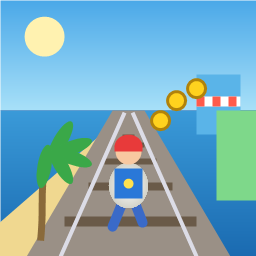
Control a kid in a red baseball cap running endlessly on three seaside railway tracks: switch lanes, jump, and slide to avoid oncoming trains, low-clearance bars, and moving blockades. Features cartoon retro 3D visuals, double scores for perfect runs, daily rewards, achievements, and local high score tracking.
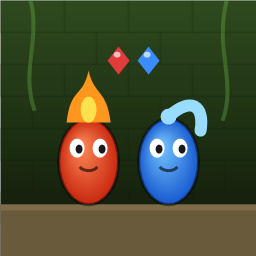
Control Fireboy and Watergirl to cooperate: collect matching gems, trigger buttons, pull levers, push boxes, and ride lifts. 30 handmade puzzle levels across 5 chapters, plus random endless mode. Supports local co-op and dual virtual joysticks.
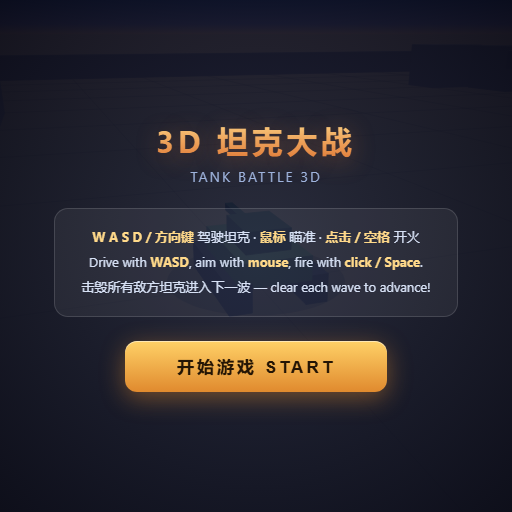
Pilot your combat tank in a 3D battleground: maneuver to dodge artillery fire, aim and destroy enemy tanks in wave-based assault missions.
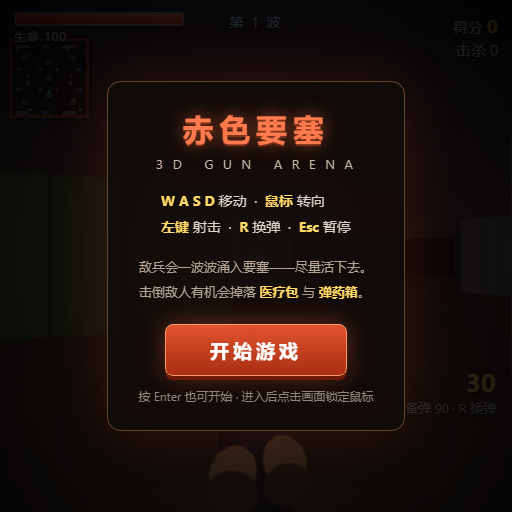
First-person 3D shooter: Navigate through enemy strongholds, shoot hostile units, and clear stages while holding your ground.

Top-down survival shooter: Navigate through endless waves of monsters, select new skills and weapon upgrades upon leveling up, and survive as long as possible.

Miniature MOBA battle: Control your hero, push minion waves, release skills, defeat enemy units/towers, and destroy the enemy base.