Blaster DuelsAI · Claude 3.5
Game information
AI generation prompt
Core Game Loop and Mechanics
Arena Arsenal is a physics-based combat game where shooting and movement are one and the same. The player controls a rectangular gun that fires bullets and simultaneously flips/rotates from the recoil. The core loop is:
- Tap to Fire: Player taps anywhere on screen to shoot a bullet from their gun's barrel
- Physics Response: The gun experiences torque and momentum from the shot, causing it to rotate and potentially move
- Arena Interaction: Gun bounces off walls with realistic collision physics, maintaining rotational momentum
- Combat: Hit the AI opponent 2 times (for standard guns) to defeat them
- Progression: Defeat opponents to unlock new weapon types with different physics properties
- Victory/Defeat: Win by defeating the opponent; lose if your gun is destroyed first
The gameplay is about mastering the physics - learning how each shot affects your gun's rotation and position, predicting bounces, and timing shots to both hit the opponent and position yourself advantageously.
Starting Scope
First Iteration (Minimal Viable Game):
- Square arena with 4 walls
- Player-controlled standard gun (2 HP)
- Single AI opponent with standard gun (2 HP)
- Tap-to-shoot mechanic with physics-based gun rotation
- Bullet firing and collision detection
- Wall collision with bounce physics for guns
- Health system (2 hits to defeat)
- Simple win/lose screen
- Basic muzzle flash visual feedback
Future Iterations:
- Additional weapon types (pistol, cannon)
- Multiple rounds/waves
- Weapon unlock system
- Score tracking
- Particle effects for impacts
- Sound effects and background music
- Edit mode for customizing arena size, weapon properties, etc.
Game Perspective
Fixed-screen side view - The entire square arena is visible at all times. Both guns are shown in side profile (silhouettes). The camera is static, showing the full play area with no scrolling needed.
Game World and Level Design
Arena Layout:
- Square arena (approximately 600x600 pixels within the 720x1280 viewport)
- Centered vertically in the upper portion of the screen (leaving bottom ~400px for UI/touch area)
- Four solid walls forming the boundary
- Flat, minimalist design with clean rectangular shapes
Starting Positions:
- Player gun spawns in bottom-left quadrant, angled toward center (~45° upward)
- AI gun spawns in top-right quadrant, angled toward center (~225° downward)
- Both guns start with 2 HP
Physics Properties:
- Gravity affects guns when airborne
- Guns have mass, rotational inertia
- Walls are perfectly elastic (bounce without energy loss for now)
- Each shot applies impulse force at the gun's barrel, creating torque around center of mass
Edit Mode Design
For First Iteration: No edit mode - focus on polished gameplay first.
Future Edit Mode Features:
- Arena size adjustment (width/height sliders)
- Wall elasticity (bounciness factor)
- Gravity strength
- Gun properties: shot force, rotation speed, health
- Color customization for guns, walls, bullets
- Starting positions and angles
Control Design
Mobile (Primary):
- Tap anywhere on screen: Fire bullet from gun's barrel
- Applies impulse force to gun, causing rotation and movement
- No virtual joysticks needed - the physics-based movement IS the control scheme
- Touch area covers entire screen for maximum accessibility
Desktop (Secondary):
- Click anywhere: Fire bullet (same as mobile tap)
- Spacebar: Alternative fire button
- Simple, one-button control scheme matches mobile experience
Control Implementation:
- Track touch/click position for potential future features (aim assist, power meter)
- For now, every tap fires immediately
- Prevent default touch behaviors to avoid scrolling
- Clear input state on window blur
Art Style and Visual Theme
Minimalist Geometric Style:
- Flat colors, no gradients or textures
- Clean rectangular shapes for all elements
- High contrast color scheme (dark background, bright elements)
- Simple side-profile gun silhouettes (rectangular body with barrel protrusion)
Visual Elements:
- Arena: Dark background (#1a1a2e or similar), lighter walls (#16213e)
- Guns: Bright contrasting colors - Player gun (#00ff88 or cyan), AI gun (#ff0055 or red)
- Bullets: Small bright circles matching gun colors
- Muzzle Flash: Simple bright rectangle/circle that appears briefly at barrel tip
- Health Indicators: Small rectangles above each gun showing remaining HP
Asset Approach:
- Arena walls, floor: Rendered with CSS/Canvas (simple rectangles)
- Guns: Generated image assets (side-profile silhouettes)
- Bullets: Canvas circles (no asset needed)
- Muzzle flash: Generated image asset (simple bright burst)
- UI elements: Canvas/CSS rendering
Additional Game-Specific Design Elements
Physics System:
- Use a simple 2D physics engine approach with:
- Position, velocity, angular velocity for each gun
- Collision detection: AABB for walls, circle/rectangle hybrid for guns
- Impulse-based collision response
- Torque calculation from shot force applied at barrel offset
AI Behavior:
- AI follows same physics rules as player
- Simple decision-making:
- Calculate angle to player
- Fire when roughly aimed at player (with some randomness)
- Delay between shots (0.5-1 second)
- AI doesn't "cheat" - uses same tap-to-fire mechanic
Combat Mechanics:
- Bullets are small, fast-moving projectiles
- Bullet collision with guns reduces HP by 1
- Bullets disappear on impact or when leaving arena
- No friendly fire (bullets don't hit the gun that fired them)
- Visual feedback: Flash gun white briefly when hit
Game Flow:
- Game starts with both guns at starting positions
- 3-2-1 countdown before control is enabled
- Battle until one gun reaches 0 HP
- Victory/defeat screen with "Play Again" button
- Reset to starting positions for new round
Performance Considerations:
- Limit active bullets (max 10 per gun)
- Simple collision detection (no complex polygon checks)
- Minimal particle effects in first iteration
- Target 60 FPS on mobile devices
Related games
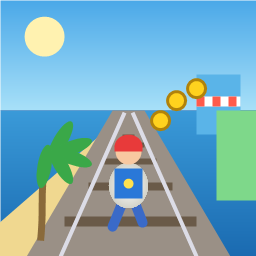
Control a kid in a red baseball cap running endlessly on three seaside railway tracks: switch lanes, jump, and slide to avoid oncoming trains, low-clearance bars, and moving blockades. Features cartoon retro 3D visuals, double scores for perfect runs, daily rewards, achievements, and local high score tracking.
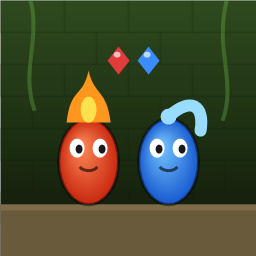
Control Fireboy and Watergirl to cooperate: collect matching gems, trigger buttons, pull levers, push boxes, and ride lifts. 30 handmade puzzle levels across 5 chapters, plus random endless mode. Supports local co-op and dual virtual joysticks.
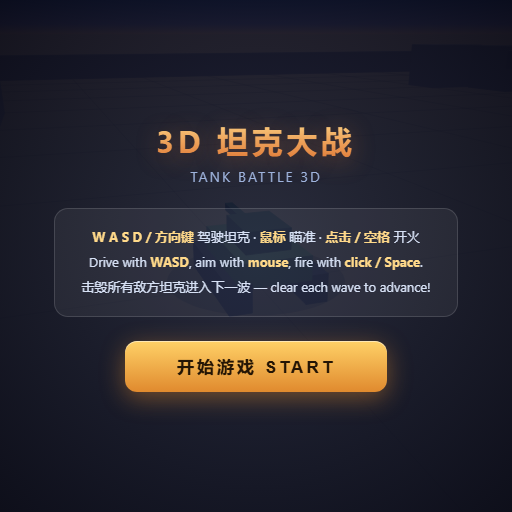
Pilot your combat tank in a 3D battleground: maneuver to dodge artillery fire, aim and destroy enemy tanks in wave-based assault missions.
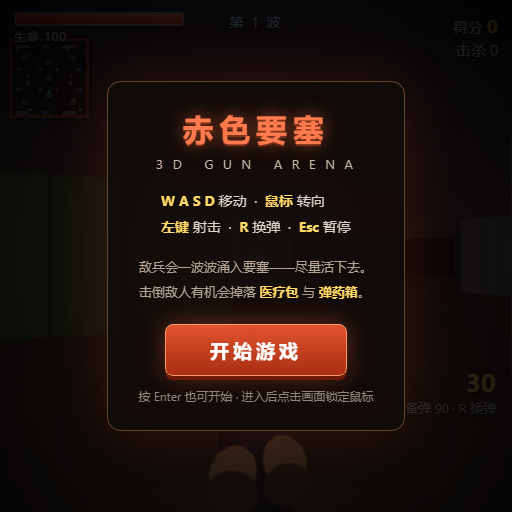
First-person 3D shooter: Navigate through enemy strongholds, shoot hostile units, and clear stages while holding your ground.

Top-down survival shooter: Navigate through endless waves of monsters, select new skills and weapon upgrades upon leveling up, and survive as long as possible.
Miniature MOBA battle: Control your hero, push minion waves, release skills, defeat enemy units/towers, and destroy the enemy base.